KimiLen
Members
-
Joined
-
Last visited
-
It works! It really were just the extra Game Parameters for me. I think the "FPlatformMisc::RequestExit(1)" was just me closing the docker, but it showed up even after restarting. I don't know, it's weird, if I look at te log, it looks like it would start and then instantly close, but maybe it's just the log of the last try? Idk. But it works, that's all that matters. Thank you! Maybe you could put the Extra Parameters for Epic-Users somewhere, so they are easier to find.
-
I reinstalled everything now. Before I restart the docker to add the extra parameters you mentioned, does the end of this docker log mean, that the installation has finished successfully or do I have to wait still? docker.log
-
I have setup the port forwarding, because I want to play with friends. I have the epicgames version of the game, so I think I don't have the "Steam server browser". Also, where is the "Lan-section"?
-
The second to last timestamped log is this one (where it just closes it instantly): [2026.01.22-10.42.23:840][ 0]Log file open, 01/22/26 11:42:23 [2026.01.22-10.42.23:840][ 0]LogMemory: Platform Memory Stats for WindowsServer [2026.01.22-10.42.23:840][ 0]LogMemory: Process Physical Memory: 161.88 MB used, 161.88 MB peak [2026.01.22-10.42.23:840][ 0]LogMemory: Process Virtual Memory: 132.31 MB used, 132.31 MB peak [2026.01.22-10.42.23:840][ 0]LogMemory: Physical Memory: 14452.05 MB used, 31990.17 MB total [2026.01.22-10.42.23:840][ 0]LogMemory: Virtual Memory: 161.88 MB used, 134217728.00 MB total [2026.01.22-10.42.24:200][ 0]New Save Format enabled [2026.01.22-10.42.24:201][ 0]ARK Version: 361.7 [2026.01.22-10.42.24:201][ 0]PID: 32 [2026.01.22-10.43.21:783][ 0]Primal Game Data Took 52.14 seconds [2026.01.22-10.43.26:283][ 0]SteamSocketsOpenSource: gethostname failed () [2026.01.22-10.43.26:283][ 0]gethostbyname failed () [2026.01.22-10.43.38:369][ 0]Server Initializing with BattlEye Anti-Cheat Protection. If you do not wish to use BattlEye, please launch with -NoBattlEye [2026.01.22-10.43.38:372][ 0]BattlEye successfully started. [2026.01.22-10.43.55:566][ 0]Server: "KIMI" has successfully started! [2026.01.22-10.43.55:645][ 0]ADayCycleManager DayCycleManager3, [2026.01.22-10.44.02:704][ 0]Commandline: TheIsland?listen?SessionName=KIMI?ServerPassword=Docker?ServerAdminPassword=adminDocker?Port=7777?QueryPort=27015?MaxPlayers=50?RCONEnabled=True?RCONPort=27020 -server -log --init --stop-timeout=7200s --stop-grace-period=7200s --no-healthcheck --privileged [2026.01.22-10.44.02:704][ 0]Full Startup: 100.79 seconds (BP compile: 0.00 seconds) [2026.01.22-10.44.02:704][ 0]Number of cores 8 [2026.01.22-10.44.02:803][ 1]Server attempting to run new years event [2026.01.22-10.44.02:803][ 1]Sever Is not set to official or running NewYearEvent argument [2026.01.22-10.44.04:709][ 59]Set New Years event location: -86711.156 - -171866.203 - 430.878 [2026.01.22-10.44.54:266][571]Saving world... [2026.01.22-10.44.55:023][571]World Save Complete. Took 0.757300 [2026.01.22-10.44.55:026][572] - FPlatformMisc::RequestExit(1) [2026.01.22-10.44.55:026][572]Log file closed, 01/22/26 11:44:55
-
Okay, so the most recent log is just empty, but the last one saved with a timestamp is this: [2026.01.22-10.45.09:952][ 0]Log file open, 01/22/26 11:45:09 [2026.01.22-10.45.09:952][ 0]LogMemory: Platform Memory Stats for WindowsServer [2026.01.22-10.45.09:952][ 0]LogMemory: Process Physical Memory: 159.25 MB used, 159.25 MB peak [2026.01.22-10.45.09:952][ 0]LogMemory: Process Virtual Memory: 129.73 MB used, 129.73 MB peak [2026.01.22-10.45.09:952][ 0]LogMemory: Physical Memory: 14478.59 MB used, 31990.17 MB total [2026.01.22-10.45.09:952][ 0]LogMemory: Virtual Memory: 159.25 MB used, 134217728.00 MB total [2026.01.22-10.45.10:296][ 0]New Save Format enabled [2026.01.22-10.45.10:296][ 0]ARK Version: 361.7 [2026.01.22-10.45.10:296][ 0]PID: 32 [2026.01.22-10.46.07:600][ 0]Primal Game Data Took 51.90 seconds [2026.01.22-10.46.12:116][ 0]SteamSocketsOpenSource: gethostname failed () [2026.01.22-10.46.12:116][ 0]gethostbyname failed () [2026.01.22-10.46.24:217][ 0]Server Initializing with BattlEye Anti-Cheat Protection. If you do not wish to use BattlEye, please launch with -NoBattlEye [2026.01.22-10.46.24:220][ 0]BattlEye successfully started. [2026.01.22-10.46.42:531][ 0]Server: "KIMI" has successfully started! [2026.01.22-10.46.42:614][ 0]ADayCycleManager DayCycleManager3, [2026.01.22-10.46.50:134][ 0]Commandline: TheIsland?listen?SessionName=KIMI?ServerPassword=Docker?ServerAdminPassword=adminDocker?Port=7777?QueryPort=27015?MaxPlayers=50?RCONEnabled=True?RCONPort=27020 -server -log --init --stop-timeout=7200s --stop-grace-period=7200s --no-healthcheck --privileged [2026.01.22-10.46.50:134][ 0]Full Startup: 102.05 seconds (BP compile: 0.00 seconds) [2026.01.22-10.46.50:134][ 0]Number of cores 8 [2026.01.22-10.46.50:235][ 1]Server attempting to run new years event [2026.01.22-10.46.50:235][ 1]Sever Is not set to official or running NewYearEvent argument [2026.01.22-10.46.52:142][ 59]Set New Years event location: -86711.156 - -171866.203 - 430.878 [2026.01.22-11.01.12:138][247]Saving world... [2026.01.22-11.01.12:828][247]World Save Complete. Took 0.689716 [2026.01.22-11.16.12:142][603]Saving world... [2026.01.22-11.16.12:744][603]World Save Complete. Took 0.601584 [2026.01.22-11.31.12:159][982]Saving world... [2026.01.22-11.31.12:760][982]World Save Complete. Took 0.600893 [2026.01.22-11.46.12:172][327]Saving world... [2026.01.22-11.46.12:773][327]World Save Complete. Took 0.601012 [2026.01.22-12.01.12:195][695]Saving world... [2026.01.22-12.01.12:795][695]World Save Complete. Took 0.599957 [2026.01.22-12.16.12:209][ 37]Saving world... [2026.01.22-12.16.12:809][ 37]World Save Complete. Took 0.600701 [2026.01.22-12.31.12:230][393]Saving world... [2026.01.22-12.31.12:829][393]World Save Complete. Took 0.599837 [2026.01.22-12.32.54:958][505]Saving world... [2026.01.22-12.32.55:645][505]World Save Complete. Took 0.687491 [2026.01.22-12.32.55:651][506] - FPlatformMisc::RequestExit(1) [2026.01.22-12.32.55:651][506]Log file closed, 01/22/26 13:32:55Where would I find the crashstack file if there is one? What could I do to fix the issue? Could you maybe take me step by step through the installation process of the docker, maybe I've done something wrong and I don't even know it. For example, when I installed the docker, I didn't add "true" to the "Validate Installation" line at first, which caused the same "- FPlatformMisc::RequestExit(1)" message, but after I did put "true" there, it would only then start to install the game, which took some time (as stated in the docker description). But after that, sometimes it would verify or update something after a restart, sometimes it didn't and sometimes the log of the docker would state "Waiting for logs" and nothing would happen, which I interpreted as "something isn't working" because otherwise it would state "Server has successfully started" or something like that. And even if I kept the docker running, I would never be able to see the server in the ark server list when searching the name. Also I don't know if SteamCMD was installed newly, because I tried this same thing some months ago with this same docker, and it also didn't work. But I gave up on that try way sooner.
-
TheIsland.ark
-
It doesn't crash, it just closes. I've added the extra arguments because I was frustrated and wanted to try everything.
-
I have a problem getting the Ark: Survival Evolved Dedicated Server Docker to work. Every time I start it, it just gives me the message " - FPlatformMisc::RequestExit(1)" and closes the log. The server is not findable in the ARK Server Menu, no matter which category I've tried. I have put my docker log below. I have tried adding extra parameters, checking if my unraid server is overloaded (because I believe it's an Unraid problem and not an ARK problem), but nothing is the case. I'm really frustrated, I just want to play ARK with my friends on my homeserver. If someone could help me, it would be greatly appreciated! [2026.01.22-10.42.23:840][ 0]Log file open, 01/22/26 11:42:23 [2026.01.22-10.42.23:840][ 0]LogMemory: Platform Memory Stats for WindowsServer [2026.01.22-10.42.23:840][ 0]LogMemory: Process Physical Memory: 161.88 MB used, 161.88 MB peak [2026.01.22-10.42.23:840][ 0]LogMemory: Process Virtual Memory: 132.31 MB used, 132.31 MB peak [2026.01.22-10.42.23:840][ 0]LogMemory: Physical Memory: 14452.05 MB used, 31990.17 MB total [2026.01.22-10.42.23:840][ 0]LogMemory: Virtual Memory: 161.88 MB used, 134217728.00 MB total [2026.01.22-10.42.24:200][ 0]New Save Format enabled [2026.01.22-10.42.24:201][ 0]ARK Version: 361.7 [2026.01.22-10.42.24:201][ 0]PID: 32 [2026.01.22-10.43.21:783][ 0]Primal Game Data Took 52.14 seconds [2026.01.22-10.43.26:283][ 0]SteamSocketsOpenSource: gethostname failed () [2026.01.22-10.43.26:283][ 0]gethostbyname failed () [2026.01.22-10.43.38:369][ 0]Server Initializing with BattlEye Anti-Cheat Protection. If you do not wish to use BattlEye, please launch with -NoBattlEye [2026.01.22-10.43.38:372][ 0]BattlEye successfully started. [2026.01.22-10.43.55:566][ 0]Server: "KIMI" has successfully started! [2026.01.22-10.43.55:645][ 0]ADayCycleManager DayCycleManager3, [2026.01.22-10.44.02:704][ 0]Commandline: TheIsland?listen?SessionName=KIMI?ServerPassword=Docker?ServerAdminPassword=adminDocker?Port=7777?QueryPort=27015?MaxPlayers=50?RCONEnabled=True?RCONPort=27020 -server -log --init --stop-timeout=7200s --stop-grace-period=7200s --no-healthcheck --privileged [2026.01.22-10.44.02:704][ 0]Full Startup: 100.79 seconds (BP compile: 0.00 seconds) [2026.01.22-10.44.02:704][ 0]Number of cores 8 [2026.01.22-10.44.02:803][ 1]Server attempting to run new years event [2026.01.22-10.44.02:803][ 1]Sever Is not set to official or running NewYearEvent argument [2026.01.22-10.44.04:709][ 59]Set New Years event location: -86711.156 - -171866.203 - 430.878 [2026.01.22-10.44.54:266][571]Saving world... [2026.01.22-10.44.55:023][571]World Save Complete. Took 0.757300 [2026.01.22-10.44.55:026][572] - FPlatformMisc::RequestExit(1) [2026.01.22-10.44.55:026][572]Log file closed, 01/22/26 11:44:55 ---Ensuring UID: 99 matches user--- usermod: no changes ---Ensuring GID: 100 matches user--- usermod: no changes ---Setting umask to 000--- ---Checking for optional scripts--- ---No optional script found, continuing--- ---Taking ownership of data...--- ---Starting...--- ---Update SteamCMD--- Redirecting stderr to '/serverdata/Steam/logs/stderr.txt' Logging directory: '/serverdata/Steam/logs' [ 0%] Checking for available updates... [----] Verifying installation... UpdateUI: skip show logo Steam Console Client (c) Valve Corporation - version 1769026246 -- type 'quit' to exit -- Loading Steam API...OK Connecting anonymously to Steam Public...OK Waiting for client config...OK Waiting for user info...OK Unloading Steam API...OK ---Update Server--- Redirecting stderr to '/serverdata/Steam/logs/stderr.txt' Logging directory: '/serverdata/Steam/logs' [ 0%] Checking for available updates... [----] Verifying installation... UpdateUI: skip show logo Steam Console Client (c) Valve Corporation - version 1769026246 -- type 'quit' to exit -- Loading Steam API...OK "@sSteamCmdForcePlatformType" = "windows" Connecting anonymously to Steam Public...OK Waiting for client config...OK Waiting for user info...OK Success! App '376030' already up to date. Unloading Steam API...OK ---Checking the maximum map count per process...--- ---Maximum map count per process OK...--- ---Current map count per process: 265000--- ---Checking if WINE workdirectory is present--- ---WINE workdirectory found--- ---Checking if WINE is properly installed--- ---WINE properly set up--- ---Prepare Server--- ---Server ready--- ---Start Server--- Waiting for logs... [2026.01.22-10.44.02:704][ 0]Commandline: TheIsland?listen?SessionName=KIMI?ServerPassword=Docker?ServerAdminPassword=adminDocker?Port=7777?QueryPort=27015?MaxPlayers=50?RCONEnabled=True?RCONPort=27020 -server -log --init --stop-timeout=7200s --stop-grace-period=7200s --no-healthcheck --privileged [2026.01.22-10.44.02:704][ 0]Full Startup: 100.79 seconds (BP compile: 0.00 seconds) [2026.01.22-10.44.02:704][ 0]Number of cores 8 [2026.01.22-10.44.02:803][ 1]Server attempting to run new years event [2026.01.22-10.44.02:803][ 1]Sever Is not set to official or running NewYearEvent argument [2026.01.22-10.44.04:709][ 59]Set New Years event location: -86711.156 - -171866.203 - 430.878 [2026.01.22-10.44.54:266][571]Saving world... [2026.01.22-10.44.55:023][571]World Save Complete. Took 0.757300 [2026.01.22-10.44.55:026][572] - FPlatformMisc::RequestExit(1) [2026.01.22-10.44.55:026][572]Log file closed, 01/22/26 11:44:55
-
Could it have something to do with me activating the parity check?
-
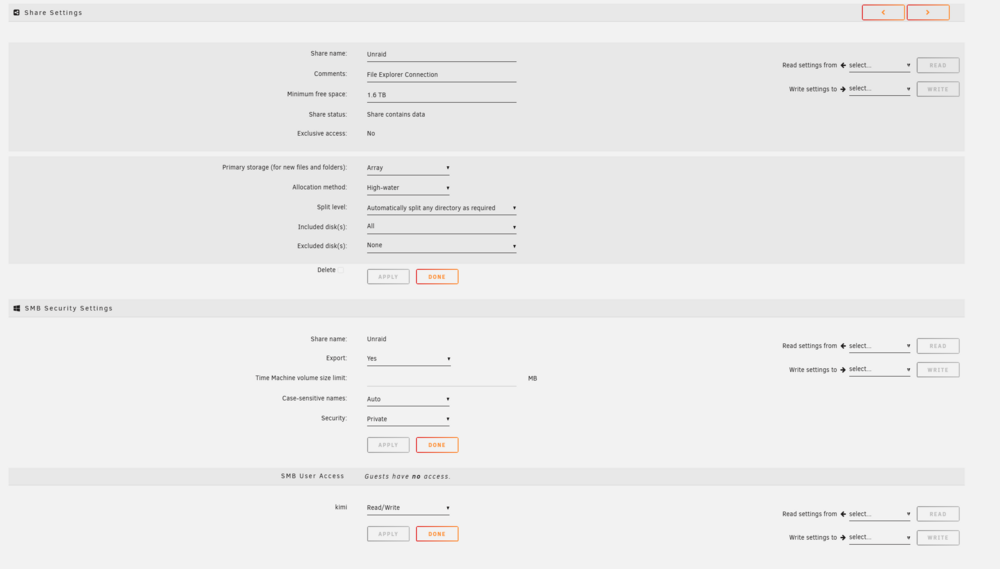
I removed the user and added it again through the webui and then managed to access the shares in the file explorer! The server still is not showing up in the "network" category of the file explorer tho. Anyway, I still have no clue why the initial problem happened and how I can prevent it in the future
-
I managed to restart the server safely and now have this diagnostics to show for it kimiserver-diagnostics-20250904-1925.zip
-
I can't access the server or the files. I'm screwed again, like at the start of this whole discussion
-
I did, now I can't access the server again "Connection timed out". And it's not marked as "online" in tailscale
-
I openend a new thread because the issue was so different to my original issue. What should I test or do to test exactly? The Server is shown as "online" in the tailscale "machines" site
-
kimiserver-diagnostics-20250904-1539.zip