





Shane R. Monroe
Members
-
Joined
-
Last visited
-
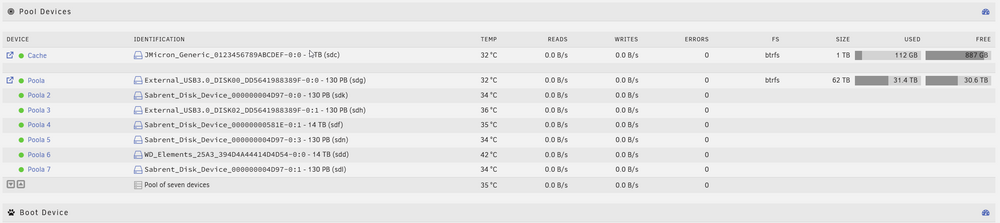
My dude.. you would be so proud of me. Had an issue .. figured it out on my own ... The DAS is up, the pool has been restored, cache drive restored. This is really damn exciting. My cables are too short so I almost have everything welded together, but it frigging works. Makes me sad I have to hook a couple of USB drives up to finish getting the data off of them ...
-
Thank YOU for your time. Now I just have to wait for the HBA and cables to show up and I'll mass shuffle these drives to the DAS and we'll do it again. :) Can't wait to get the HELL off USB.
-
Shane R. Monroe changed their profile photo
-
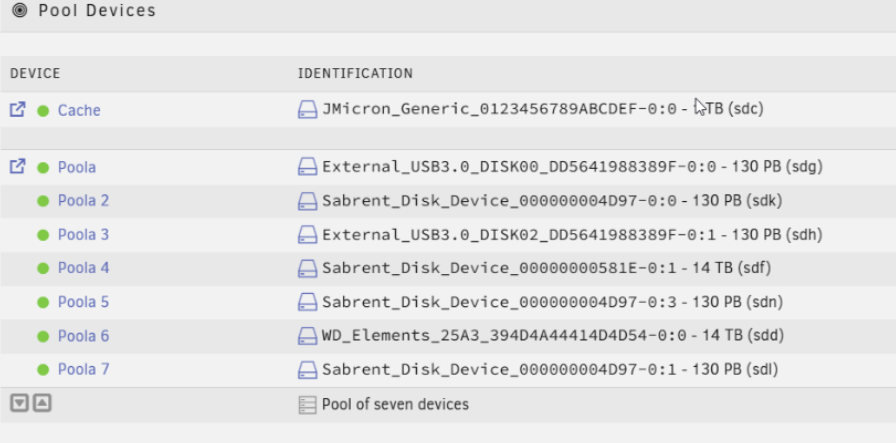
So despite that, at one time, that drive was listed amongst the pool contents ... ... the fact that recreating the pool and BRTFS saying it was never really there ... is okay? I shouldn't have lost anything? Appreciate the help a lot - I'm a do and teach kinda guy, so I am grateful for the addition instruction as well as solution.
-
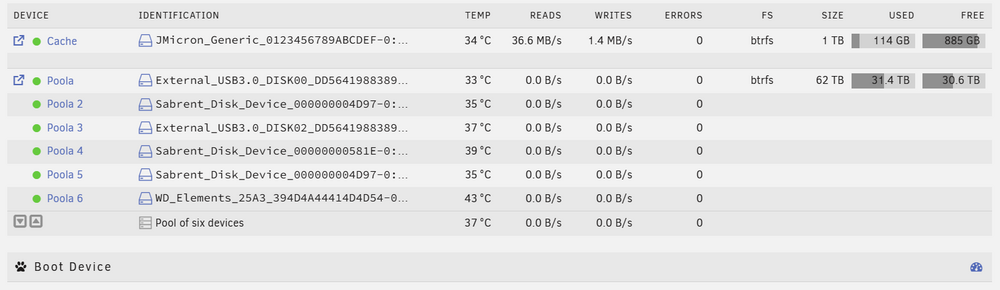
Attached. ChatGPT agrees with you. Had me run some terminal stuff and concluded "Disk 7 isn't expected so it is fine that it is missing". But since I deleted and essentially "rebuilt the pool" with "6 drives", maybe that's why it isn't complaining? It sounds like (forgive my ignorance) that BRTFS knows collectively how many drives it should have regardless of pool display in Unraid and I'm probably okay. But I 100% know the drive was listed as part of the pool (see an earlier screenshot). That lends to my confusion. :) unraidbox-diagnostics-20250925-0957.zip
-
The drive in question now sits in Unassigned wanting to be formatted. Is it possible I added it to the pool and the pool just never got around to using it? I'm outside of my pay grade here LOL
-
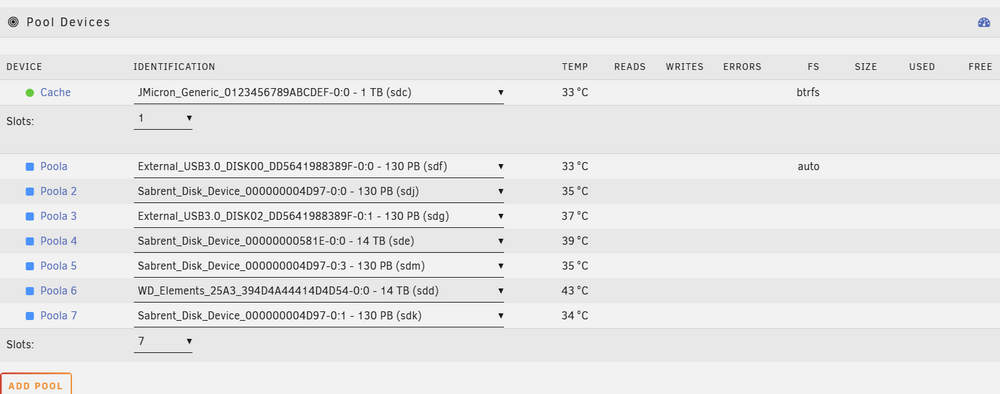
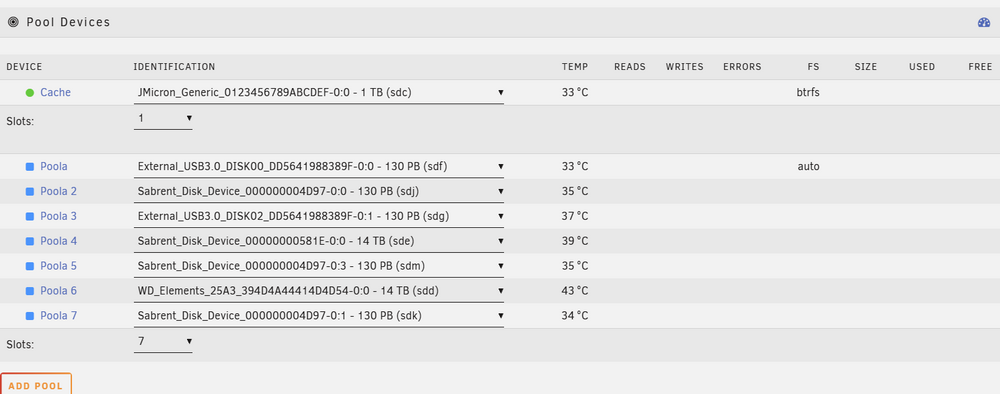
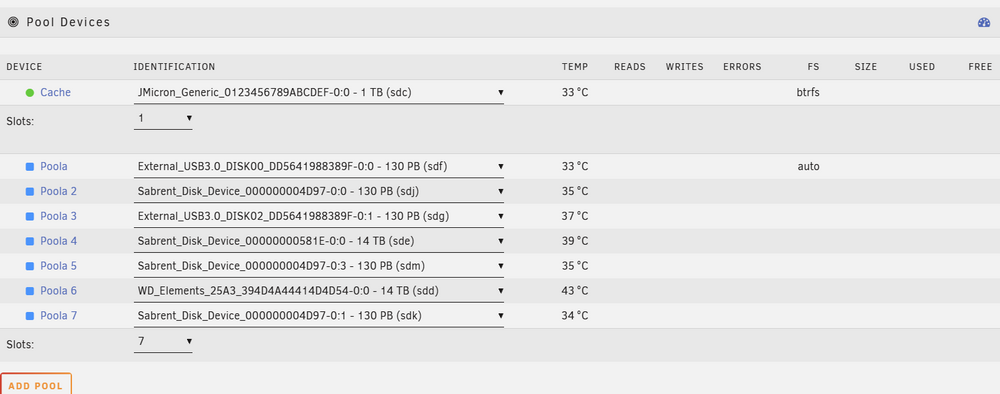
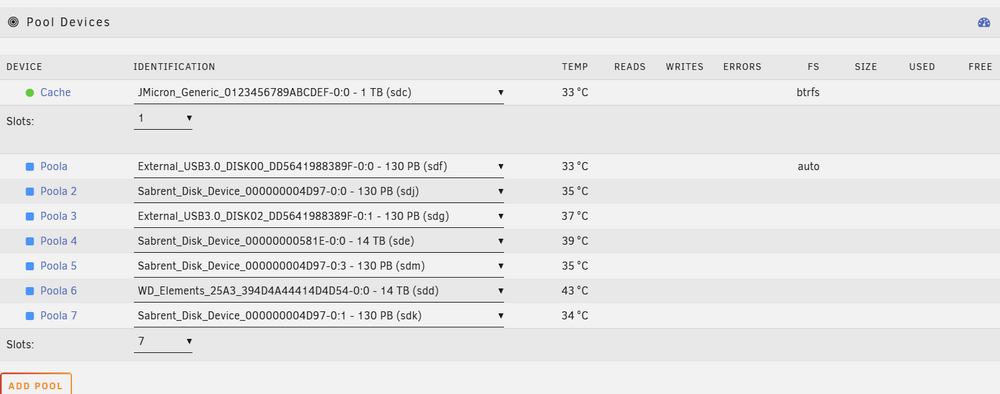
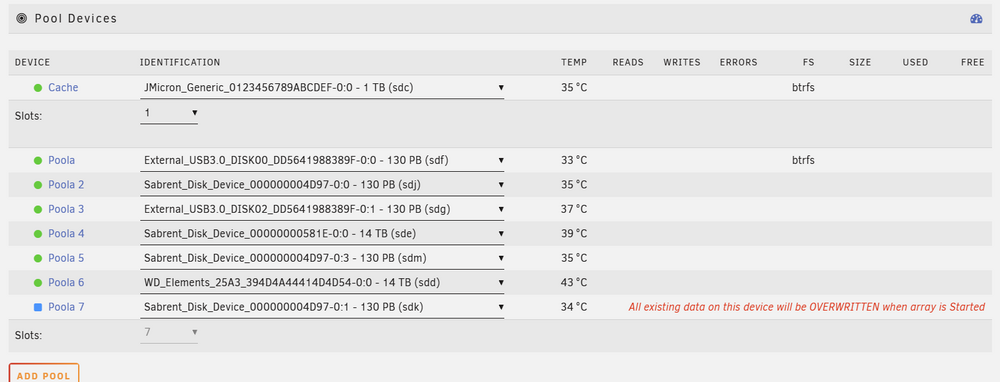
Close ... I stopped the array, removed the pool, shut down Unraid. Changed a drive to a new caddy slot. Restarted Unraid. Recreated the pool with seven slots. I added each one back (including the now renamed one). I did stick with the same order. Everything SEEMED okay ... no warnings about formatting disks, etc. When I started the array, it dropped to SIX devices - leaving off the LAST item I added! So I added a seventh slot and readded the missing drive. NOW it wants to format it! Removed the pool, shut down unraid. Put the drive back where it was and rebuilt the pool again using 7 slots. When I started the array, it dropped the last drive ... again. So at this point I cannot get back to where I was. The best I can muster is six of the seven drives. The next thing I'll try is to put a scratch disk in - make a pool of 8 with the scratch disk in the last slot and see if I can get it back that way. Edit: Didn't work either .. I'm stuck with 6 drives. I tried to add the drives in different orders - that last drive is always dropped. Won't lie, I'm a bit worried at this point. I appreciate anything you can offer.
-
This sounds great! While I'm waiting for my HBA card to get here, I'm going to try this using a drive move between caddies to simulate the name changes. Thank you SO much. I'll come back and mark as solution if it works. Or come back crying like a little girl if it doesn't lol
-
It really is a pool. As I've mentioned to others, I've had zero success in reassigning a "moved" or renamed drive with the pool. If that "Identification" changes - at all - as in I move the drive one slot to the right on my USB enclosure - it will NOT allow me to set the pool drive to the new "id". It will say WRONG DRIVE no matter what. When the WRONG DRIVE message appears, a drop down appears for that pool drive. Even if you know 100% which drive used to be "0:1" and is now "0:2", if you select it - it will let you select it, but it will continue to say "wrong drive" and not allow the array/pools to start. My HBA card and cables arrive today. I'm dying to get a firm answer on this so I know I can en masse move these drives - but almost every one of those drive IDs is going to change. :(
-
So currently I have a bunch of SATA drives in USB3.0 external caddies (4 slots each) and it is time to grow up and move to a DAS. My concern is my pool. It consists of 7 drives - and many are "serialized" not by the actual drive serial number but by the drive caddies and their position in the caddy. For example, one of my pool drives is named: External_USB3.0_DISK2_DD7377373778273636-0:1 In prior attempts to move drives from caddy to caddy or even slot to slot, Unraid throws a fit, won't start the array saying the drive is missing from the pool. A drop down is provided to "select the right drive", but even when I select the drive I know is correct, the name no longer matches and it continues to tell me the drive is wrong. I was researching the "New Config" option, but apparently that is for arrays, not for pools. If it is important, my pool is just a single drive scenario - no redundancy set up. I'm totally sure this is surmountable, but if anyone can link me a previous post or forum item or FAQ to help me feel comfortable with this move? I would be be much obliged. Appreciate any assistance.




