aanders
Members
-
Joined
-
Last visited
-
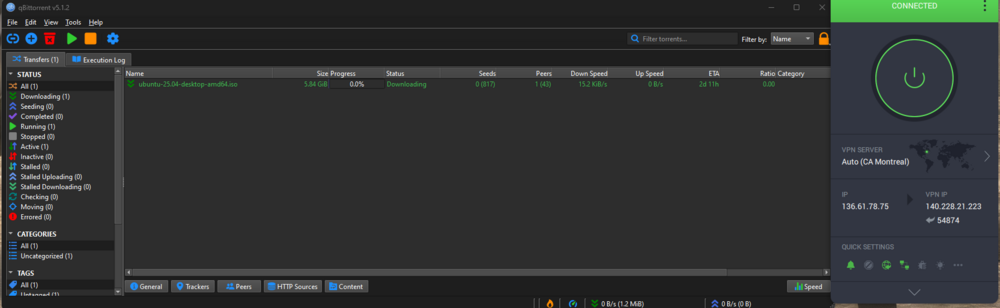
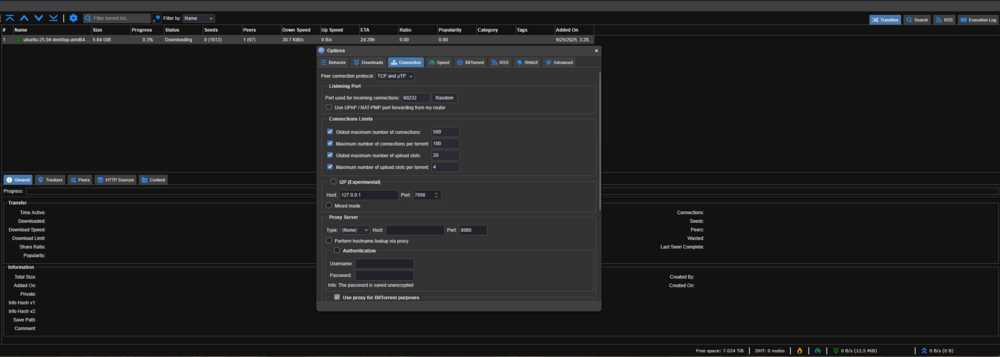
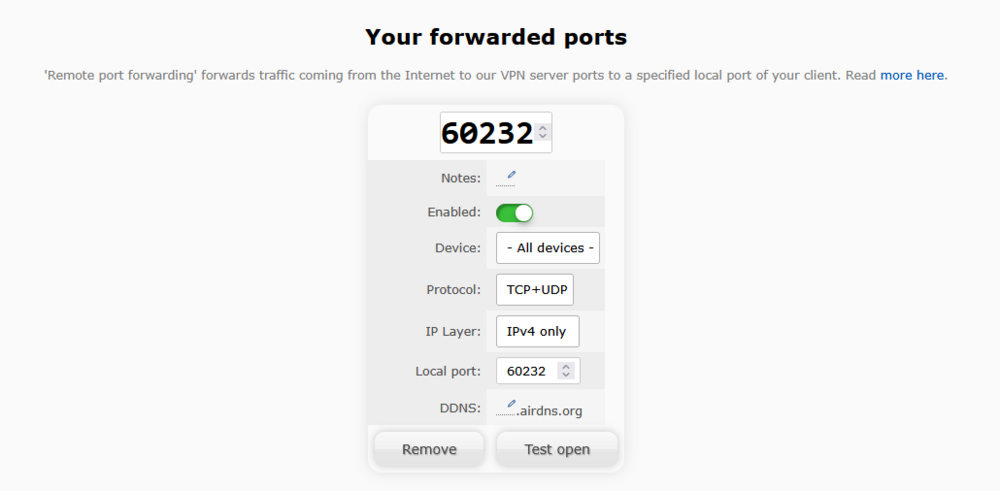
I've been pulling my hair out over the past couple of days over this and I think I'm close to the solution but I need some help. In short my qBit client will only ever get 1 peer connected, leading to super slow speeds. I started this endeavor on trueNAS using binhex qBit image on dockge. Got everything configured, used a PIA node that supported port forwarding (ca_ontario), and yet when testing with ubuntu iso, I could only connect to 1 peer, sometimes 0. At the time I wasn't aware of the status indicator on qbit but I have since learned it likely said 'firewalled'. So to troubleshoot, I tested the standalone qbit client worked on my windows machine both with vpn and without. It works without (after a quick port forward on my router) but not with. So I decided to remove variable and try on windows in a docker container, and no configuration was connecting. I changed variables one at a time, from trueNAS to unRaid. I briefly tried a different qbit image but have since swapped back to binhex, I even tried Deluge and that worked slightly better but still not great and I realized I made mistakes so I wanted to try qBit again. Now I am on a different vpn provider. All of these situation have lead to the same/similar result of either not being able to connect or only connecting to 1 peer. I figure the solution is a port forward somewhere but I cant for the life of me figure out where. Attaching images and logs of everything, logs are with airVpn but I can repost them with pia if needed. CommandExecutionAVPN.txt supervisord.log