





Bugger
Members
-
Joined
-
Last visited
-
Waiting for new hdd to come in to clone disk2.
-
I was able to fix disk1 and mount it. However, disk2 is now showing that the disk is not encrypted and needs to be encrypted.
-
With this method, will I be able to recover disk1 as well?
-
They are new cables that were replaced. Is it still possible to recover the data from the failed disks?
-
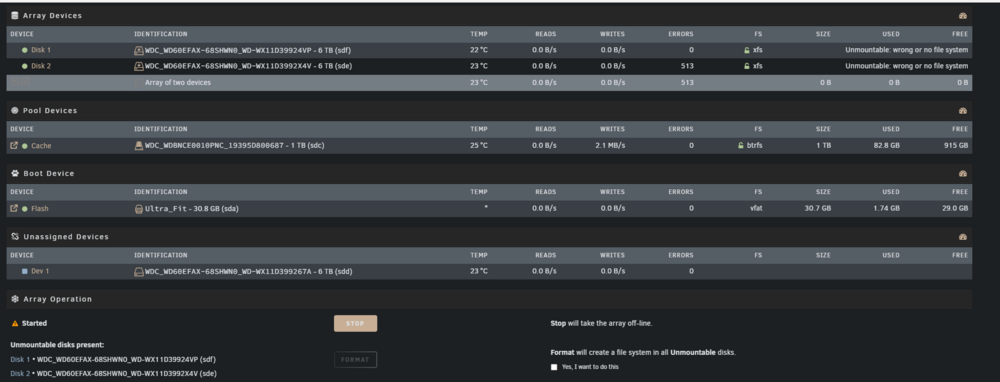
Without the parity this is the error I am getting on the array. I also included the new diags test. jaynjas-diagnostics-20251014-1154.zip
-
To do a new config without parity, will I just remove it in the webUI or would I have to remove the hdd from the server phsyically?
-
I have swapped both SATA and the power cables between all drives. Attached is the new diagnostic after attempting to start the array.jaynjas-diagnostics-20251014-1009.zip
-
Here is the diagnostic while trying to start the array. jaynjas-diagnostics-20251013-2013.zip
-
No, I did not try. I will do so tonight.
-
If the array is stuck in "Mounting" status, I am still able to run a diagnostic? If so, is that what you wanted to see to confirm what else is the issue?
-
Here is the screen shot when trying to start the array.
-
I am unable to start the array. I tried starting the array in safe mode and normal mode. It gets stuck and the array never starts.
-
Here is the new diags. after unable to start the array.jaynjas-diagnostics-20251012-1951.zip
-
Just tried starting the array. It's still getting hung. Disk 1 shows unmoutable: wrong disk or no file system. Disk 2 is still trying to mount. It's been hours already and still stuck.
-
I picked up another cable to replace the cache drive. Here is the new diags.jaynjas-diagnostics-20251010-1949.zip
