





c0nd0
Members
-
Joined
-
Last visited
-
Yeah but i use wd red plus, it supposes to be 200mb/s. When I transfer to synology I get 115Mb/s coz of limitations of 1gig ethernet.
-
Hi, sorry not reply for long time. I tried to copy to array also but speed always drop to 50Mb/s from 250Mb/s. Please check my diags during transfer. Thanks bro diagnostics-20251107-0957.zip
.thumb.jpg.61d6dd2bdf0d99dfa0fcfb527e0db89e.jpg)
-
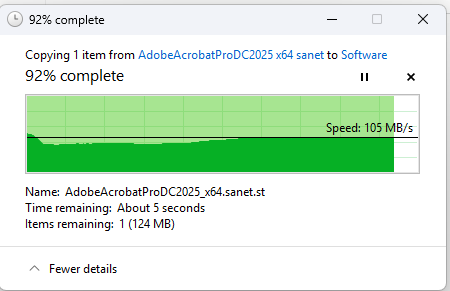
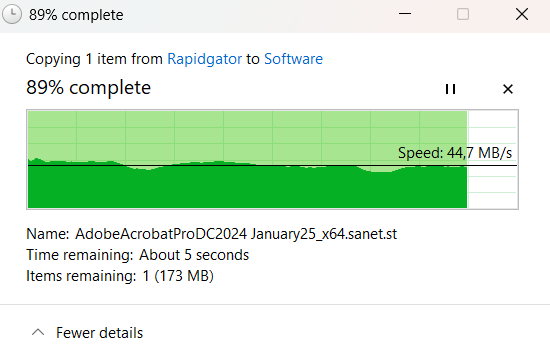
Hi, I just build my unraid, move from synology. Why my transfer speed from PC to external HDD (connect to Unraid using unassigned device) is slow (40-50MB/s) compare to Synology (transfer same file from PC to external HDD connect to synology) I got 105MB/s. Is there any setting to speed up the transfer? I also tried with rsync command transfer file between ext HDD to ext HDD, but not helping, got same speed (40-50MB/s) When I transfer from PC to Unraid array everthing is normal, I got 250MB/s
.jpg.767abe313d632f009d1bc7626519387e.jpg)
