





Vicinity3
Members
-
Joined
-
Last visited
-
Thank you for your help regardless!
-
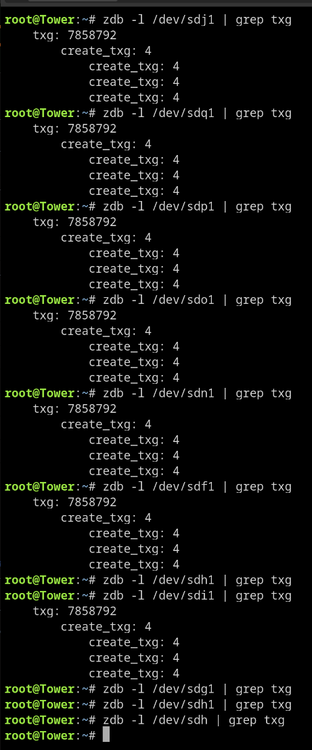
I tried sdh a couple different times. I expect sdg to be wrong.
-
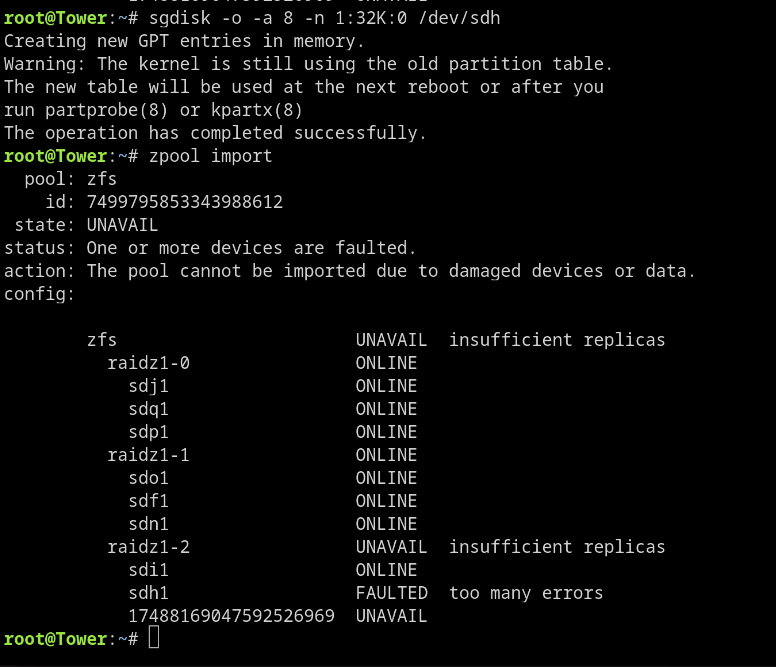
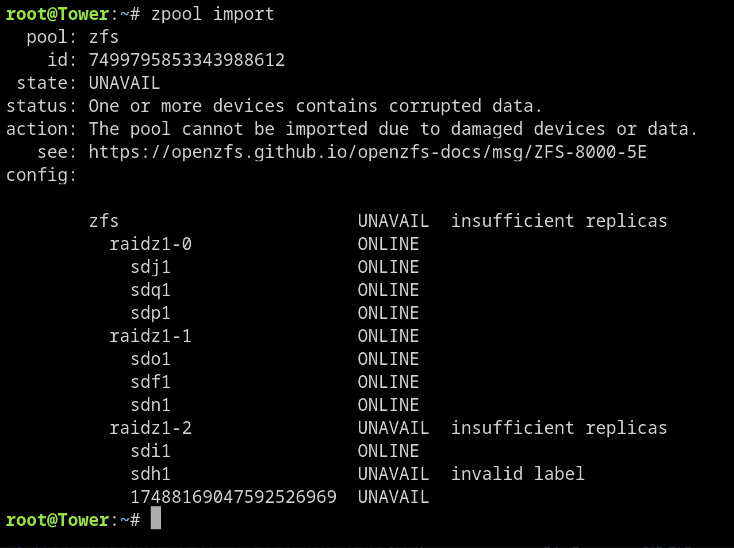
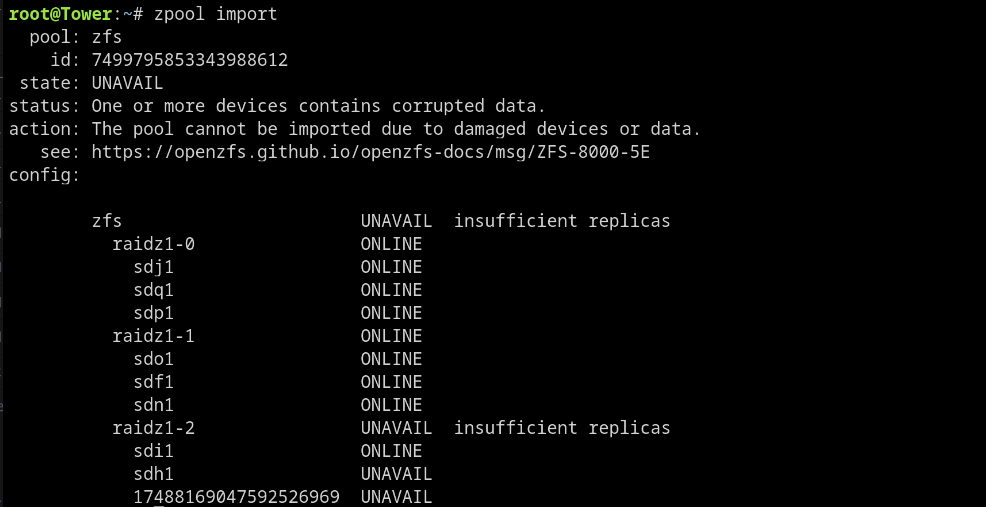
Tried it and got the following: Is that game over, replace sdh and reformat? Thank you for your help by the way! Edit: I rebooted and now have the following:
-
I've attached the one I pulled on saturday. I can run another this evening if it'd be helpful. tower-diagnostics-20251122-1344.zip
-
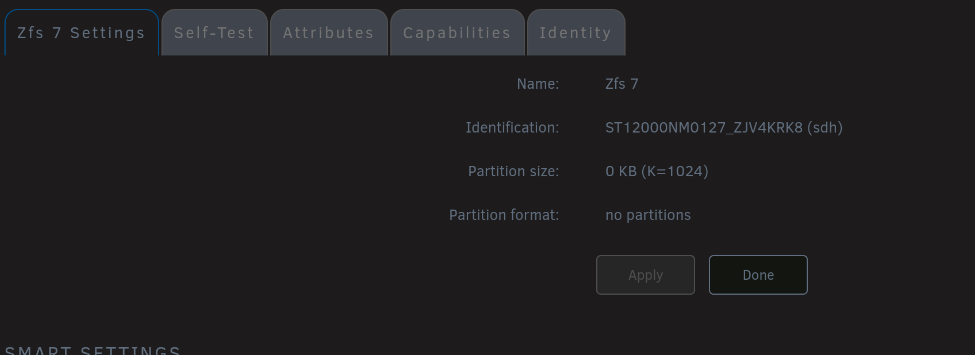
Thank you for taking your time to look at it. The sdh1 drive is physically present, and I can pull smart data from it. It does not show a partition as being present though. The last drive on the list is gone though. What would it take to take a look at the drive and see what happened to the partition? As in see if there's something 'simple' that went wrong or it it's all corrupt. tower-smart-20251123-0851.zip
-
tower-diagnostics-20251122-1344.zipDiagnostics
-
Vicinity3 joined the community
-
I'm pretty sure my data is gone, but I'd appreciate a second opinion before nuking my zfs pool. The pool is 3 sets or 3 drives. My issue started with a drive throwing errors. They are used drives, so I wasn't too surprised. Then to seal the deal I had a power outage during a resilver (battery backup didn't last long enough for a clean shutdown). After that I've tried a whole bunch of random things to get it back, which I'm sure were more nails in the coffin. I'm curious if I could have help verifying that the data is in fact gone (my own fault if it is). If it is gone can I verify which drive failed. And finally is there any way to bring back my folder structure? I'm not sure if it's kept track of anywhere other than the zfs pool. Thank you!


