





chhuan
Members
-
Joined
-
Last visited
Everything posted by chhuan
-
The system still crashes. here are the latest syslog syslog-previous
-
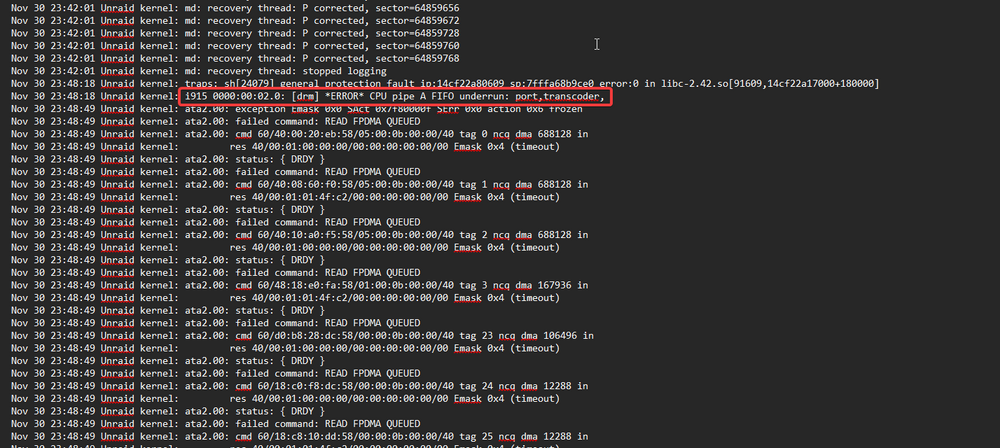
I found this igpu error in the syslog. May I know what does it means ?
-
I've recreated the Docker image but not starting the containers yet. the system is doing parity check. I will update again tomorrow.
-
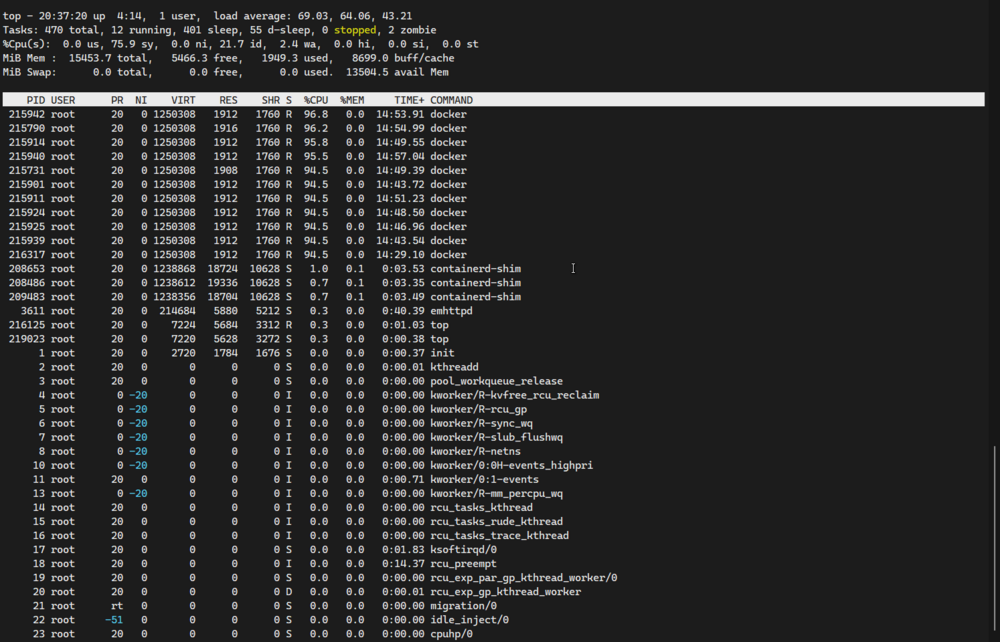
Syslog attached. This time the GUI freezed but I am still able to connect to the ssh. Tried to issued command powerdown but it's is deprecated ... syslog-previousunraid-diagnostics-20251129-2044.zip
-
I've upgrade my unraid server from a very oldIBM x3200 M3 server to new hardware (Intel 245k base). Since then the system become very unstable. The server GUI will become very slow / not responding after a while. I can still ping the server but I am not able to ssh to it anymore. I've ran a memtest the test result is passed. I've also change the docker to using IPVLAN (previously MACVLAN). However it is still the same. Attached diagnostics file. unraid-diagnostics-20251129-1415.zip

