





Basenji
Members
-
Joined
-
Last visited
-
Sorry, by reloaded I mean when he conainer starts it replaces the key file with a new one and I end up needing to re-enter the new key in my devices. I'll try deleting it and re-installing it later today and see if that fixes my issue but I dont use a cache on my system and its writing to the default appdata folder directory that all my other containers write to without issue.
-
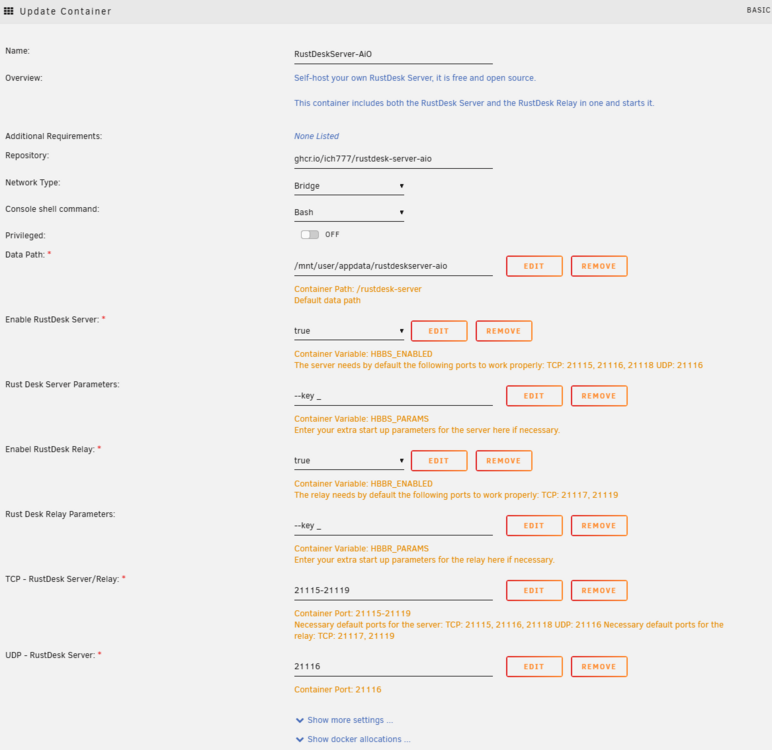
Please see this post (different container but probably the same issue) : I checked and I've got it set correctly in the /mnt/user/appdata/rustdeskserver-aio folder. It still refreshes the key file ever time its reloaded. Uploading Attachment...
-
Hi, Im not sure if this has been asked before and I've missed it. Im currently having an issue with rustdeskserver-aio, everytime the container restarts its generating a new key. Is there any way to hardcover the key or to prevent this from happening in the future? Thanks for any assitance!!
