





beng40
Members
-
Joined
-
Last visited
-
All up and running again, thanks. Some lessons learnt here i guess, ups required to prevent unclean shutdowns, need to backup my flash device asap and also update unraid. Appreciate your help!!!!!!
-
sdd shows correct data, sdc was not utilized for storage as yet so shows no data, but that should be correct.
-
yes all data appears present as expectedno option to check disk in the gui when in maintenance mode
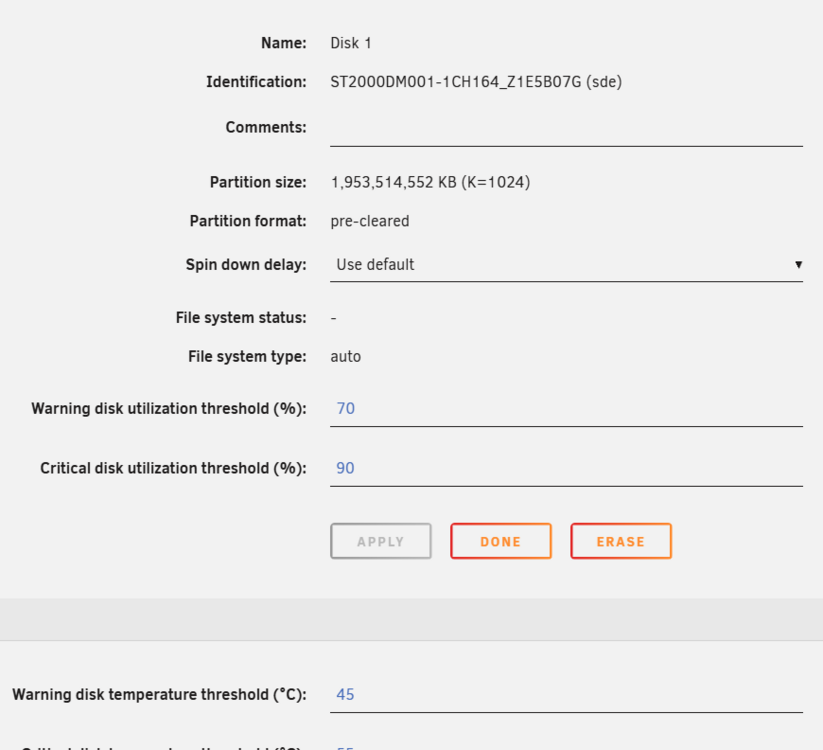 Because the filesystem appears to be missing, the webui doesnt give the option to run it like that. That is why i tried the command line. Diagnostics attached, i will post screen shots later. gen8microserver-diagnostics-20260109-1049.zipbeng40 joined the communityWe had several power blackouts and after restarting the array all my drives show as unmountable. It seems to me that Unraid is seeing all the drives as not having a file system at all despite having had the array running for several weeks. I have attemped to find a solution from searching but have gotten nowhere. running XFS_REPAIR from command line results in it searching for missing super block with no success and seemingly never ending dots. Just an fyi i am a complete noob with unraid and will also be investing in a ups after this nightmare.


Account
Navigation
Search
Configure browser push notifications
Chrome (Android)
- Tap the lock icon next to the address bar.
- Tap Permissions → Notifications.
- Adjust your preference.
Chrome (Desktop)
- Click the padlock icon in the address bar.
- Select Site settings.
- Find Notifications and adjust your preference.
Safari (iOS 16.4+)
- Ensure the site is installed via Add to Home Screen.
- Open Settings App → Notifications.
- Find your app name and adjust your preference.
Safari (macOS)
- Go to Safari → Preferences.
- Click the Websites tab.
- Select Notifications in the sidebar.
- Find this website and adjust your preference.
Edge (Android)
- Tap the lock icon next to the address bar.
- Tap Permissions.
- Find Notifications and adjust your preference.
Edge (Desktop)
- Click the padlock icon in the address bar.
- Click Permissions for this site.
- Find Notifications and adjust your preference.
Firefox (Android)
- Go to Settings → Site permissions.
- Tap Notifications.
- Find this site in the list and adjust your preference.
Firefox (Desktop)
- Open Firefox Settings.
- Search for Notifications.
- Find this site in the list and adjust your preference.