swiberg
Members
-
Joined
-
Last visited
-
Thank you, that did it.
-
Thank you. Ran xfs_repair again via the GUI, same results as before. File recovery is not a goal or a priority of mine. I'm trying to add this new disk to my array to expand the size of it, and there had been no data stored on it yet when this problem started.
-
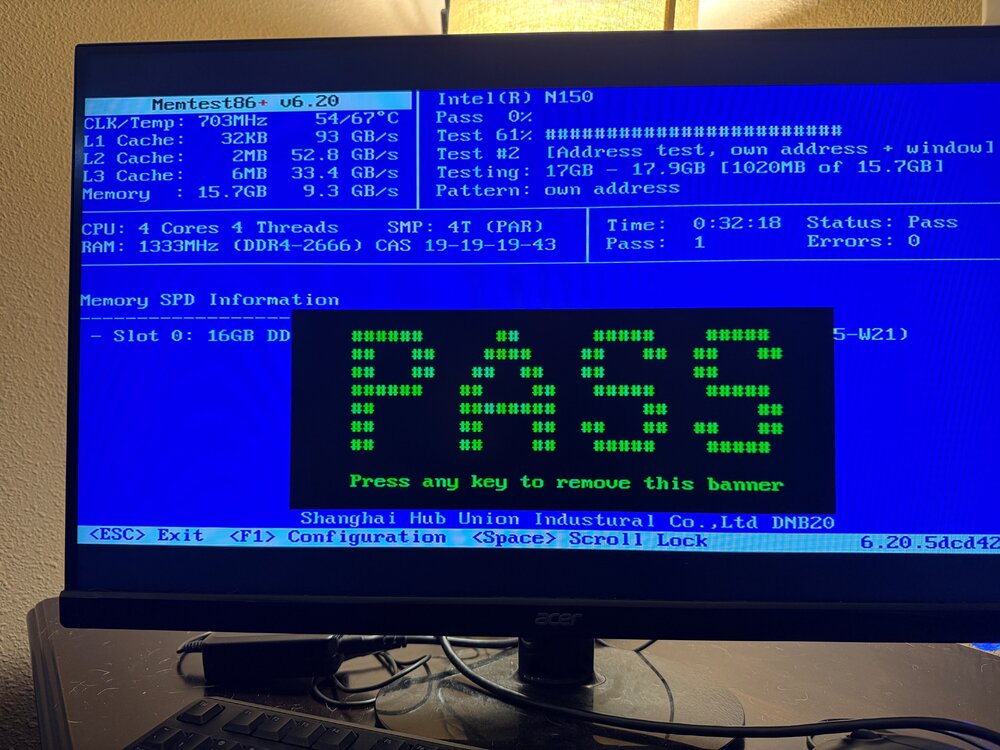
After running Memtest for 15 hours and 11 passes through the test suite, still no errors are found.
-
Just ran one, appears to be passing. ra
-
Output after clicking the FIX button: Phase 1 - find and verify superblock... Phase 2 - using internal log - zero log... - scan filesystem freespace and inode maps... clearing needsrepair flag and regenerating metadata sb_icount 271488, counted 32 sb_ifree 474, counted 29 sb_fdblocks 162663594, counted 3905948038 - found root inode chunk Phase 3 - for each AG... - scan and clear agi unlinked lists... - process known inodes and perform inode discovery... - agno = 0 - agno = 1 - agno = 2 - agno = 3 - agno = 4 - agno = 5 - agno = 6 - agno = 7 - agno = 8 - agno = 9 - agno = 10 - agno = 11 - agno = 12 - agno = 13 - agno = 14 - process newly discovered inodes... Phase 4 - check for duplicate blocks... - setting up duplicate extent list... - check for inodes claiming duplicate blocks... - agno = 0 - agno = 1 - agno = 3 - agno = 5 - agno = 6 - agno = 7 - agno = 4 - agno = 2 - agno = 10 - agno = 9 - agno = 8 - agno = 13 - agno = 12 - agno = 11 - agno = 14 Phase 5 - rebuild AG headers and trees... - reset superblock... Phase 6 - check inode connectivity... - resetting contents of realtime bitmap and summary inodes - traversing filesystem ... - traversal finished ... - moving disconnected inodes to lost+found ... Phase 7 - verify and correct link counts... SB summary counter sanity check failed Metadata corruption detected at 0x49d6d5, xfs_sb block 0x0/0x200 libxfs_bwrite: write verifier failed on xfs_sb bno 0x0/0x1 SB summary counter sanity check failed Metadata corruption detected at 0x49d6d5, xfs_sb block 0x0/0x200 libxfs_bwrite: write verifier failed on xfs_sb bno 0x0/0x1 xfs_repair: Releasing dirty buffer to free list! xfs_repair: Refusing to write a corrupt buffer to the data device! xfs_repair: Lost a write to the data device! fatal error -- File system metadata writeout failed, err=117. Re-run xfs_repair.
-
I did not realize that you wanted diagnostics taken while the array is in maintenance mode. I have now stopped the array, and started it back up in maintenance mode. Here are new diagnostics. Thanks. tower-diagnostics-20260111-1732.zip
-
Sorry about that. Diagnostics attached. Thanks! tower-diagnostics-20260111-1724.zip
-
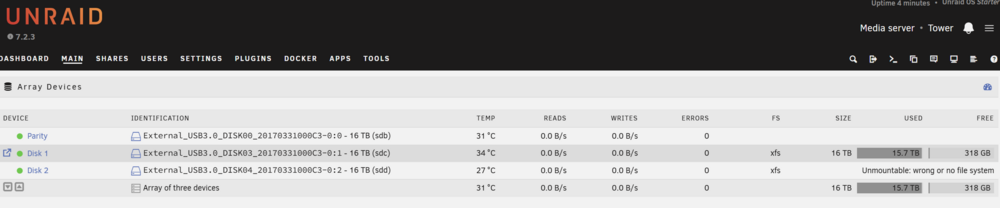
I am getting an "Unmountable: wrong or no file system" error on one of the data disks in my array. I have tried starting the array in maintenance mode, clicking on Disk 2, and clicking the CHECK button to check the filesystem status. Results are attached to this post. What should my next steps be? FWIW, I'm not concerned with trying to retain any data from this disk. I had just added it to my array in an attempt to expand my storage and there's nothing on it that needs to be recovered. Thanks for your help. Check filesystem log.txt