





MONK3Y
Members
-
Joined
-
Last visited
Everything posted by MONK3Y
-
Still got: "mount: /x: wrong fs type, bad option, bad superblock on /dev/loop5, missing codepage or helper program, or other error. dmesg(1) may have more information after failed mount system call." loop5 this time, I guess since I removed it and brought it back into the array to try to mount it with unassigned devices. I'll see if i can use UFS Explorer otherwise I'll just wipe it. If i can't remember what was on it I probably won't miss it 😅 Thanks for the help!
-
What do you mean by mounting? Just restarting the array? I tried a reboot and it still won't mount. I also tired to stop the array, remove the disk from it and mount it with unassigned devices but "mount" is grayed out.
-
Nope? "checksum verify failed on 30539776 wanted 0x00000000 found 0xb6bde3e4 checksum verify failed on 30539776 wanted 0x00000000 found 0xb6bde3e4 using SB copy 1, bytenr 67108864" Maybe it's time to give up and just reformat the drive? Like I mentioned earlier in the thread I don't think there's anything of real value on it. I got it about a month ago to specifically keep media that I watch regularly so that my HDD wouldn't have to spin up and that should be easily reacquired. I just hope that i actually followed that principle and didn't keep anything else on it because I can't quite remember😅 Is there any way so see the filesystem/folders in Unraid even if the drive is unavailable? Through the dynamix cache plugin or something else? I attached a new diagnostic zip bender-diagnostics-20260123-1549.zip
-
It gave me loop4. After running "mount -v /dev/loop4 /x" it gave me this: "mount: /x: wrong fs type, bad option, bad superblock on /dev/loop4, missing codepage or helper program, or other error. dmesg(1) may have more information after failed mount system call."
-
"dd if=/dev/nvme0n1 bs=16M status=progress 2>/dev/null | hexdump -C | grep '_BHRfS_M'" Gave this pretty much straight away. 00110040 5f 42 48 52 66 53 5f 4d d9 00 00 00 00 00 00 00 |_BHRfS_M........| 04100040 5f 42 48 52 66 53 5f 4d d9 00 00 00 00 00 00 00 |_BHRfS_M........|
-
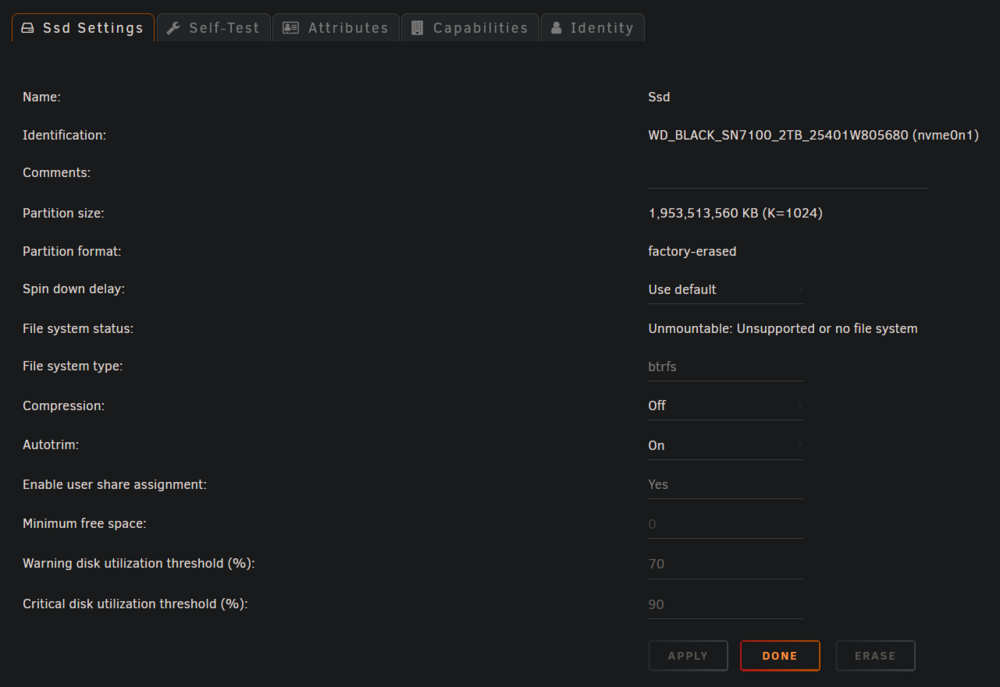
Yes it should be btrfs, it says so as well in the drive settings Running "btrfs-select-super -s 1 /dev/nvme0n1p1" gave: "No valid Btrfs found on /dev/nvme0n1p1 ERROR: open ctree failed"
-
nope i get nothing from it
-
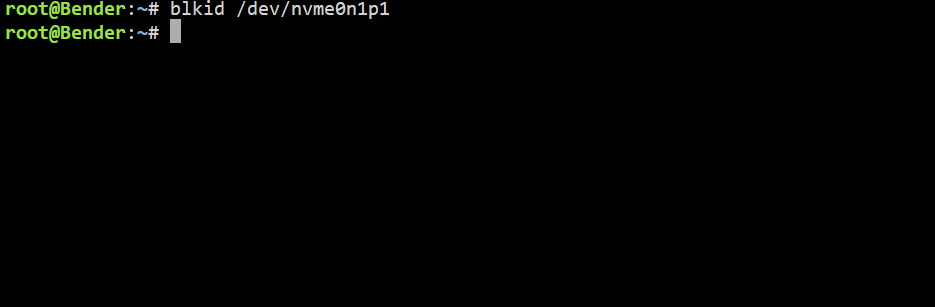
"fdisk -l /dev/nvme0n1" showed Disk /dev/nvme0n1: 1.82 TiB, 2000398934016 bytes, 3907029168 sectors Disk model: WD_BLACK SN7100 2TB Units: sectors of 1 * 512 = 512 bytes Sector size (logical/physical): 512 bytes / 512 bytes I/O size (minimum/optimal): 32768 bytes / 262144 bytes Disklabel type: dos Disk identifier: 0x00000000 Device Boot Start End Sectors Size Id Type /dev/nvme0n1p1 64 3907029167 3907029104 1.8T 0 Empty "blkid /dev/nvme0n1p1" Didn't show anything but "blkid /dev/nvme0n1p1" showed /dev/nvme0n1: PTTYPE="dos"
-
Doesn't seem to show the 2tb nvme, only my two mirrored 1tb drives? I won't have access to a computer until later so here's a screenshot from my phone, I can't seem to be able to copy paste from the terminal on it.
.thumb.jpg.f0c7399f96ff723b970aeffc5054ff9c.jpg)
-
"btrfs scrub" doesn't work since it isn't mounted. "No valid Btrfs" when running "brtfs check /dev/nvme0n1p1". "btrfs check --repair /dev/nvme0n1p1" didn't work either. I'm assuming that's the right name? I can't see any other it would be as it's the only nvme i have installed. So is that all I can try other then the "ddrescue" method? Because if that is the case then I guess I'll have to just wipe the drive. I'm pretty certain it only contained media that ~should~ (hopefully) be pretty easily replaceable.
-
Sorry, here it is bender-diagnostics-20260122-0036.zip
-
Thanks, here is the diagnostics zip bender-diagnostics-20260122-0022.zip
-
Hi So I needed to pull the power for my NAS the day before yesterday and thought i waited long enough for a graceful shutdown but apparently not because I'm assuming that's what has messed up the file system. I have two pools, one with two mirrored 1tb sata ssd:s and one much less important with just a single 2tb nvme. After starting back up it just says "Unmountable: Unsupported or no file system" on the single 2tb nvme. I've tried searching around online a bit and looking around the system options and logs, also restarting the array but haven't really figured out what I should do next. I can't even seem to figure out which logs i should share that could be useful for troubleshooting? It wouldn't be the end of the world to loose the data on it but I'd of course prefer not to. Any ideas? Best Regards Matt


.jpg.5b135d67bb0a735a4d90a3f0950600a7.jpg)