





pk0
Members
-
Joined
-
Last visited
-
I ended up backing up the config inside each container, turned off Docker, renamed appdata to appdata-old, turned Docker back on and restored the backup within each container. That seemed to work fine.
-
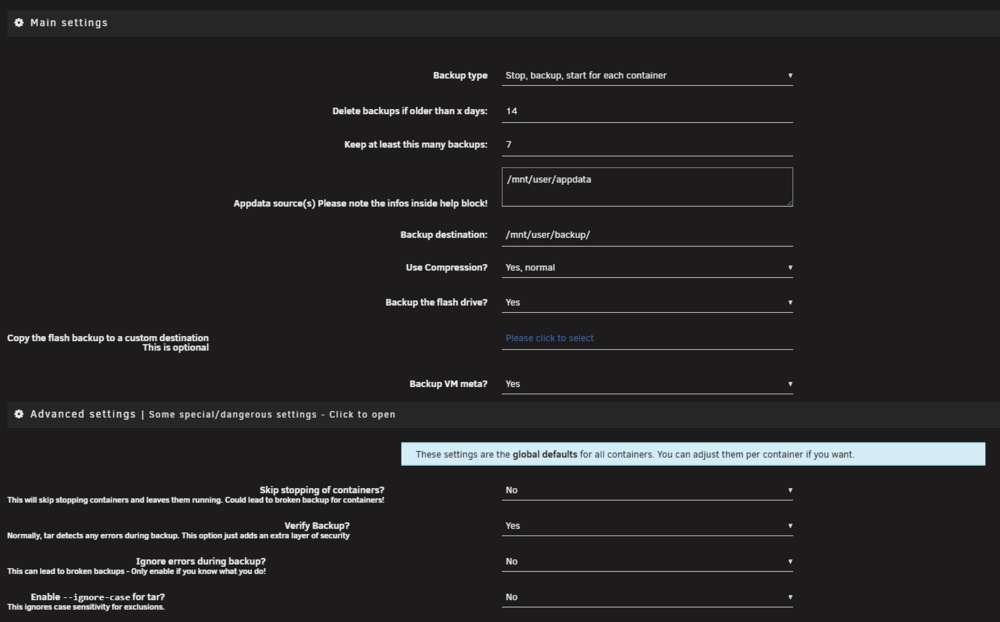
Also, I saw someone mention their appdata backup plugin was causing their issues. Do these settings look correct?
-
What is the safe way to re-create the appdata folder without losing all my containers?
-
I am troubleshooting an issue where my docker containers become unreachable after they are rebooted. I found that if I manually change the owner on the /mnt/user/appdata/containername to nobody:users and set the permissions to 775 then reboot the container, it works again until the next reboot. First, how do I find out what is causing these permissions to change? and Second, is there a better way to restore the owner/permissions correctly?
