ArmedArtist
Members
-
Joined
-
Last visited
-
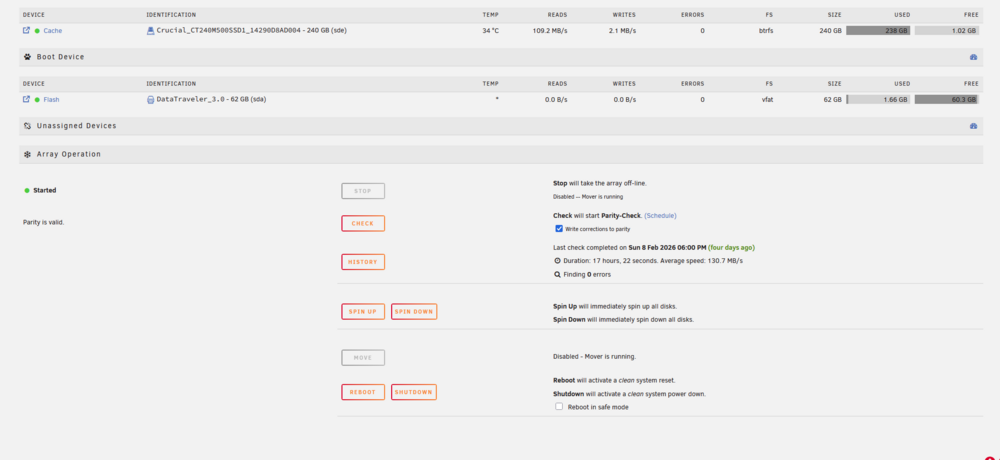
The mover is now running after the update. Thank you for all the help!
-
I'll perform the update and report back, thanks
-
These are good suggestions, I found the setting for "Minimum Free Space" for the media share but can you point me to the setting for the cache drive? I see some people refer to an add-on "mover tuning", is this what I would need to define the Minimum Free Space for the cache pool?
-
chellos-diagnostics-20260212-0810.zip enabled mover logs, rebooted the machine and tried to invoke the mover. Looking at the syslog, I only see "mover: started", "mover: finished" so I'm unsure if there's usually supposed to be more or if the log level somehow needs to be set to be more verbose.
-
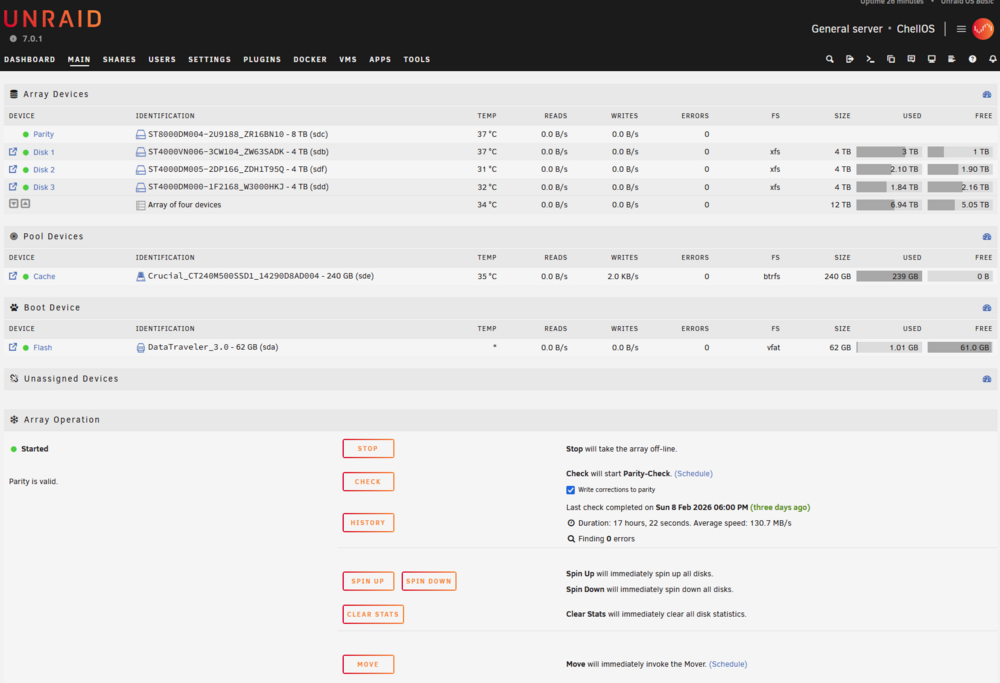
I recently noticed that my cache drive was sitting at 100% utilization. I've seen utilization get pretty high before and I've typically manually invoked the mover to move files from the cache drive to the array. This time when I tried to manually invoke the mover, my webpage flashes as if to acknowledge request, but then nothing happens. The cache drive continues to sit at 100% and I don't see any action in Reads or Writes which would indicate a move process is happening. Anybody have any idea on whats going on or things to try? I don't believe anything has been updated but I'm also concerned that this has been a latent issue for a while and I just haven't noticed until now. chellos-diagnostics-20260211-2339.zip