





Patrickrm
Members
-
Joined
-
Last visited
-
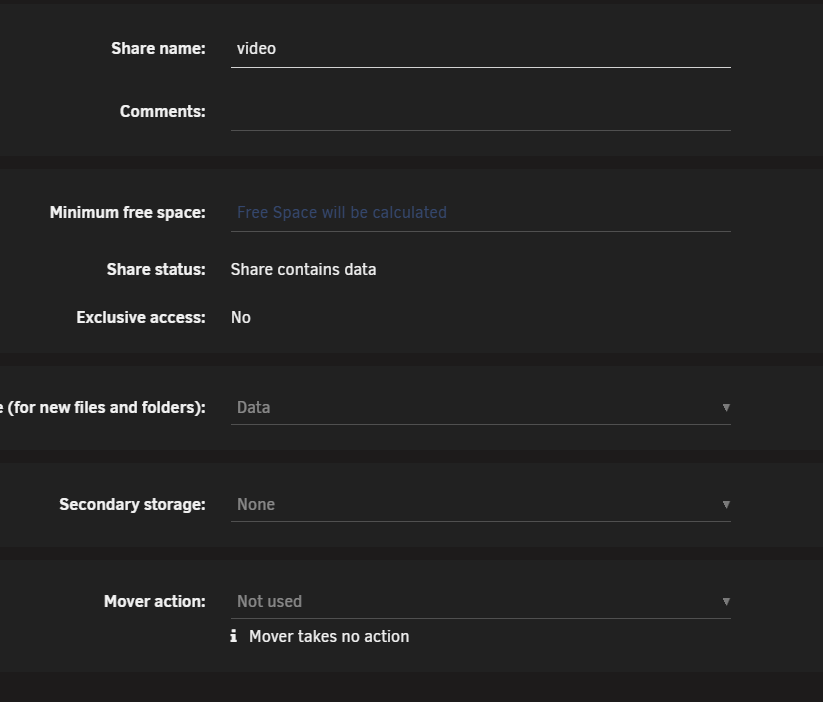
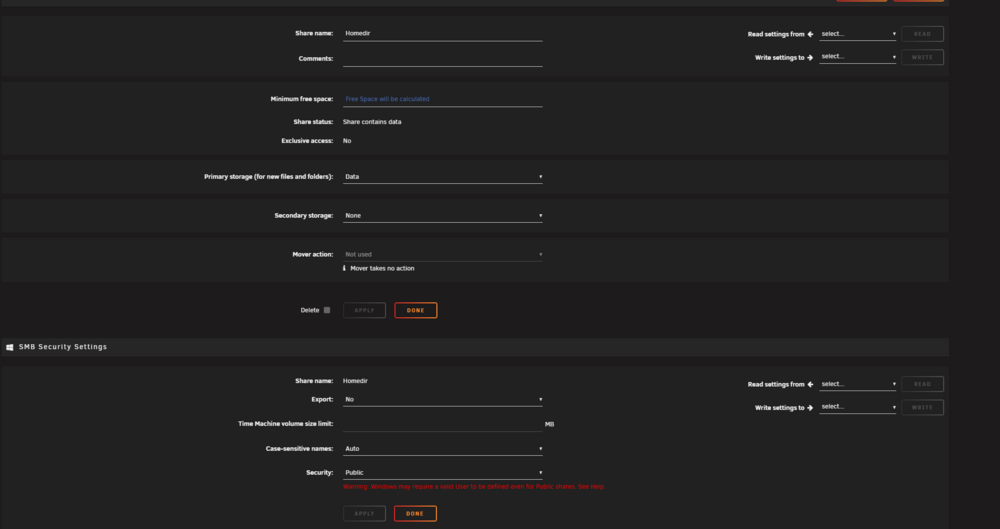
Oh i tried that right now, and it seems to work - Thats amazing. Thats....damn man - Thanks - If i could - I'd send a beer or something. It all seem to work - I only have one, ehm strange thing i cant seem to get. I have share "Video" It has the wrong storage linked, it has "Data" should be Data_ex But i cant edit it at all. But when i click the icon to the left of the "green" status dot, to go to the share, it goes to the right location on Data_ex. And from my Emby server its also accesseble no problem. I just cant access from my PC. I could make a new share, and just move all of the files over, it just seems a bit... excessive to do. This pic is, is just one of the other share and how it looks

-
I just noticed something i have not noticed before - It was not the network that was the issue. For some reason my stupid butt had an extra USB device attached to the server, with unraid on (cant really remember why) - That boots, and still has the old 7.1.4 system on it. But the situation is now that - it wont boot to the USB, it simply refuses. The USB is fine, if i plug it into another PC, i can easily browser the drive - So i suspect the update did not complete or whatever happened. How do i proceed in the best way and preserving as much data as possible? I'm really struggling here.
-
[EDITED] See lastest post //Patrick

