x4ngus
Members
-
Joined
-
Last visited
-
UpdateSince my last post I've made some progress. I was able to manually import disk6 readonly via CLI (zpool import -o readonly=on -d /dev disk6) which succeeded, allowing me to browse the filesystem. The pool is currently mounted readonly and I have rsync transfers running to copy the data off disk6 to other array disks as a precaution. When I runzpool import it returns 'no pools available to import', disk6 is now currently active via the manual CLI import. The data on disk6 is primarily media files plus some old appdata backups from 2025. Once the transfers complete I plan to export the pool, format disk6 through the Unraid UI, and let it rejoin the array cleanly. Is this still the recommended approach given the ATA errors are now resolved, or is there a better path to recover the pool without reformatting? I'm still confused why I couldn't complete a parity-based reconstruction when the metadata on this disk became corrupted.
-
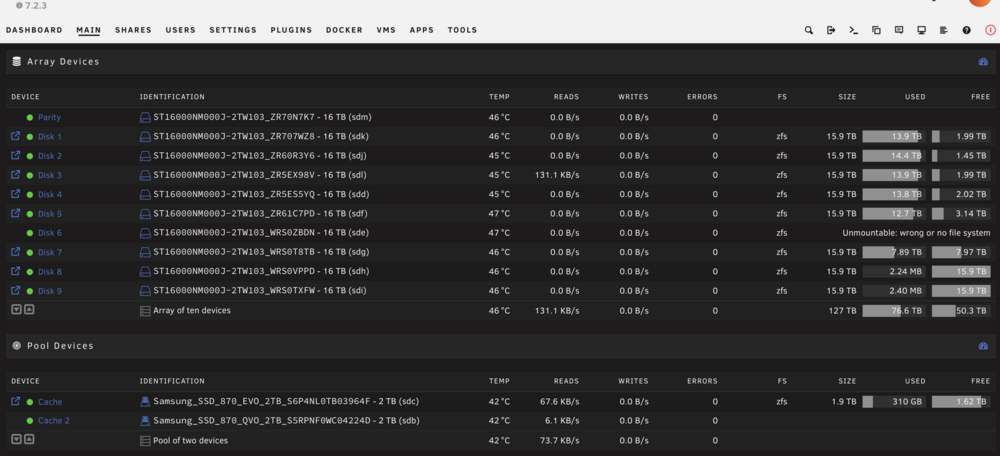
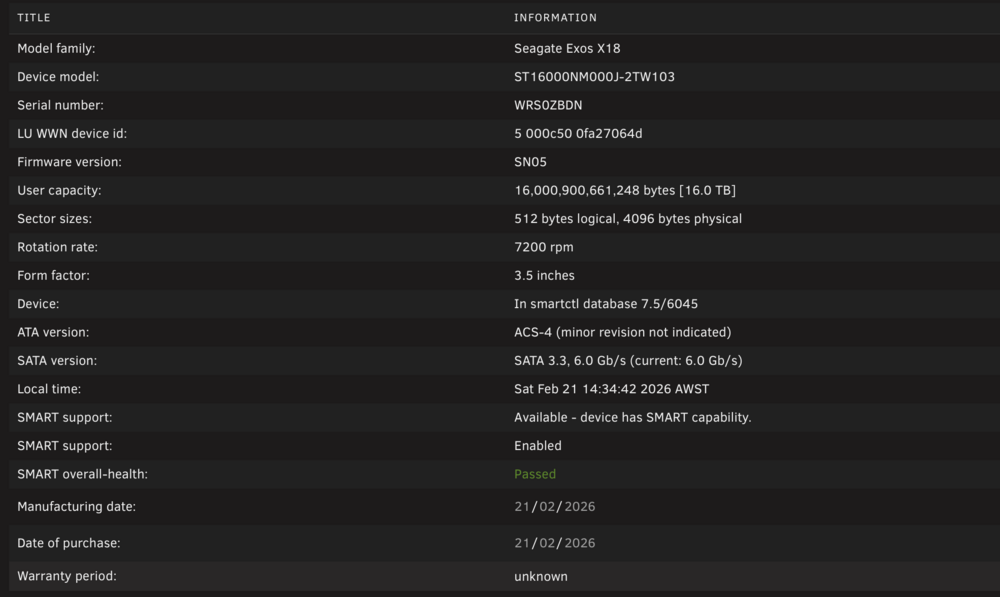
I've replaced the SATA cables indicated for Disk 5,6. I'll attach the latest diagnostics file. No change in the UI regarding the Disk mount issue: Disk 6 ST16000NM000J-2TW103_WRS0ZBDN - 16 TB (sdc) 38 °C 1.4 MB/s 0.0 B/s 0 zfs Unmountable: wrong or no file system Do you know the correct procedure to trigger a parity-based reconstruction of a ZFS array disk in Unraid 7.2.3? coruscant-diagnostics-20260221-1433.zip
-
Hi JorgeB, Thanks for the quick response. I’ll reseat/replace the SATA cables for disks 5,6 and update you with the results. Thanks
-
x4ngus joined the community
-
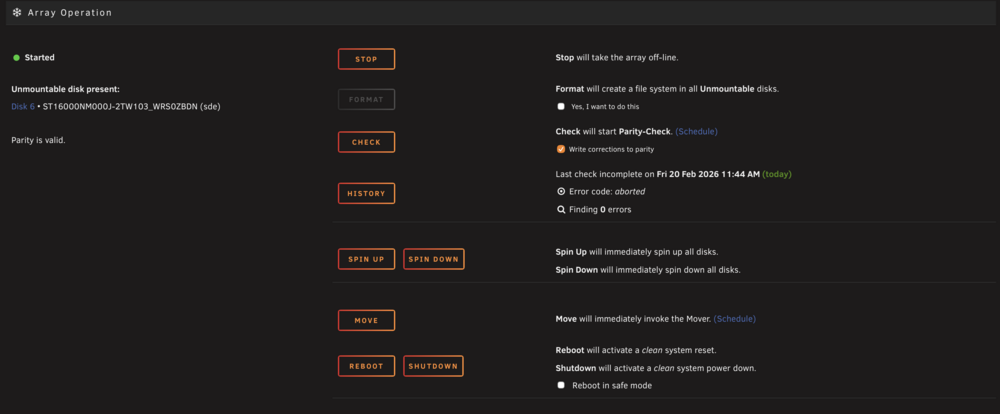
Hi all, I'm hoping to get some guidance on recovering a ZFS array disk after an unclean shutdown. I have not formatted the disk and am not planning to until I get a clear answer on the correct recovery path. SYSTEM SPECS- Unraid 7.2.3 Pro - Intel Xeon E5-2699 V3 (single socket) - All array disks formatted as ZFS - 9 data disks + 1 parity disk BACKGROUNDThe server suffered an unclean forced reboot caused by a hung mover process. Root cause was ECC-corrected memory errors on Socket 0 Channel 1 (111 total corrected, 0 uncorrected) combined with PCIe AER errors on the PLX 8747 switch. The forced reboot occurred during active I/O. CURRENT STATE- Disk 6 ST16000NM000J-2TW103_WRS0ZBDN, sde shows as "Unmountable: wrong or no file system" - Parity is valid with 0 errors - diskState.6=7 per mdcmd status - The Array Operation section only presents a Format option with a warning that Format will discard all data — I have not clicked this - Reconstruct Write option is not appearing anywhere in the UI DIAGNOSTICS PERFORMEDZDB confirms all 4 ZFS labels intact on /dev/md6p1 and /dev/sde1: Pool name: disk6 Pool GUID: 2129994979941526077 txg: 4022833 labels = 0 1 2 3 ZDB internal load shows pool loads successfully (spa_load: LOADED) but: cant_read=0, cant_write=1 persists even with array stopped and no processes holding the device - zpool import fails with "insufficient replicas" against both /dev/sde1 and /dev/md6p1 - Readonly import succeeded, scrub found 6 metadata corruption errors with no resolvable file paths mdcmd status output: mdState=STARTED rdevStatus.6=DISK_OK diskState.6=7 mdResyncAction=check P Unraid is not importing disk6 during normal array start at all — zpool list shows no disk6 pool after startup. QUESTIONS1. What is the correct procedure to trigger a parity-based reconstruction of a ZFS array disk in Unraid 7.2.3 when diskState=7 and Reconstruct Write is not appearing in the UI? 2. Is there a CLI method to force diskState.6 to the rebuild state while the array is stopped? 3. Can the cant_write=1 condition be cleared without formatting? I have diagnostics zip and screenshots to share if needed. Any help would be greatly appreciated, I want to avoid formatting as parity is valid and the data should be fully recoverable. coruscant-diagnostics-20260220-1636.zip