TestingUser
Members
-
Joined
-
Last visited
-
Awesome thank you. https://protonvpn.com/support/port-forwarding-manual-setup here is the link to the docs that tell how to set it up for proton if you want to add it to your docs somewhere for others who may run into this issue.
-
If I and that and start it up, the last few lines change to below and webui still doesn't load. [warn] ProtonVPN endpoint '95.173.217.187' is not enabled for P2P port forwarding, skipping port forward assignment... [info] Script finished to assign incoming port If I disable Variable: STRICT_PORT_FORWARD: by setting it to no, web UI loads and I get this output for the last lines repeating every now and again 2026-04-08 10:49:56,615 DEBG 'watchdog-script' stdout output: [debug] iptables chain policies are in place 2026-04-08 10:49:56,618 DEBG 'watchdog-script' stdout output: [debug] VPN incoming port is 6881 [debug] qBittorrent incoming port is 6881 2026-04-08 10:49:56,618 DEBG 'watchdog-script' stdout output: [debug] VPN IP is 10.2.0.2 [debug] qBittorrent IP is 10.2.0.2 Do I need to have STRICT_PORT_FORWARD set to yes to use P2P? The pirmary purpose of this container is to hook it up the radarr and sonarr images you made and use P2P torrents, but if I don't need STRICT_PORT_FORWARD I'll just leave that to no. I do'nt even know what it does.
-
My username is just an email address and it does not have a suffix of +pmp
-
Here is the supervisord.log supervisord.log
-
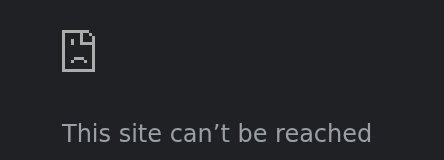
I can not fire up the webUI and see it when configured like above, I get this error. Thank you for clarifying the answer there, that's what I had originally tried.
-
Q4 is still relevant, I was referring to answer for it line 3. Find Container Port: 8080 and click on Remove. Unless I am missing something, there is no Container Port: 8080 to click remove on. Even when I click on advanced, there is no listing for container port. Though I may be missing something super obvious? DOCKER RUN: docker run -d --name='binhex-qbittorrentvpn' --net='bridge' --pids-limit 2048 --privileged=true -e TZ="America/Chicago" -e HOST_OS="Unraid" -e HOST_HOSTNAME="HOSTNAME" -e HOST_CONTAINERNAME="binhex-qbittorrentvpn" -e 'VPN_ENABLED'='yes' -e 'VPN_USER'=' USER' -e 'VPN_PASS'='PASSWORD' -e 'VPN_PROV'='protonvpn' -e 'VPN_CLIENT'='wireguard' -e 'STRICT_PORT_FORWARD'='yes' -e 'ENABLE_PRIVOXY'='no' -e 'ENABLE_SOCKS'='no' -e 'SOCKS_USER'='admin' -e 'SOCKS_PASS'='socks' -e 'LAN_NETWORK'='10.10.0.0/24' -e 'WEBUI_PORT'='8080' -e 'VPN_INPUT_PORTS'='' -e 'VPN_OUTPUT_PORTS'='' -e 'DEBUG'='false' -e 'VPN_OPTIONS'='' -e 'ENABLE_STARTUP_SCRIPTS'='no' -e 'USERSPACE_WIREGUARD'='no' -e 'NAME_SERVERS'='1.1.1.1,1.0.0.1' -e 'ENABLE_HEALTHCHECK'='yes' -e 'HEALTHCHECK_COMMAND'='' -e 'HEALTHCHECK_ACTION'='' -e 'HEALTHCHECK_HOSTNAME'='google.com' -e 'PUID'='99' -e 'PGID'='100' -e 'UMASK'='000' -l net.unraid.docker.managed=dockerman -l net.unraid.docker.webui='http://[IP]:[PORT:8080]' -l net.unraid.docker.icon='https://raw.githubusercontent.com/binhex/templates/main/unraid/binhex/images/qbittorrent-icon.png' -p '8080:8080/tcp' -p '8118:8118/tcp' -p '9118:9118/tcp' -p '58946:58946/tcp' -p '58946:58946/udp' -v '/mnt/user/appdata/binhex-qbittorrentvpn':'/config':'rw' -v '/mnt/user/NAS1/Entertainment/working/qbit/':'/data':'rw' --sysctl="net.ipv4.conf.all.src_valid_mark=1" 'ghcr.io/binhex/arch-qbittorrentvpn' c2f35c1f0d9d498c1c89b97ceb342264cb2d1395868fdced593aa7f72e14d093 The command finished successfully!
-
@wgstarks I don't know if you have any other ideas on what might be going on here or what I might be missing, I have several other binhex containers running and they've all worked without any issue. This is the only one where I can't get the webUI to work. I even changed my container that was using 8080 to use a different port so that I can try to get this qbitVPN running on 8080. The binhex non VPN version loads up no issue, other versions of qbitvpn work but I can't get this one to work with the webui.
-
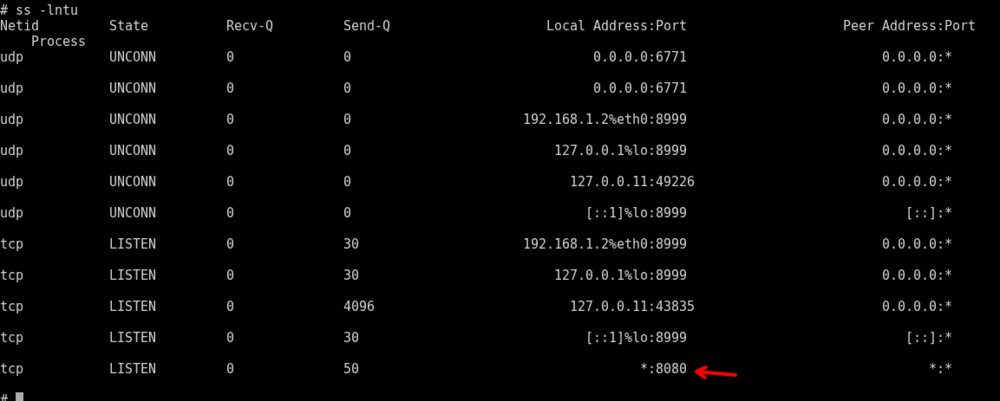
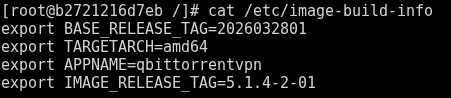
When I do an ss -lntu in the console for binhex, it doesn't list the port When I do an ss -lntu in the console for Marcus, it lists the port @binhex I noticed in your install script on line 110 you set the webui and log out some infos and warns so I attempted to run the script again to see what it gave and it errors out because the buildx args are no longer present. I was able to verify that values are in the image-build-info so I think it has ran at least once. In all of my logs though I never found the info for line 112 even with debug set to true. I even went and edited my container and deleted the WEBUI_PORT config to try and trigger the warning on line 114 but never saw the warning in the logs.


-
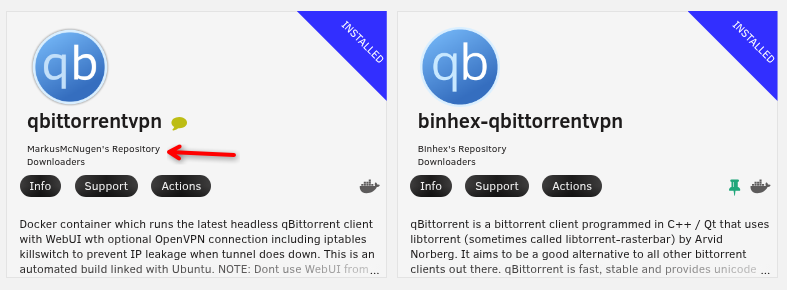
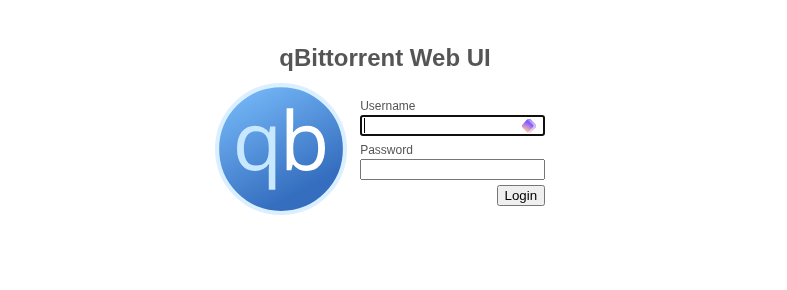
Alright, so I went to the advanced view and changed the 8080 to 8083 and it still didn't work. So I shutdown all of my docker containers, deleted the qbit container and it's appdata folder. Then started again from scratch and left everything as default, even with it set to 8080 the webUI still won't load. I went and downloaded and setup the Marcus docker container and got it all hooked up and the webUI started immediately no issues at all. @binhex at this point I think there is a bug with your container or something because even when leaving the ports all default the webUI still doesn't load.
-
That's the issue though, I am changing the settings it says to change and they aren't changing, when I try to edit the port I can see 8080 listed but it's greyed out and I can't change it. Maybe this is stupid simple, but I am new to docker so I don't know what I'm suppose to do here. Do I delete the Port: Web Interface config and make a new one where I can set the port? I don't know what I can change and not break the container.
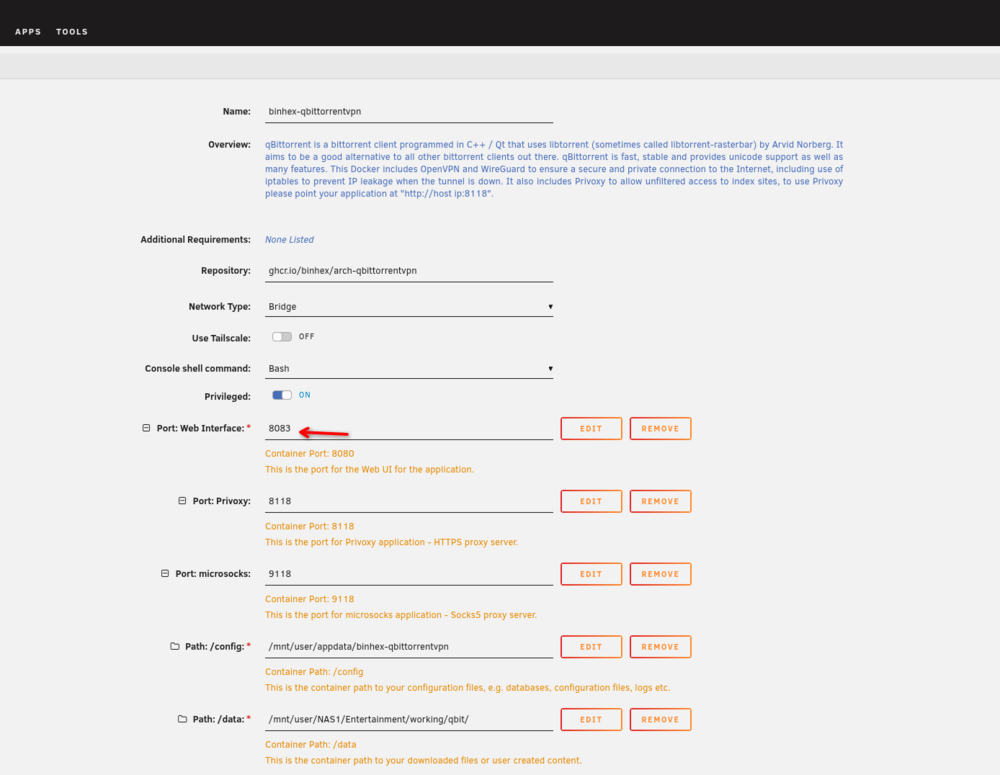
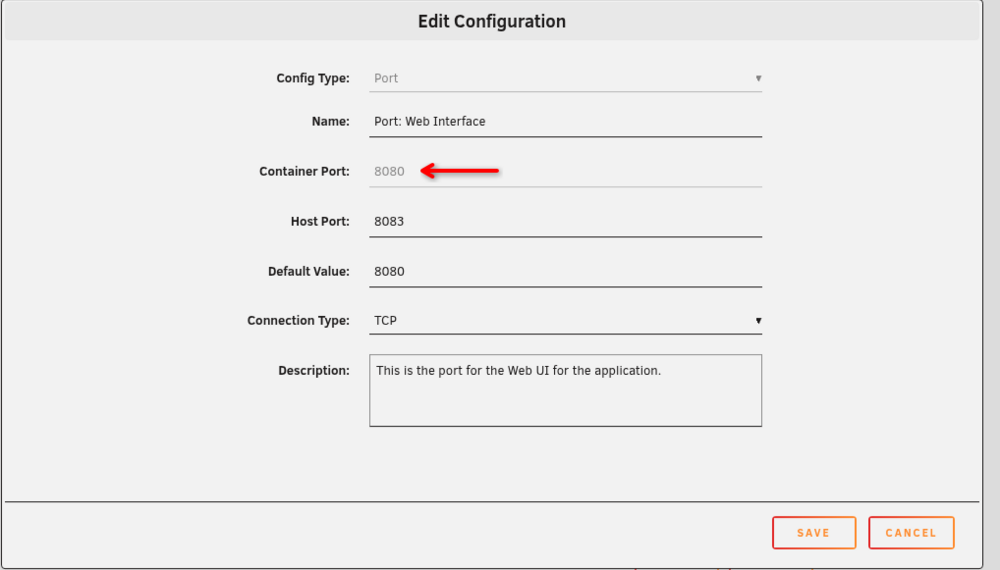
-
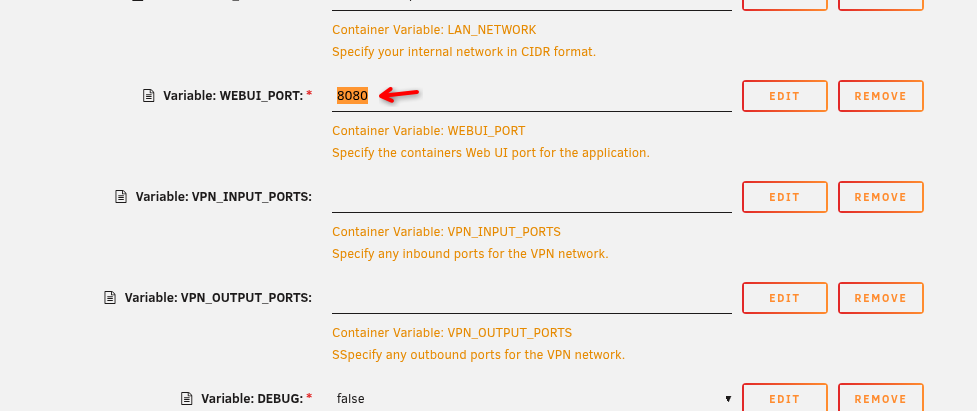
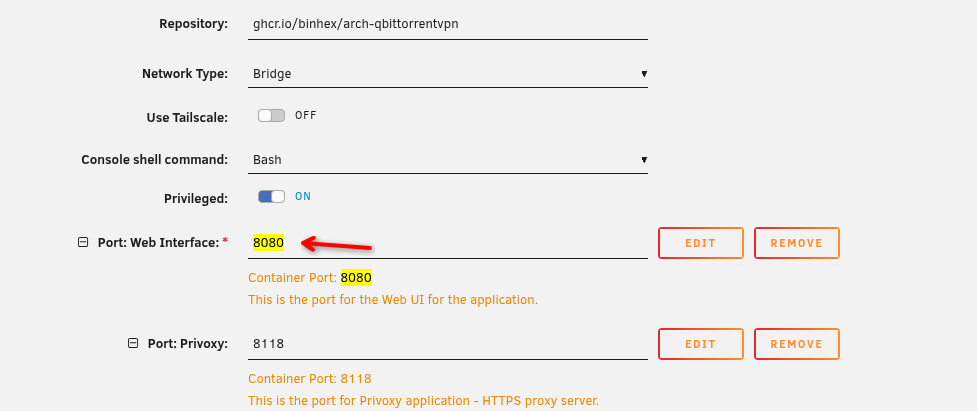
I'll attach some screenshots below, I deleted the image and cleared out the appdata and started fresh and put in the required data, the only defaults I changed were setting anything that was 8080 to instead be 8083. which were the two values in my original post. Docker Run: I can see in the run command there is still a value set to 8080, but I did set both values in the setup to 8083. Screengrab of the log
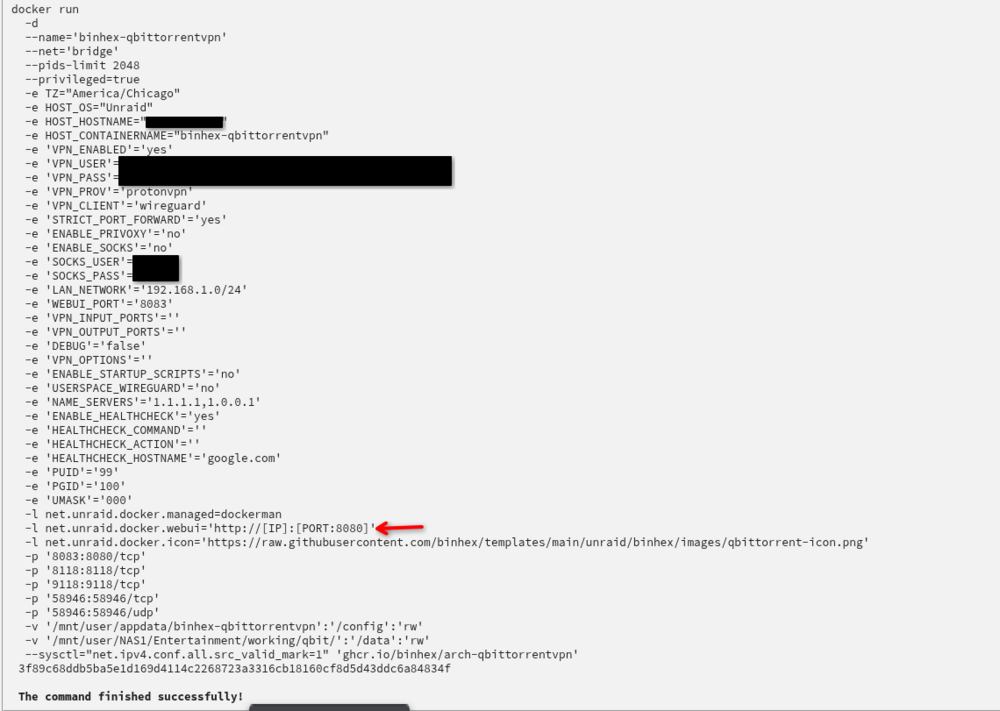
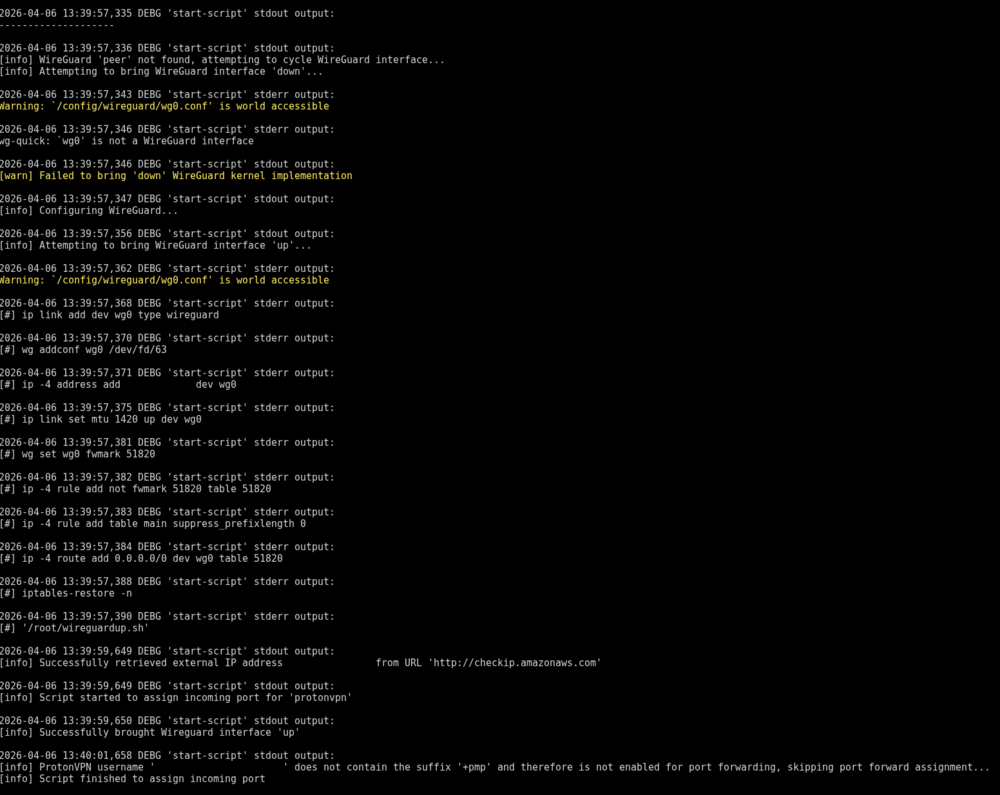
-
So I went and updated the two values, (Port: Web Interface and Variable: WEBUI_PORT) but once the container starts up I can't access the webui, just spins forever. So I went to the FAQ in the docs for qbittorrent and saw that Q4 was going over what I am trying to do so I followed the answer there, but step 3 says to remove `Container Port:` which isn't present at all so I skipped step 3. Continued on setting up as outlined and added the ports. Now the container won't start because the port is already in use. At this point I don't know what to do other than delete the other docker container that is using 8080 because I can't get this qbit container to work with other ports. @binhex It seems like the FAQ step 4 needs to be updated or at least clarified because with the current release of the container step 3 doesn't make sense and just skipping it leads to a container that won't start.
-
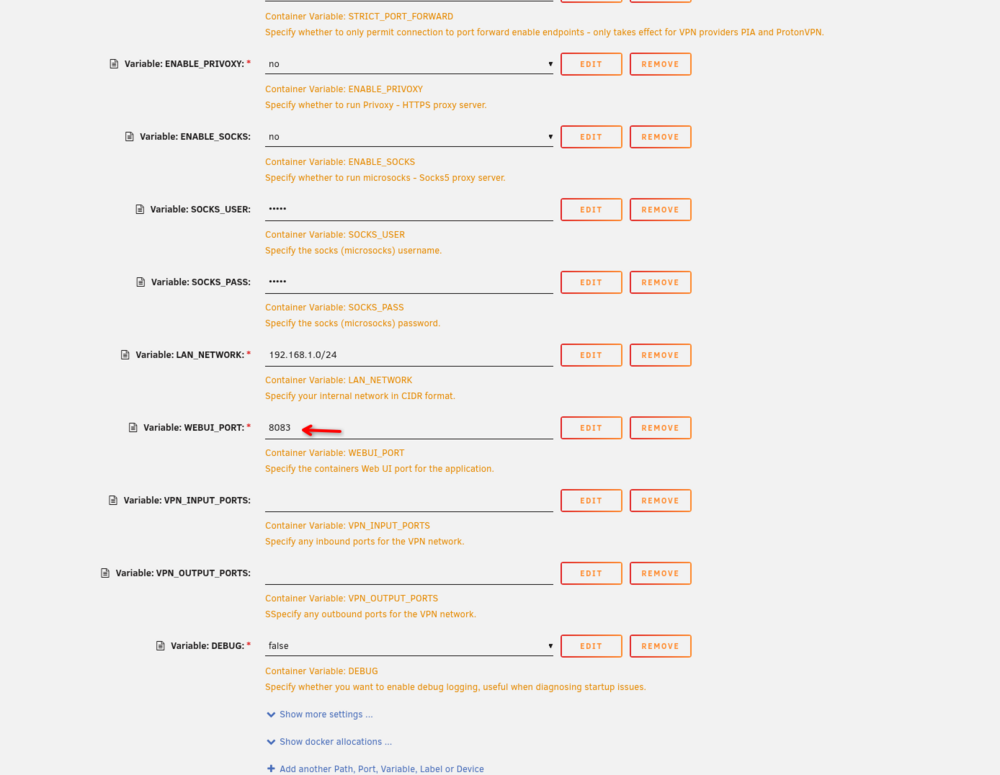
I think I understand, sorry for my ignorance still new to docker and learning how it works. If I understand correctly WebUI_Port is the only one I need to make sure isn't already in use by another docker container because Web Inteface is the port the container assigns so I could make them different numbers if I wanted. I don't want to change the port number, I have to change it since 8080 is already in use by another docker container. All I am trying to figure is if those numbers have to match or of they can be different.
-
so now I am even more confused, in the pictures I posted there is only two but your saying if I change the webUI port I also have to change host and container. I Don't have host and container options in the setup, do I need to add those with the Add another Path, Port, Variable, Label or Device option at the bottom? Or do I just update the two variables in the default setup to be the same? so if I changed one of them from 8080 to 8081 I would also change the other to 8081.
-
Going through initial setup and wondering why there are two variables set for the webui specifying 8080 Shouldn't there only be one? If not, and I need to change the port 8080 because it's already in use do these two need to match?