





daschmidt
Members
-
Joined
-
Last visited
-
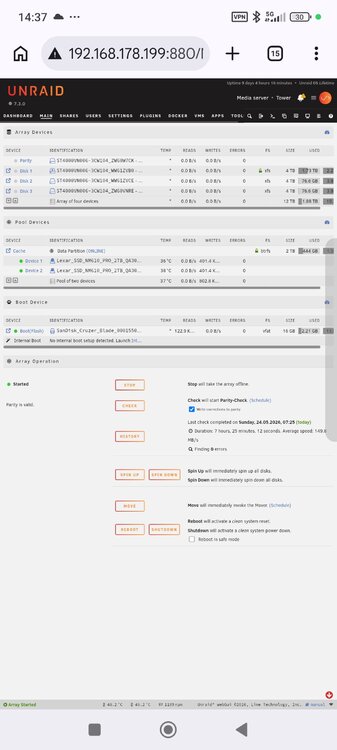
at the moment it looks like this. I give it a try in the evening.
-
Are you sure with btrfs? In the docs there is only zfs listet Can I configure internal boot with two SSDs in a mirrored setup for redundancy? Yes. Mirrored internal boot is supported by default. Internal boot uses ZFS, and a mirrored setup uses a ZFS mirror for redundancy. If one boot drive fails, Unraid continues running in a degraded state. Replace the failed device through the normal Unraid drive assignment flow to restore the mirror
-
Good evening, with the last update it's possible to move from USB to the internal boot. I have a cache with 2 m2ssd btrfs and raid mirror. Is it possible to remove 1 ssd from the cache pool and then create there the boot device and after that move the data to the boot devices. And after that add the 2. ssd as mirror to the boot pool or is this not possible?
-
ich wäre an der Docker Version interessiert bei mir läuft aber crowdsec und pangolin in einem VPS. Kann ich die daten aich über VPN abgreifen damit meine IP trotzdem auch automatisch auf die Whitelist gesetzt wird?
-
Okay, thank you very much. I thought the updates were always this frequent.
-
Hello I've been using Unraid for about a month now. So far, I'm very happy with it and it's running perfectly. Now for my question: I get a notification about once a week that a new version is available. How do you handle this? Do you install the update immediately, or do you only do it quarterly since the server needs to be restarted after an update?
