





FJRpilot
Members
-
Joined
-
Last visited
Everything posted by FJRpilot
-
Thanks again for this explanation. I will try to be more patient. I have a second server running 7.3.4 and it’s Boot-flash backups take less then a few minutes (also running USB disks), so that’s why I got impatient. Once again, thanks for your help and mentoring.
-
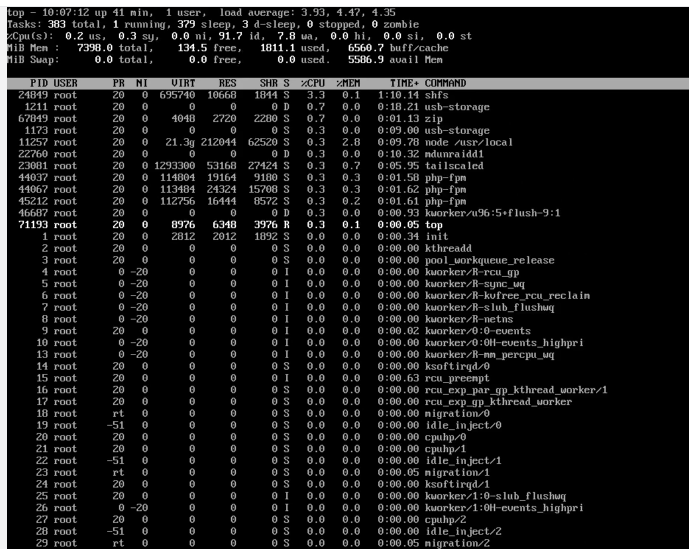
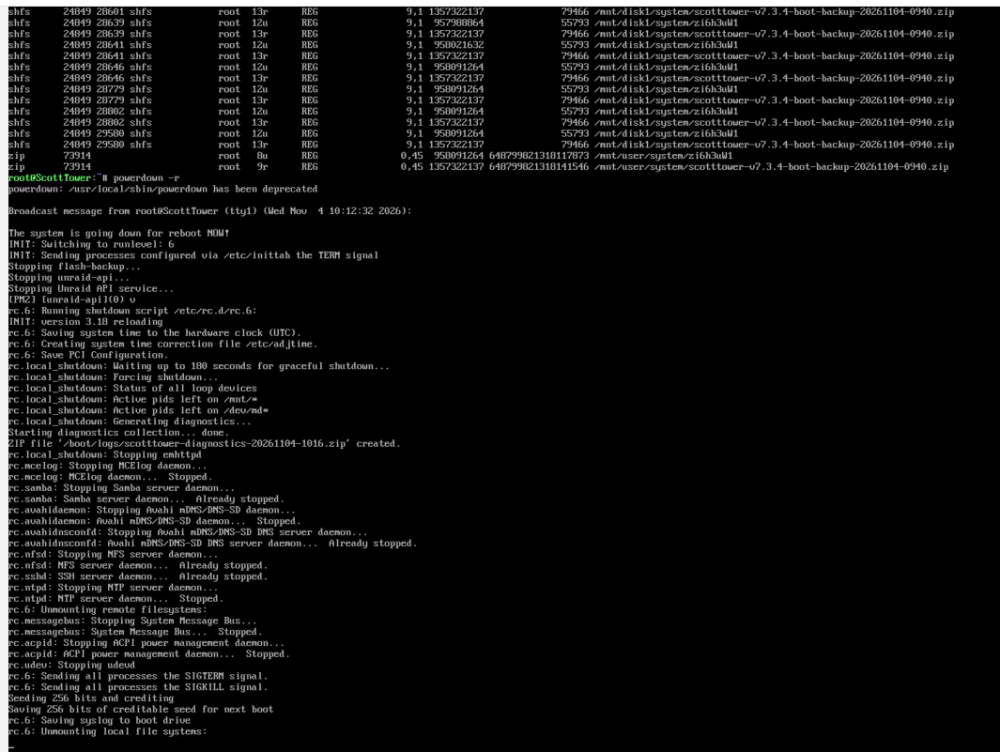
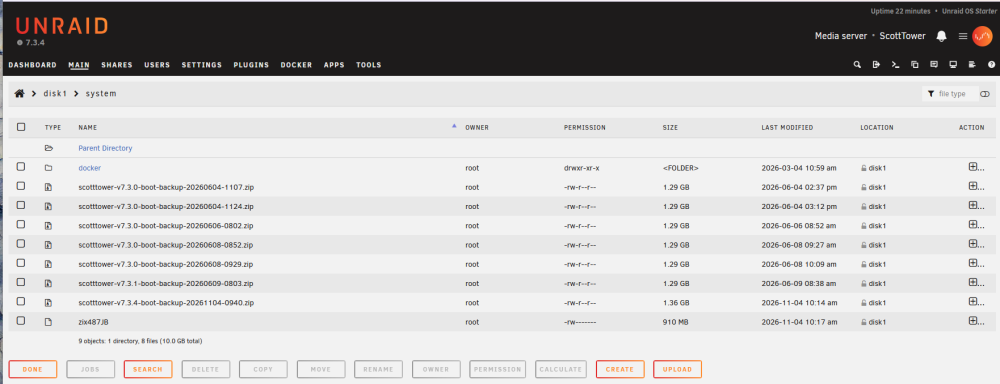
@JorgeB , thanks again for your help with this. I completed the steps that you indicated, and my server is back up and running on version 7.3.4. I just wanted to add some information in case there are any additional steps I should take. After creating the new config and starting the array, I felt it was prudent to grab another backup of the Boot flash. So, I started that process and waited for it to finish. 30 minutes later the process was still running, and I never saw the file download to my workstation. The Web interface had locked up (Unable to initiate a shutdown) and my shares were all off-line which I thought indicated the server may have been out of sorts. I accessed the console, logged into it and looked to see what might be happening (Top and lsof). I saw that the Flash backup appeared to be hung and decided to initiate a "Powerdown" to reboot the server (see attached). One of the steps that was taken was the system stopping the "flash-backup" process (it had not finished). The server restarted, I logged in and restarted the array. Everything appears to be running normally now but I have not yet taken a new backup of the Boot flash, opting to wait until you had a chance to read this email and respond if appropriate. One thing to note, I looked in Disk1 /system and noticed that there were 7 boot flash backup zip files (including the one that I thought had hung). Is this expected? Thanks again for your help, it is greatly appreciated.
-
So... I ended up having to bring the server down hard (pulled the plug) and then tested the USB stick. It was dead... So I formatted a new USB stick and recovered the 7.3.1 backup onto that new disk. Then I had to transfer the license onto this new Stick. The array came back online but it did trigger a parity check (which I am OK with it completing). So as of now, I am back at version 7.3.1 with everything working. My question is, if I do the upgrade again, can I expect to experience the same issues? Will I lose the disk assignments? Can I expect to have an issue with the new USB Stick? The old USB was tested before I did the upgrade (brought the system down, took the USB stick and plugged it into a Windows computer. It mounted and did not report any errors or issues), It may be a coincidence with the USB stick failure but I am a bit gun shy right now...
-
So... That screen prevents me from stopping the array normally or accessing the console. Is there a best way to bring the array down, to check the drive?
-
After starting the array (started successfully), I am now getting a message that my boot drive is corrupted or offline... When I try to pull a Diagnostics, I keep getting a "Lets Finish Setting Up UnRaid" screen. I keep "Skipping Setup", but the screen keeps popping up.

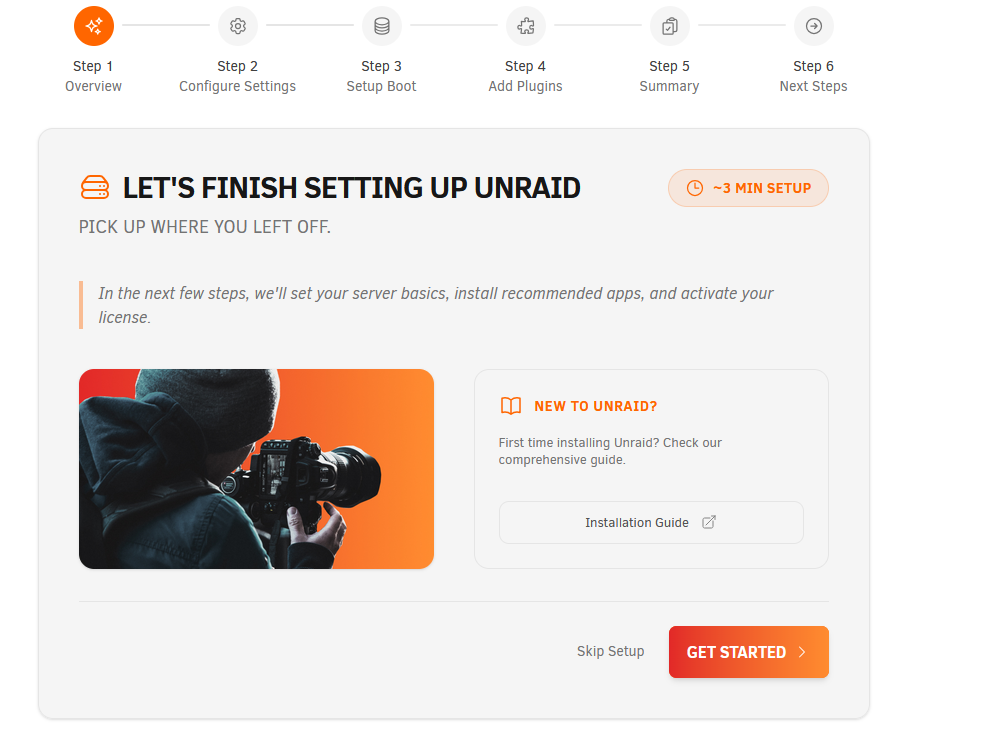
-
Thank you so much! Your help/mentoring is greatly appreciated.
-
Thank you, the diagnostics are attached, I'm not sure I understand what you mean when you say create a new config (sorry if this is a dumb question). I was unaware that using USB disks was not recomended. scotttower-diagnostics-20261102-1150.zip
-
I Just performed upgrade from version 7.3.1 to 7.3.4. After the upgrade reboot, the server does not recognize the attached USB hard drives (which make up the array). It lists them as missing. The disks are seen by the server as Unassigned Disk Devices, however one of the disks mount buttons is grayed out indicating that there might be a problem with the disk (was running fine prior to the upgrade). Should I roll the upgrade back to the prior version or is there a way to fix this?
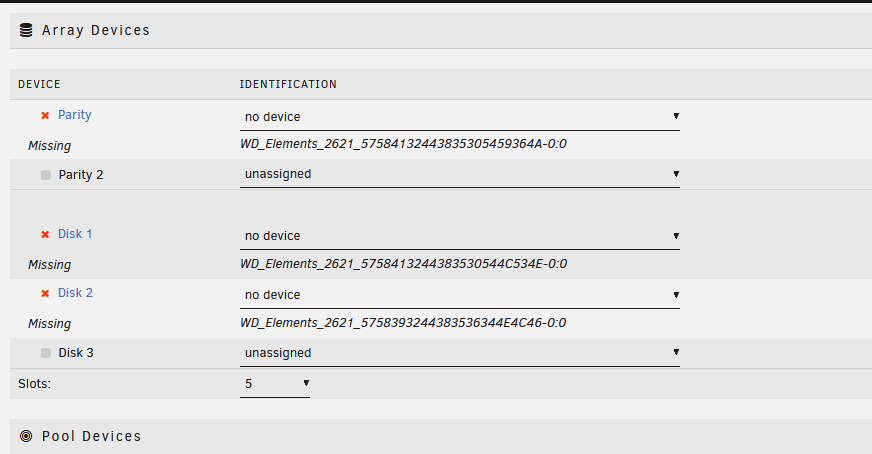
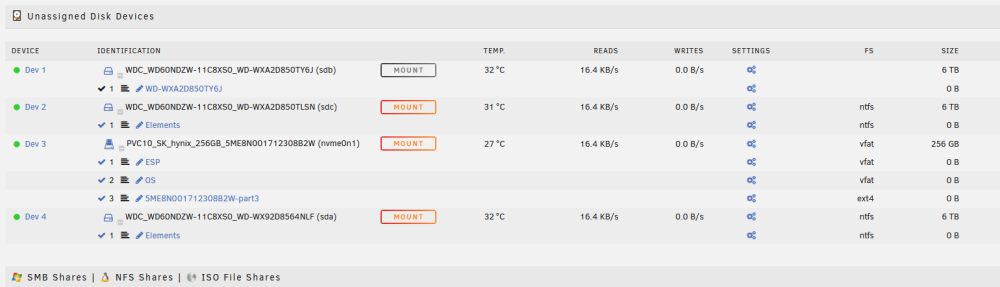
-
I tried to download the binhex-delugevpn docker container today and I am getting the following error during the install. " 9110a387d7bf: Pull complete 06aec48c8706: Pull complete Digest: sha256:2ff474cba3af585e15a608ffe03ca81ec4ac2e588f4462f584005081804fbd28 Status: Downloaded newer image for ghcr.io/binhex/arch-delugevpn:latest 9bed3ce35acc60da110bf0694525d2d7c15cf40a0bc9a22162621beb3e816e88 docker: Error response from daemon: driver failed programming external connectivity on endpoint binhex-delugevpn (2eeb89e006f4eaa8416ab91ddf12943b2cff771bcf8b82a188ab84bffc57fab8): Bind for 0.0.0.0:58946 failed: port is already allocated. The command failed. " Needless to say, the actual install failed. The Folder in Appdata is empty bu the docker container appears in my list of installed containers. Here are the allocations data listed for the container in UnRaid (version 7.2.4). Only the binhex-delugevpn containers is using the 58946 port, it is not allocated to any other container,




