




-
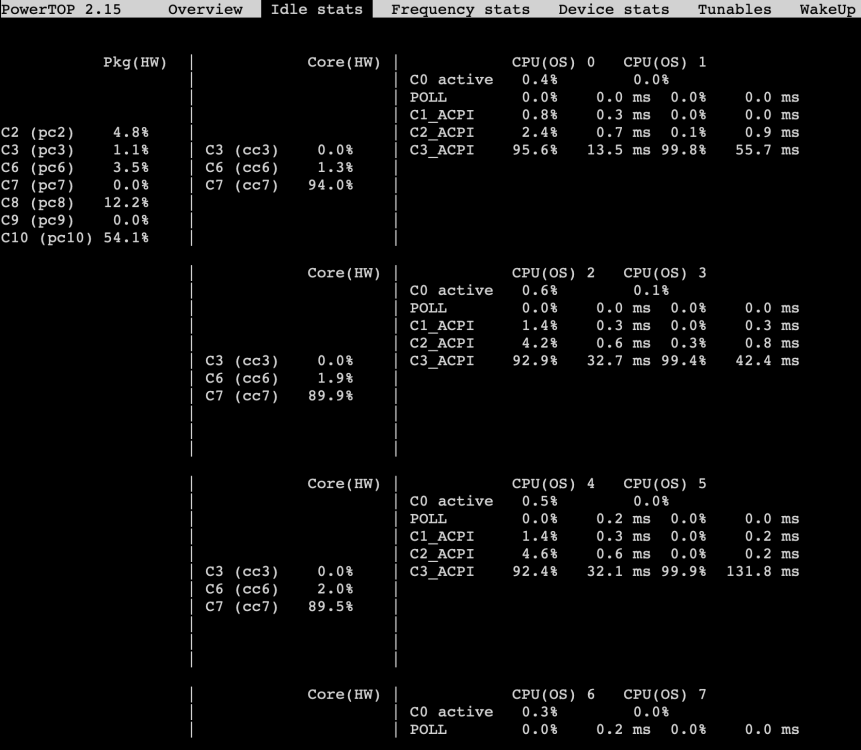
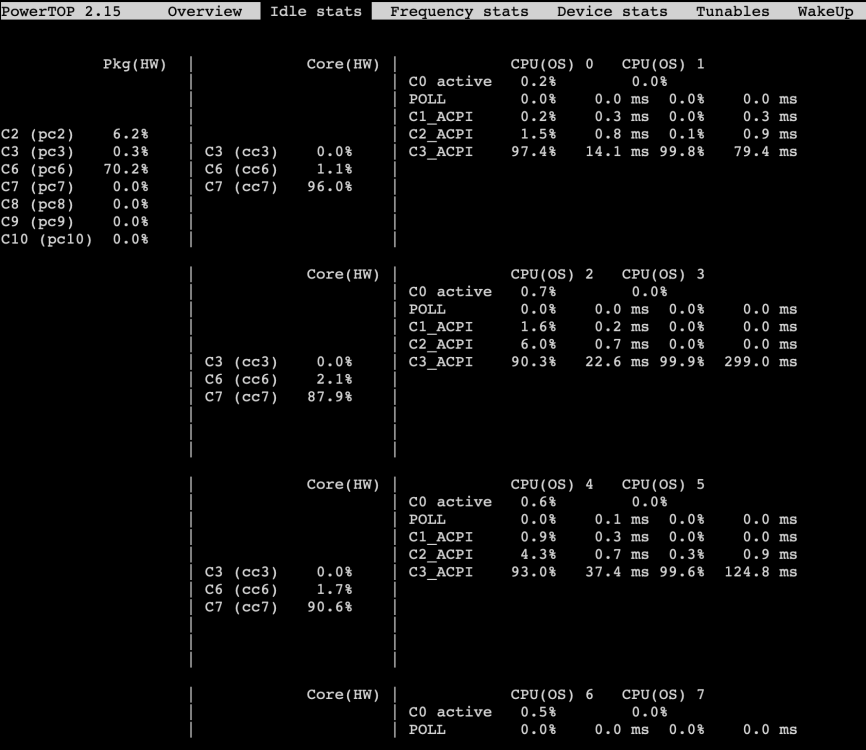
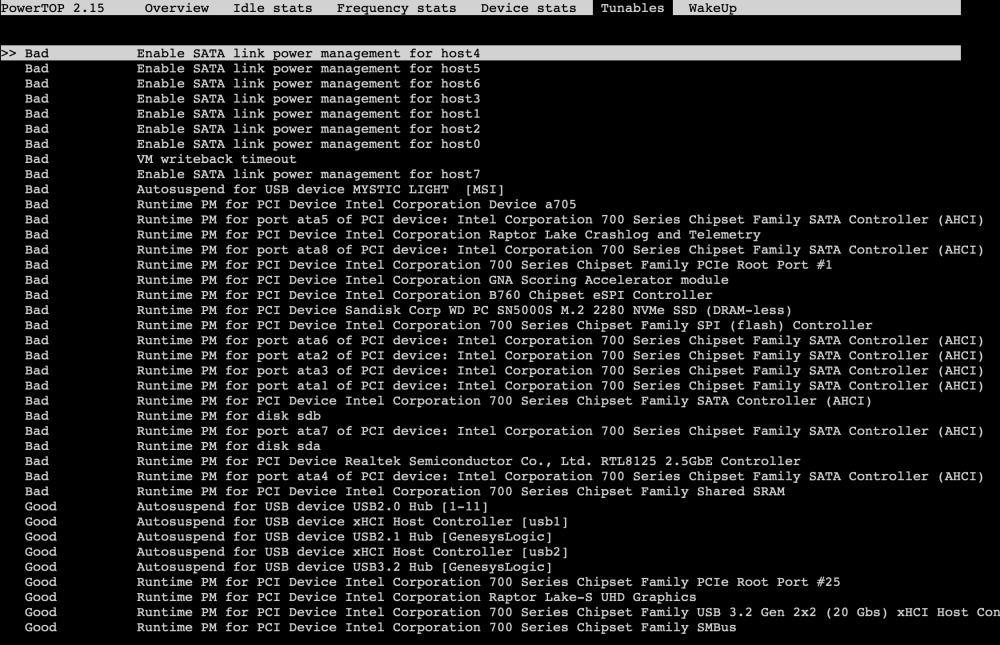
Update: in case helpful for others, was able to get to C10 package state by running: echo med_power_with_dipm | tee /sys/class/scsi_host/host*/link_power_management_policy I tried this 1 by 1 for each host (rather than *) via the terminal with the array stopped. Checked logs for any errors, and powertop for C-state. Only once the two SATA hosts tied to my HDDs were set to med_power_with_dipm, did C10 start working. Changing this setting for any other hosts had no impact. I did get an error saying "operation not supported" for hosts 0,1,2,3 (so those run at firmware setting) but it worked on hosts 4,5,6,7 (which include the drives). Calling that a win. Idle reduced by 5W from 17W to 12W. Hope that helps!
-
Just spent the last week trying to optimise power efficiency on a new Unraid 7.3.2 server. I was able to get it from 30W to 17W idle, but am stuck at C6 states, can't get below that. Any advice on how to get past C6? What I've tried already: In Unraid GUI, change Power Settings to "Best Power Efficiency" Optimise BIOS settings as per this thread (settings below) Disable WoL in Unraid boot config (ethtool -s eth0 wol d) Install Realtek 8125 community plugin Config files added in /boot/config/modprobe.d/ Force use of r8125 driver (r8169.conf set to "blacklist r8169") Force aspm on r8125 (r8125.conf set to "options r8125 aspm=1") --> THIS got me from C3 to C6 in case helpful for anyone with the Realtek R8125 NIC N.B. I did NOT run powertop autotune given the potential risks involved that I read here, but I'm also new to Unraid, so may have missed a trick. With that last step, all devices now show as having ASPM enabled: With the WebGUI closed, docker disabled, drives spun down, the best I get is C6 and 17W idle. Also for whatever reason it's only showing ACPI C states in PowerTop 2.15, despite intel_idle being the driver that's running, and the fact that the Linux Kernel in Unraid 7.3.2 should support my Raptor Lake CPU idle states. Could a Kernel issue be the reason why I cant get lower? Or did I miss something? Hardware: Corsair SF750 PSU (750W) MSI B760M (onboard: Realtek 8125 NIC) Intel Core i5 14400 (Raptor Lake) 32GB DDR5 (XMP disabled, running at default 4800Mhz) 1x NVMe SSD: WD Blue SN5000 500GB (chipset attached M2 slot) 2x 4TB HDDs (attached to onboard SATA controller) BIOS settings: ASPM: Enabled PEG ASPM: L1 PCIe ASPM: L1 Intel C State: Enabled Package C state limit: C10 C1E Support: Enabled EIST: Enabled Onboard WiFi / Bluetooth CNVi Module: Disabled HD Audio Controller: Disabled SATA Hot Plug: Disabled ErP Ready: Disabled Wake on LAN: Disabled Thanks a ton!


View in the app
A better way to browse. Learn more.


