





ptear
Members
-
Joined
-
Last visited
-
Dell PowerEdge H310 Perc Adapter 8-Port 6Gb/s SAS RAID Controller HV52W MJVMK Yeah, I managed to buy the wrong one. 🤣 One was flashed, one wasn't. Both were in basket, and selected wrong one for checkout. Duh. Be a couple of weeks before it arrives. Then 🤞 flashing works straight away.
-
Yeah, its been attempted in 3 different motherboards, 4 different PCI-E slots. And will randomly take the firmware then just not. Like it just did then. After a reboot the light isn't on again. I've ordered an H310, hopefully a legit one. And if it isn't already flashed hopefully flashes fine. Much appreciative of the help. 😃
-
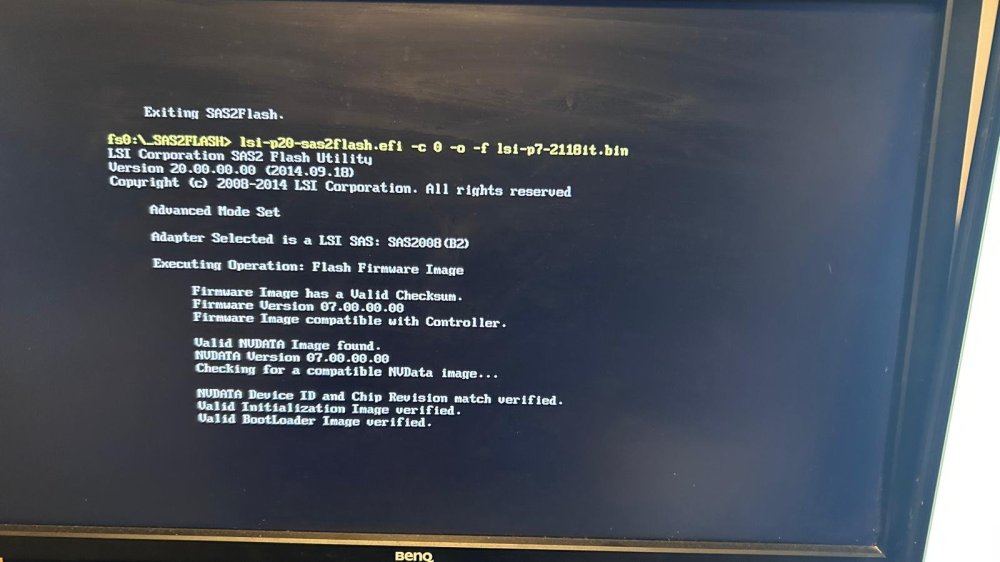
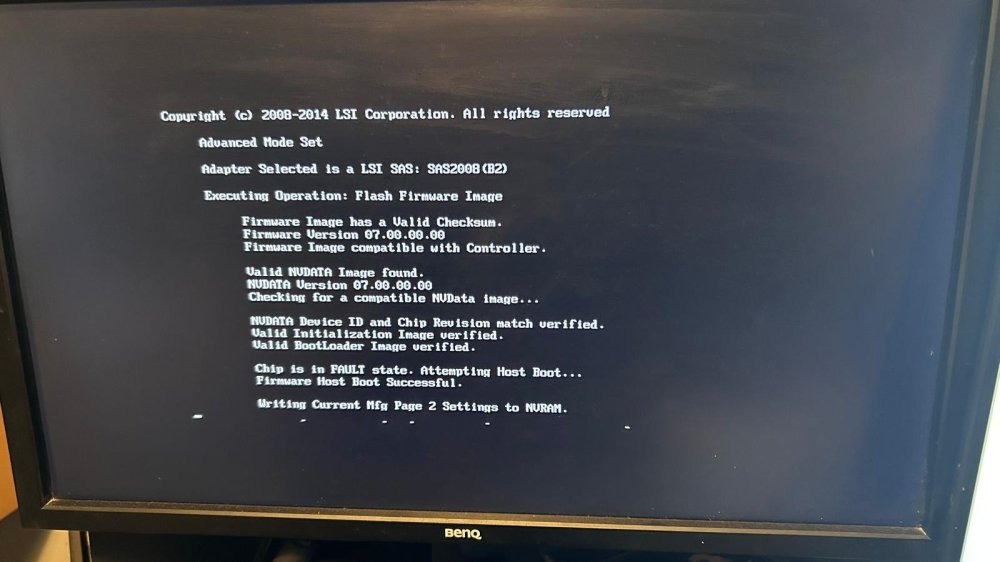
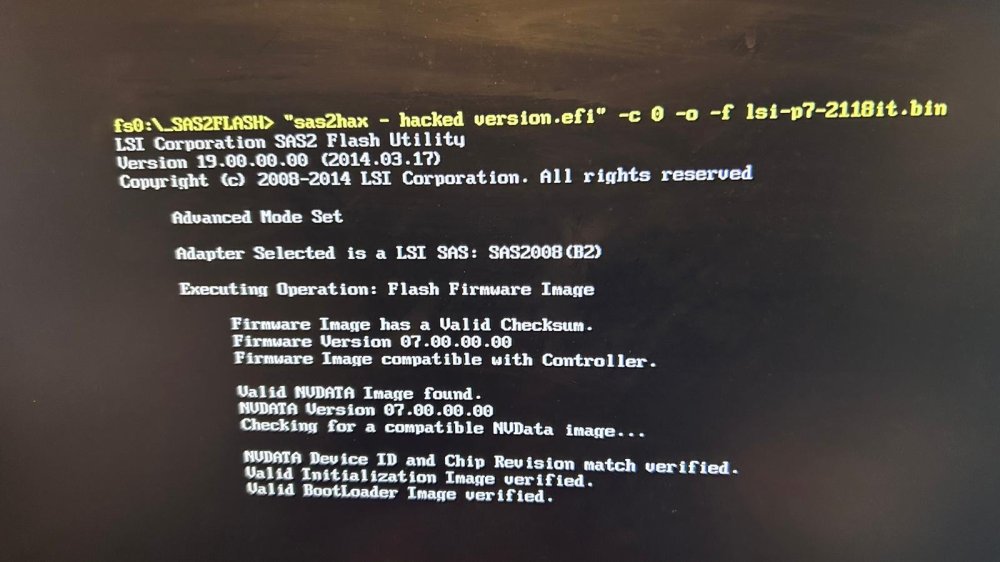
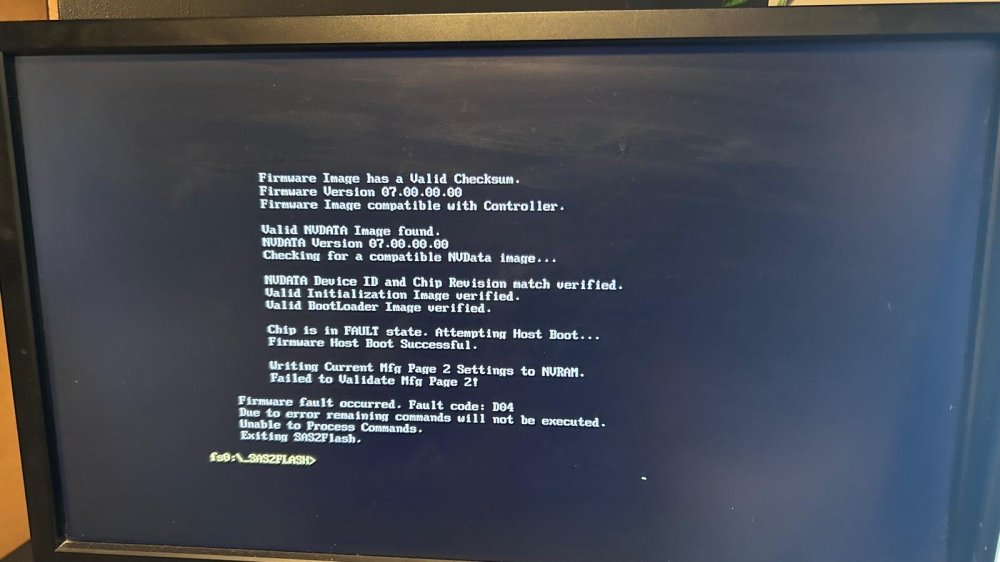
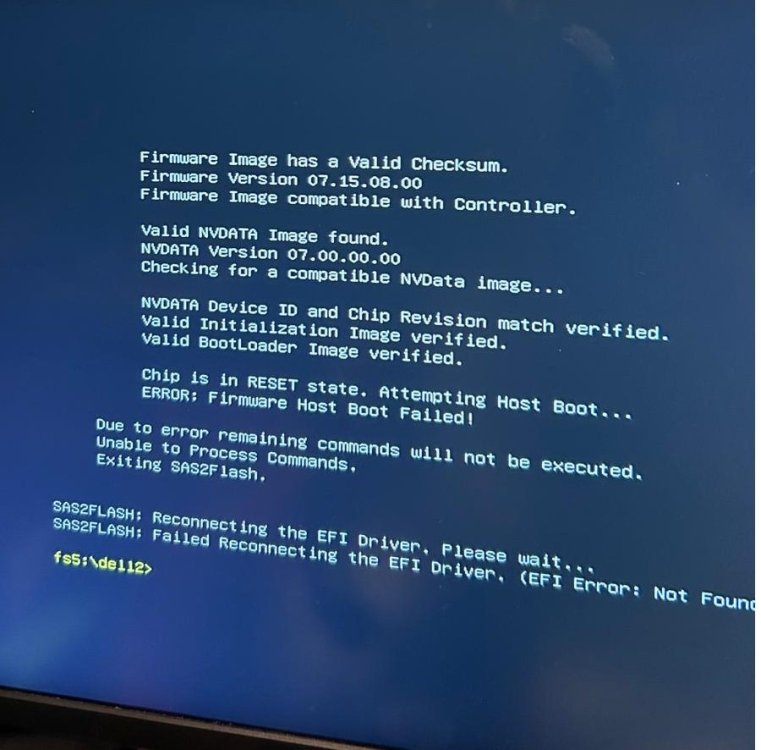
It is still getting to Mfg Page 2 but not able to validate. These are the images from attempting it. Two diff efi, one which supposedly was meant to bypass the mfg completely but still doesn't. The controller has its green light flashing too which it didn't have before.
-
I only have two photos both which show what i've said. I did do a backup.sbr but, unable to read if that would have anything useful in it. I did manage to get past the Host Boot Failed, consistently. It just started to fail on the MFG Page 2 part afterwards.
-
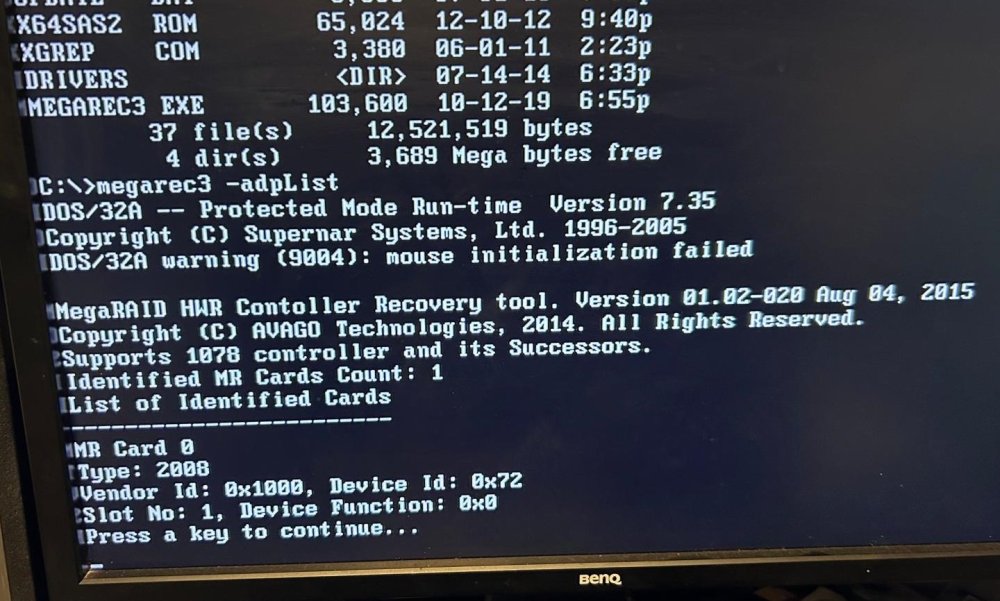
I'm not going to be very useful here, as I what I 'did' - I honestly cannot remember exact orders or what happened. I don't have the SASADD at all. It isn't listed on the card itself, and I never saw it in any list commands that should show it. As none would show information. Just the 'controller is not operational' message after a basic identity of the card. Exact H200: The ONLY information I have is what is on the card itself. No note of a S/N, only the sticker with; "DP/N 0338FW CN-03****** " (Maybe that is the serial number?) Then on the other side: PWB H216J Rev A01 Guides used; LSI Guide/Package on Techmattrs And https://blog.michael.kuron-germany.de/2014/11/crossflashing-dell-perc-h200-to-lsi-9211-8i/comment-page-1/ Also https://www.truenas.com/community/resources/detailed-newcomers-guide-to-crossflashing-lsi-9211-9300-9305-9311-9400-94xx-hba-and-variants.54/ I used the files linked in the techmattrs. Honestly, I couldn't recall commands in order. But whenever I got an error, I would look it up, and there would be a new way of trying to get round it, like using an older sasflash. I started with the commands in the michael kuron guide. Using the sas2flash efi p20 - it failed, so went to the version p5. Still failed. I did this on the board it should be going in (MSI z390M Mortar) - and found information that says flashing on 'newer' boards doesn't always work, try older ones. So used the GA-H81N for the rest. Did the wipe and trying to put the 6GBPSAS on which failed. Went to FreeDOS for megarec3 and that did its wipe. Back in EFI Shell - Retried the same as in the guide, still errors. The sas2flash.efi -o -e 6 command did erase. 6GBPSAS did write once. with the p5 version efi. Eventually I got to it writing host bus and the MFG Page2 was the error. Which I am stuck at. The "controller not operational" did appear before first erase. It still does - using P5 sas2flash it shows "Adapter selected is a LSI SAS: SAS2008(??) using P16 sas2flash I get the same but with (B2) in the brackets. Last I used Megarec3 -adpList it showed - Identified MR Cards Count 1 MR Card 0 Type 2008 Vendor ID: 0x1000, Device ID: 0x72 Slot No: 1, Dev Function 0x0 Sorry I cant be more helpful. - The more informative parts are because I remembered to take pictures. I am shocking at remembering things.
-
Just listing hardware first for reference: CPU: Intel - 9700K Mobo: MSI z390M Mortar RAM 4x 8GB DDR4 Corsair 8 Mech HDD (2 IW Pro, 2 WD Purple, 4 smaller HDD) , 2 SSD, 2 NVME H200 Dell Perc MELLANOX MNPA19 XTR ConnectX-2 (not used, board won't boot with it, works in other PC fine so will diagnose that once HBA sorted) I tried these things/flashing on the MSI z390M, then tried on my ROG STRIX z390-F, same issues, then read that its better to use older hardware. I only have a Gigabyte GA-H81N so used that. It got 'further' (MFG2 page error) , but ultimately still didn't fix it. Hey all, brand new to unraid - but it isn't unraid itself being an issue as i've not even got that far yet! I was installing it and looking at its settings/dashboard and it wasn't showing the H200 Perc I was given or the drives connected to it. The drive didn't come up with a loading/bios info on PC load either. Then I was trying to sort it, and it randomly showed the drives in unraid, then a reboot later, it didn't. It never showed any bios info. So was told, it might just need a flash to properly show them etc. So set about getting the bits for that. I got the zip of a guide called LSI-9211-8i with a load of sas2flsh/flash, firmware, etc etc. Now, the first things they say are get the details. Well it never shows the details , just there is an LSI SAS: SAS2008(B2) controller is not operational. A firmware download is required. Enter firmware filename etc The command to get the SASADD, also shows nothing. So look up that issue, and it says using 6GBPSAS.fw , then a P7 then P20 etc - well, it fails on first one straight off with host bus failure, Megarec clean needed apparently. That 'works'. MEGACLI can't show any details doesn't detect the drive. Different versions of sas2flash give different errors with some simply not finding it. But in the end I got as far as MFG2 page error. I just can't get it cleaned and flashed. Is it likely that it is now totally bricked? I don't know if it is the card, or just something with the hardware affecting it. Megarec(and megarec3) were done from freedos, rest done in EFI shell. Whichever way, any advice ?



