Skip to content
View in the app

A better way to browse. Learn more.

Unraid

A full-screen app on your home screen with push notifications, badges and more.

To install this app on iOS and iPadOS
  1. Tap the Share icon in Safari
  2. Scroll the menu and tap Add to Home Screen.
  3. Tap Add in the top-right corner.
To install this app on Android
  1. Tap the 3-dot menu (⋮) in the top-right corner of the browser.
  2. Tap Add to Home screen or Install app.
  3. Confirm by tapping Install.

Clemdestine

Members
  • Joined

  • Last visited

Everything posted by Clemdestine

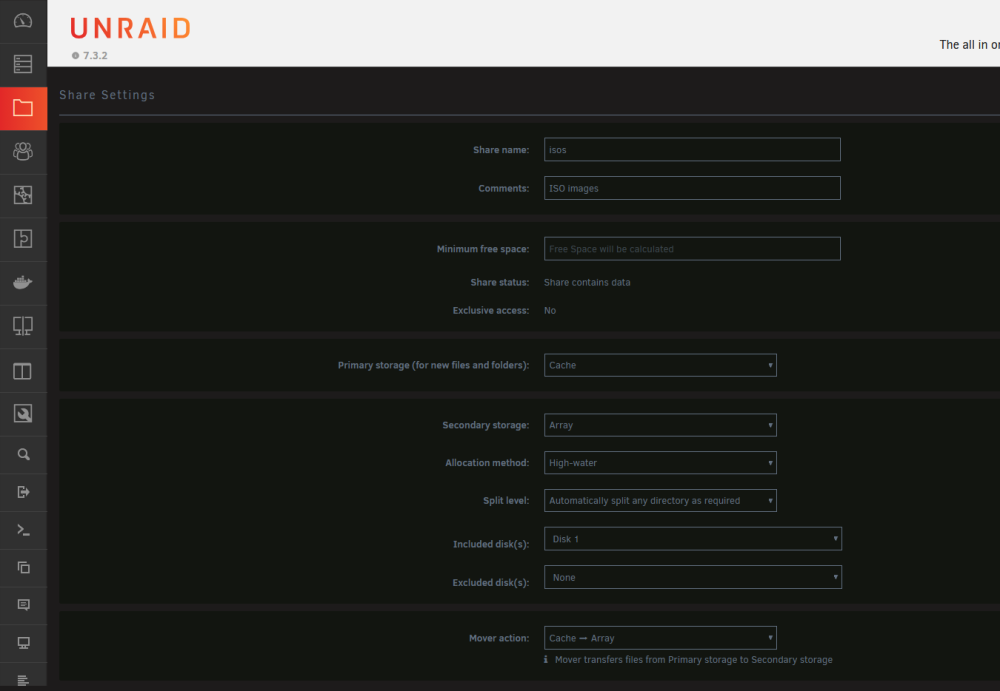
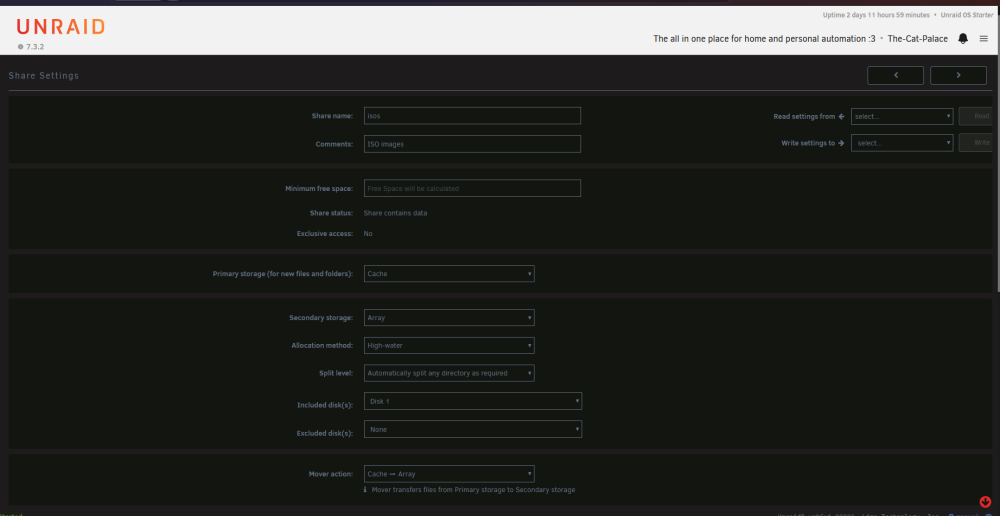
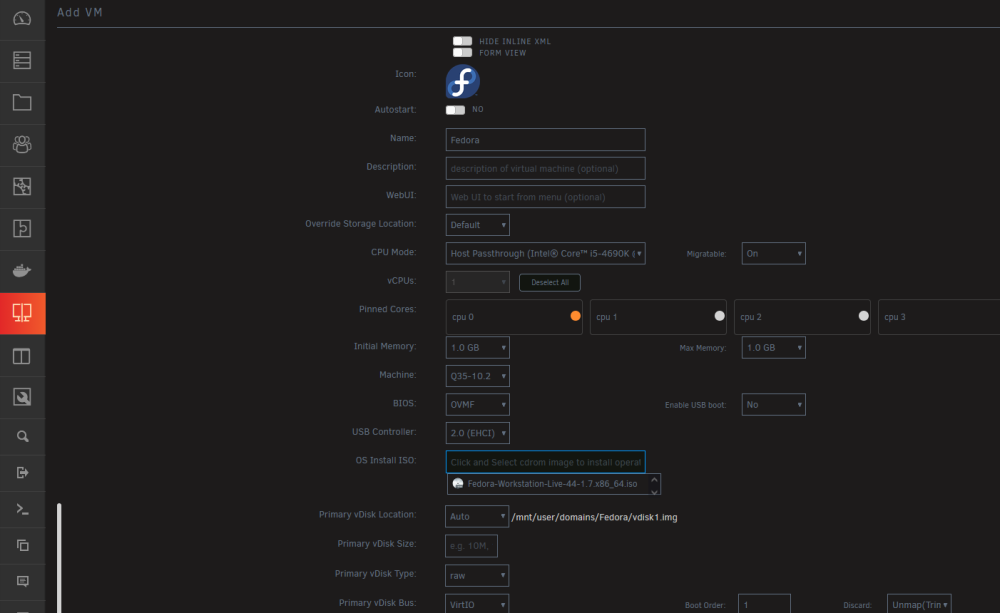
  1. For anyone still stuck on this issue, this video helped me immensely: https://www.youtube.com/watch?v=PePFc-eQCsY Of course, the video is for mainly the initialization stages, but I had to also make sure that my disks were setup properly as well for the ISOS Share on unraid (see attached screenshots) That way you will be able to select the ISO from the folder: All of this got me past the, cant see bootable media error people were mentioning above. Hope this helps someone
Account

Navigation

Search

Search

Configure browser push notifications

Chrome (Android)
  1. Tap the lock icon next to the address bar.
  2. Tap Permissions → Notifications.
  3. Adjust your preference.
Chrome (Desktop)
  1. Click the padlock icon in the address bar.
  2. Select Site settings.
  3. Find Notifications and adjust your preference.