





airport
Members
-
Joined
-
Last visited
Everything posted by airport
-
Dear all, in my case, what should I do when the hard drives are almost 100% full capacity, I just added 1 hdd 10TB to the array to expand the unRAID capacity, but I want all the existing hdds to automatically dynamically move the data in there so that all these hdds have about 50GB free. Thanks.
-
Thank you very much for fast responding, I'll rearrange my share folders and set minimum free as your remind.
-
Thanks for responding. I run Fix Common Problems app and it show me the disk 1, disk 22 read-only. By the way it show unRAID confuse SMB shares, I don't know how to resolve it.
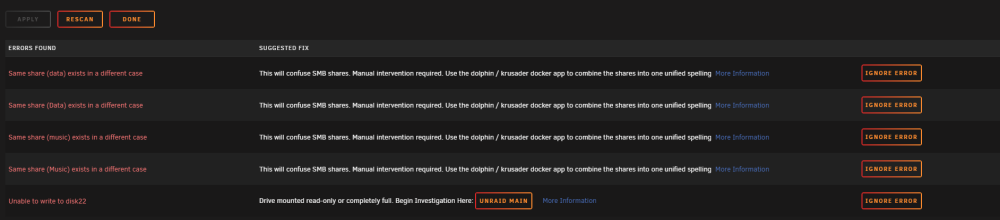
-
Dear Sir, My unRAID have some hdds changed to read-only so would you please repair for me. Best regards, 1mehien-diagnostics-20221229-0909.zip
-
Thanks for your answer
-
Dear all, I'd like to know what happen if I take 2 hdds with data inside from others unRAID servers into my new unRAID with some data is the same (in this case are some pictures in folders). Is it duplicate and how to dedups that pictures. Regards,
-
Thanks for your supports and now my unRAID becoming normal. Topic closed. Regards,
-
Dear all, After some tried, now I succesful to run Hyperbackup from my Synology NAS to unRAID. Here is my files, if any of you need you can download and copy to flash and run command lines to run 2 files: bash /boot/custom/etc/rc.d/S20-init.rsyncd The details you can refer to this topic: https://www.beatificabytes.be/backup-synology-to-unraid/ rsyncd.conf S20-init.rsyncd
-
Dear Sir, Here is my diags after running scrub in disk 22, 23 1mehien-diagnostics-20221108-0903.zip
-
I've found this topic and tried but not success and do not know why it does not run in my unRAID. Backup Synology to Unraid Maybe the new updated unRAID OS can not run, is there anyone run and success
-
Dear Mr. JorgeB, Thanks for your supports, I've moved data from disk 13, 14 and make a new config. After do that now I can make folders on my unRAID. Here is my diagnostics as attached. Would you please check to find any errors in my disks. Regards, 1mehien-diagnostics-20221107-1412.zip
-
Dear all, Could you please show me how to enable rsync server with port 873 open in unRAID please. Now I want to using hyper backup app from Synology backup to my unRAID. Regards,
-
Thank you very much, I'll pull out my data from disk 13 and 14 and refomart it and show the result to you after that.
-
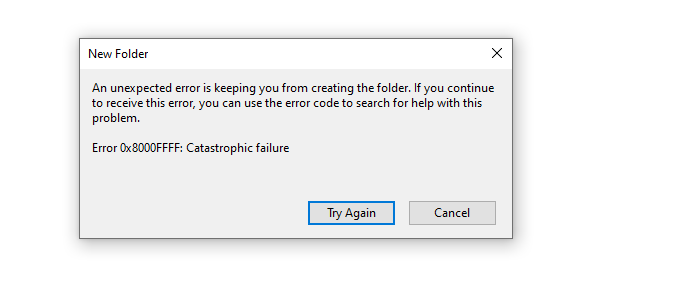
I pulled out disk13 but now the problem is not fixed. I still can not make new folder or delete files in a share folder Here is my diags. 1mehien-diagnostics-20221106-1924.zip
-
Yes, Sir. Disk 22, disk 23 is scrub with speed rate about 160MB/s but disk 14 it can not run as other. I run scrub in disk 14 so quick (about 3s) and show no errors, I don't know what happen with that disk
-
Thank you for your answer. I'll show you the result after moved data. And would you please show me how to to run scrub on disk 14,22,23 to fix data corruption detected.
-
By the way, can I take out the hdd13, clean all partitions and after that put it back to unRAID to restore data from parity disk? Because disk 13 is 10TB so if I move data to other it'll take a very long time.
-
Thank you very much for your supports. Now I'll move all data from hdd 13 to other hdd by using unBALANCE, I hope it can fix my problems. Would you please help me how to run scrub on disk 14,22,23. Regards,
-
Here you are Regards, 1mehien-diagnostics-20221105-2135.zip
-
I try to take out my SSD cache and now my unRAID have only hdd in array (no ssd cache and no use sata port in mainboard) 1mehien-diagnostics-20221105-2052.zip
-
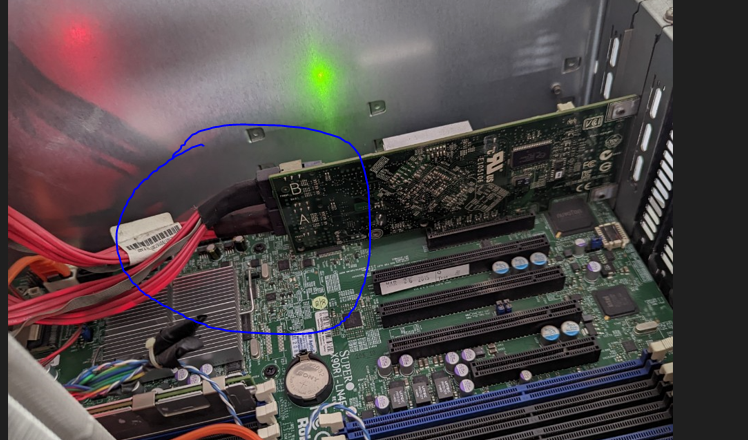
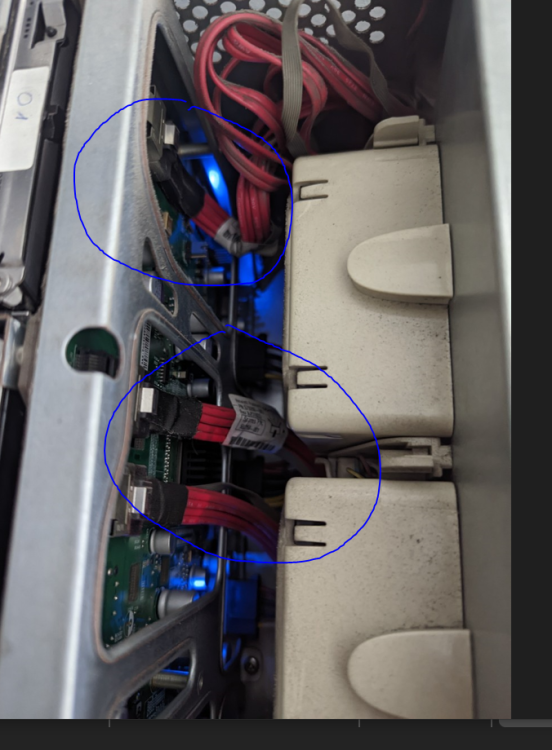
There is 1 mini sas buit-in main board and one cable pluged to front as picture bellow. The RAID Card have 2 mini sas and 2 cables pluged to front. So my case have 3 mini sas cable. Regards, 1. Buit-in mini sas in mainboard 2. Mini sas cable pluged in front (3 cables)
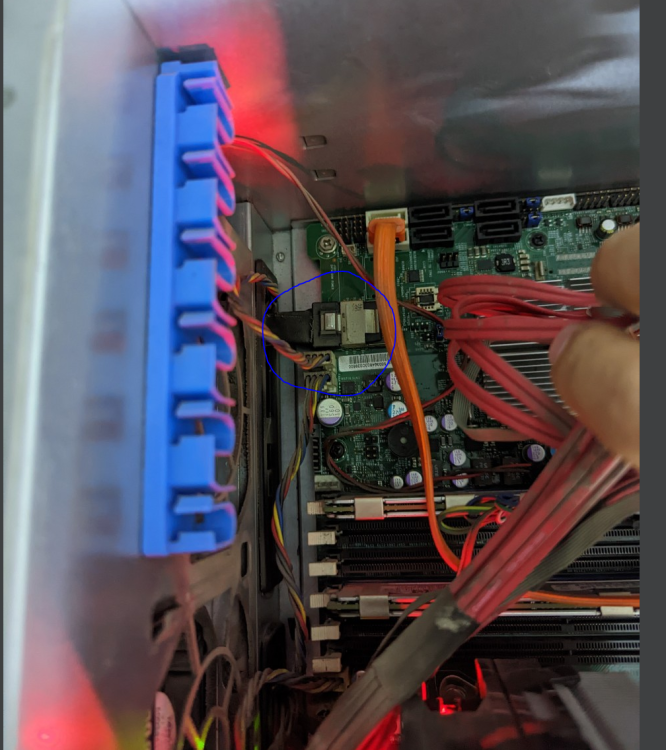
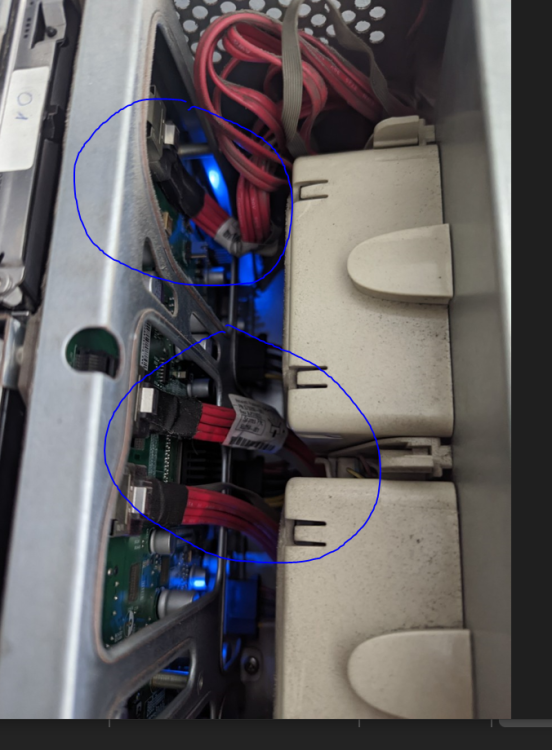
-
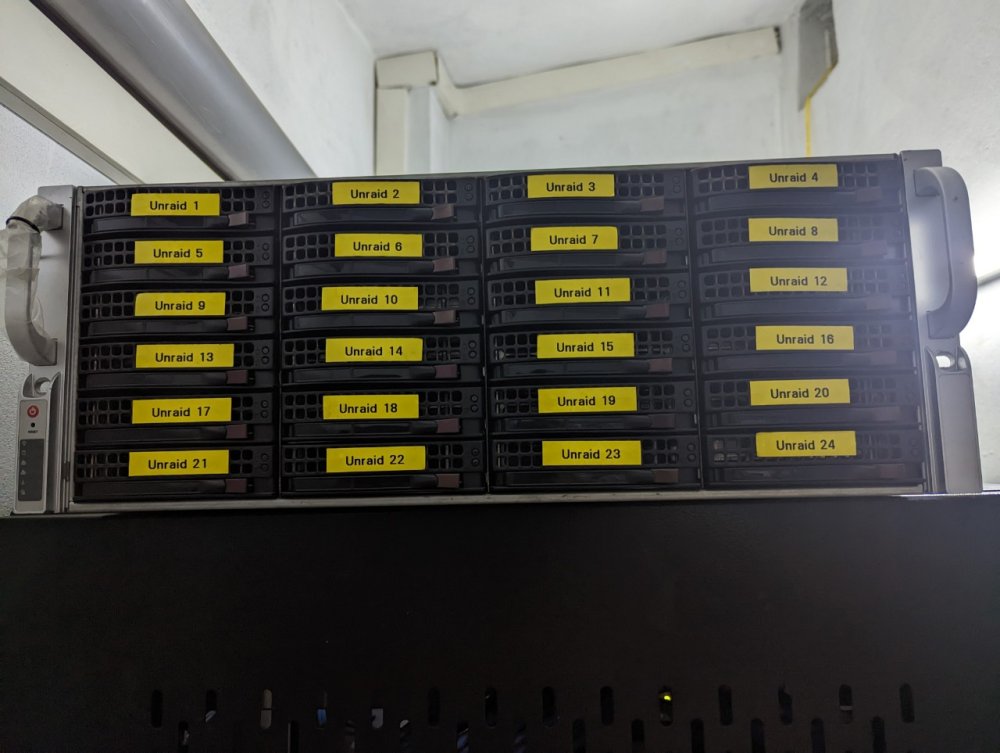
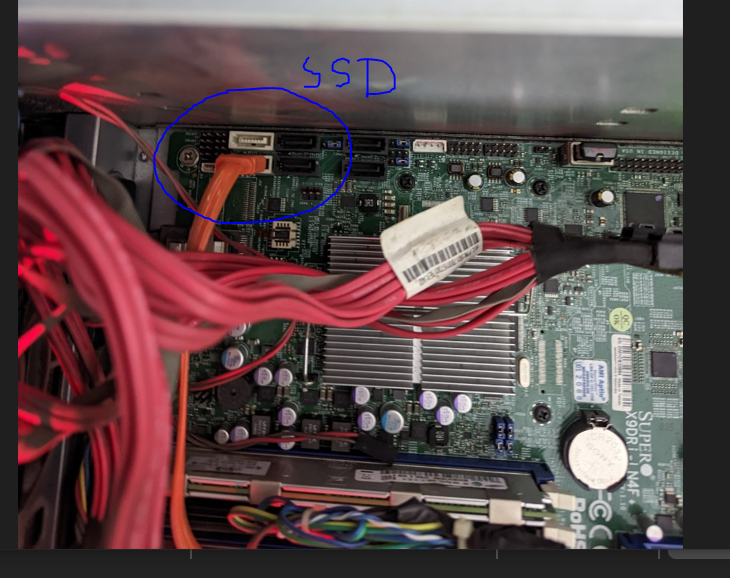
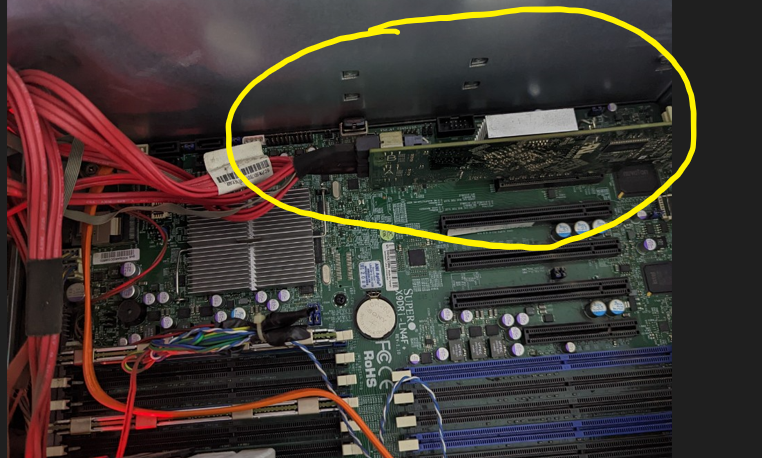
Here you are: 1. My unRAID case hdd slots 2. SSD cable as my cache disk 3. My LSI RAID card with 2 cable connect to board in front of 24 hdd slots case 4. My 2 cable from RAID card 5. Cable from RAID Card to board in front of 24 hdd slots case Best regards, 1. My unRAID case hdd slots 2. SSD cable as my cache disk 3. My LSI RAID card with 2 cable connect to board in front of 24 hdd slots case 4. My 2 cable from RAID card 5. Cable from RAID Card to board in front of 24 hdd slots case
-
My 1 SSD connect to that Sata port. Others disk plugged in case slot in front.
-
I am currently using 1 RAID card LSI connected with 2 cable cards (8 ports hdd) to Mainboard Supermicro X9DRi-LN4+/X9DR3-LN4+ , Version REV:1.10 American Megatrends Inc., Version 3.3 BIOS date: Wed 23 May 2018 12:00:00 AM +07 use hdd and use 1 sata port on mainboard to control 1 ssd used as Cache drive. Total I have 24 HDD in array (24 bays slot case) and 1 SSD as cache in sata port in mainboard.
-
Dear Mr. JorgeB, Thanks you very much for fast responding, my new file as attched. Regards, 1mehien-diagnostics-20221105-1814.zip





