Husramash
Members
-
Joined
-
Last visited
-
Thank you for your reply! Already got everything up and running again. Thank for the support!
-
Forgot this thread. I did some google searching and saw that every top level folder is automatically configured as a User share so now I started a clean install of Unraid with my new Unraid Server. Everything solved.
-
Update: I have installed following in my Unraid system now: Motherboard - ASUS Prime B450M-A II CPU - Ryzen 5 2600 RAM - Corsair Vengeance LPX Black DDR4 2666MHz GPU - Asus AMD Radeon HD 6450 Flashdrive - Kingston Datatraveler SE9 Bought the Motherboard brand new. Bought the RAM + CPU used. I've installed a GPU that had lying around at home because I didn't beforehand that the CPU didn't have a intergraded GPU, but should be fine as it's a low powered model (Idle at 9 Watts and under load should pull around 27 Watts). But the GPU won't be under load so it will run in idle. Now I can boot a clean install of Unraid and access the WEB GUI. The problem now: I want my old setup back so I tried to copy my old Config folder to my a new clean install of Unraid but that results in the server booting up without any IP, so I can't access it from the WEB GUI. Could this because I had an Intel PRO/1000 GT network card installed in my previous setup so that the network config isn't compatible with the mobo network card? I tried to copy every config file apart from the network.cfg, that still ended up without a IP. Please help me out. I just want my shares config setup back. I didn't have any more customizations apart from one plugin which I can't install back again later.
-
Tried to disable fast boot and using legacy mode but it didn't work. The new PSU didn't solve the issue. Now instead of rebooting after verifying bz firmware checksum and then scrolling few lines like the two screenshots i provided earlier, the screen goes to sleep mode and computer is still on. Will return the PSU. think it may have to be the Motherboard, RAM or CPU.
-
I ordered a new PSU (Corsair RM850e ATX 3.0 850W) just in case to try it out but I can also try to do a CMOS reset. But I'm curious to know if there is any logic to doing that if I haven't touched any BIOS settings etc?
-
Any idea how I can narrow it down of which component that has failed?
-
I've seen in other posts that a rebooting system that can't boot up Unraid usually is a hardware failure. I can only then think that it may the PSU then that has perhaps failed as I've replaced the Mobo+RAM+CPU before. The PSU is 430w from BeQuiet. I've upgraded the storage during these years with two new storage drives and a cache drive and also filled the storage almost completely so more HDD spins while in use. I have 3TB 5400RPM Parity, 500GB 7200RPM Cache, 3x3TB 5400 Storage + 1x2TB 5400 Storage. Has the power draw been to much recently? Has my PSU bought in 2015 just simply died? Then it has worked with all of these drives for quite a while without issues.
-
I can confirm that the flash drive works when trying to boot from it on another PC. The same screenshots that I provided in the last post happens and then it continues to start the server. I can then access the server from Web GUI as usual. Please advice? Why is this happening? Everything is identical in the boot up process but in my server after the verifying the bzfirmware, then it scrolls fast the lines I could take photo of and then reboots.
-
I still end up in a bootloop with a different model of Flash Drive, and a fresh clean install using the USB creator tool. Verifying bzfirmware checksum and gets stuck for a while (attaching picture) the after like 30s proceeds to scroll to bunch of stuff (attaching picture) and then reboots. Double checked the boot order in the UEFI Bios menu and it's set to boot priority USB Flash Drive. It's also set to Legacy+UEFI. (Attaching picture). There seems to be a error if you check the first picture with something being corrupt. Any ideas? Strange that a system that ran Unraid flawlessly that I've not touched or change anything is now having trouble booting up Unraid.
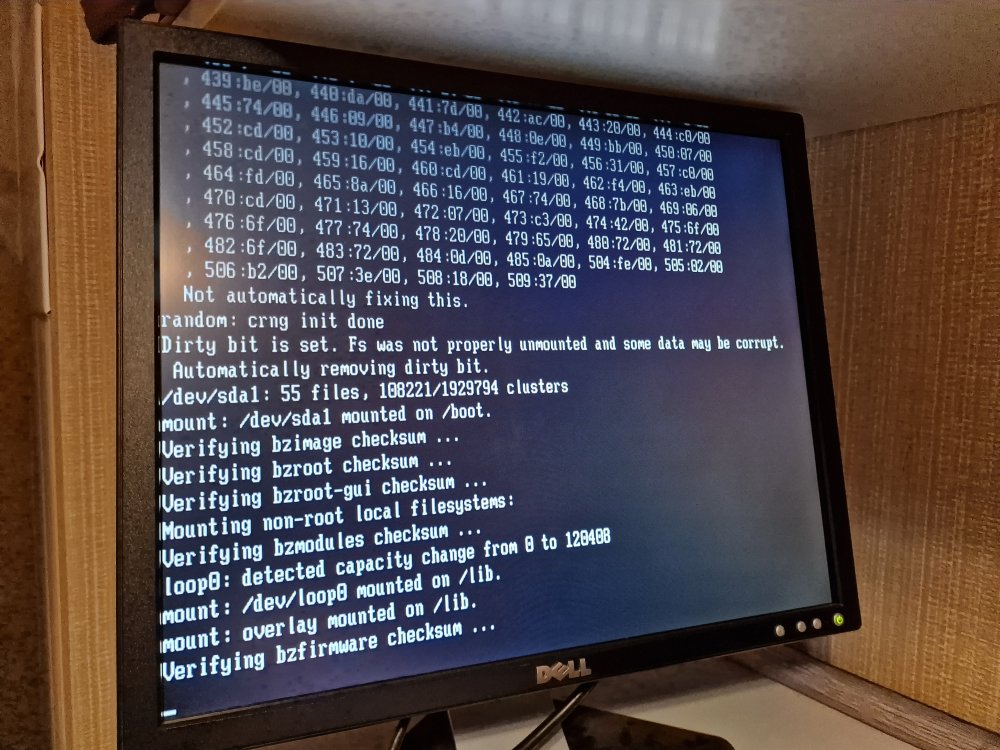
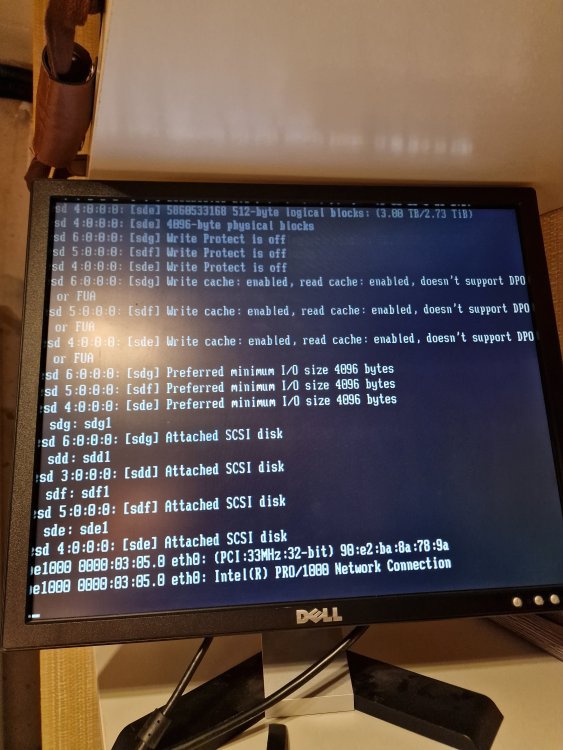
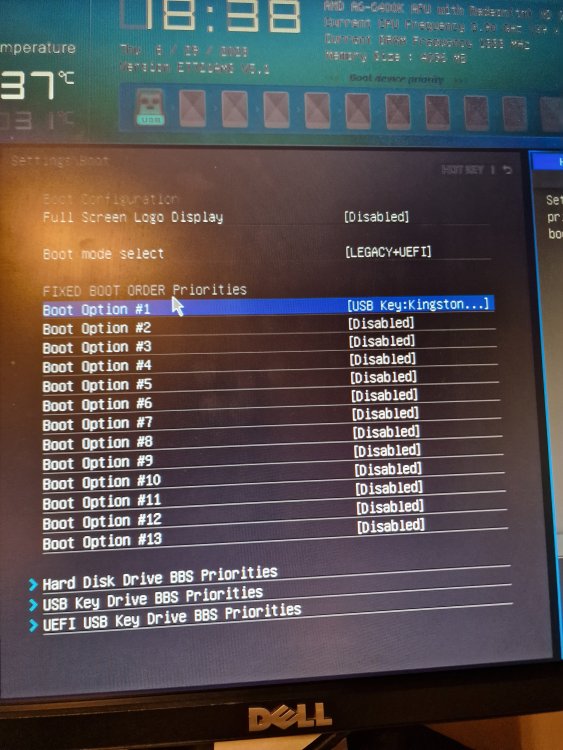
-
I have tried recreating a new Unraid configuration on two different Kingston Datatraveler but still doesn't fix this. Ends up in bootloop after verifying every bz files. Is there perhaps a compatibility error with these flash drives? Or should I try to write recreating a new Unraid config on the flash drive i presumed dead?
-
I don't know if it's UEFI mode or Legacy. I have to check that. Everytime I've powered on the system after turning it off, it automatically detects the flash drive and boots. If you press F11 i believe the boot menu pops up, and it's black and white with no GUI. Is that Legacy Mode? Motherboard: https://www.msi.com/Motherboard/A78M-E45/Specification When I look at the old Flash Drive contents it doesn't have the "~" but has a "-". Also my clean install Flash Drive has the same. Should I try to remove that or maybe that doesn't matter at all?
-
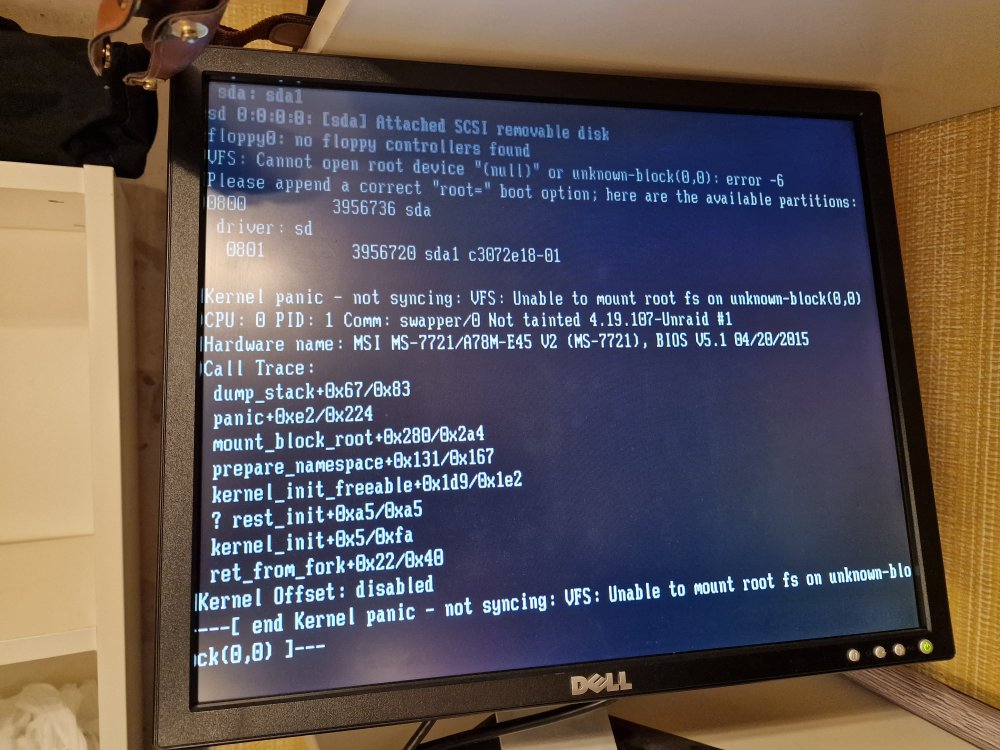
Hello, So after a shut down after the server my Unraid NAS won't boot anymore. It get's stuck at "Kernel Panic - not syncing: VFS: Unable to mount root fs on unknown -block (0,0)". It may have been an unclean shutdown due to the power being shut down by electricians that worked recently in the house but not entirely sure. It hasn't been powered on for the last 2-3 months. I've been running this system since 2015 with the same Flash Drive (Generic brand) and upgraded essentially the server with the new Motherboard, CPU and RAM like 3 years after that because the previously motherboard died. However both configs has run flawlessly until now. I have no backup of the USB Flash Drive but I can access it using my laptop so I copied every file from it to my desktop. I'm also unsure what exact version of Unraid I was running because I haven't updated for a couple of months. What I've tried: - Tried to write a new Unraid bootable system on two different Kingston Datatraveler 4/8GB and copied the config folder from old Flash Drive, ends up in bzfirmware error - Tried to copy the whole old Flash Drive contents to two different Kingston Datatraveler 4/8GB but resulted in the same error as the beginning. - Tried to write a new Unraid bootable system on two different Kingston Datatraveler 4/8GB without copying the config folder and tried to boot using them. Ends up in endless bootloop after verifying all the bz. files. and the proceeds to boot the system again and then after verifying the bz. files automatically reboots. - Tried older versions in the Unraid USB Creator Tool, also no success. - Tried different USB ports, both 2.0 and 3.0. Please help me out. I'm out of ideas. I really need to access my files again and hopefully using my old config folder. Thanks in advance!