uzzie
Members
-
Joined
-
Last visited
-
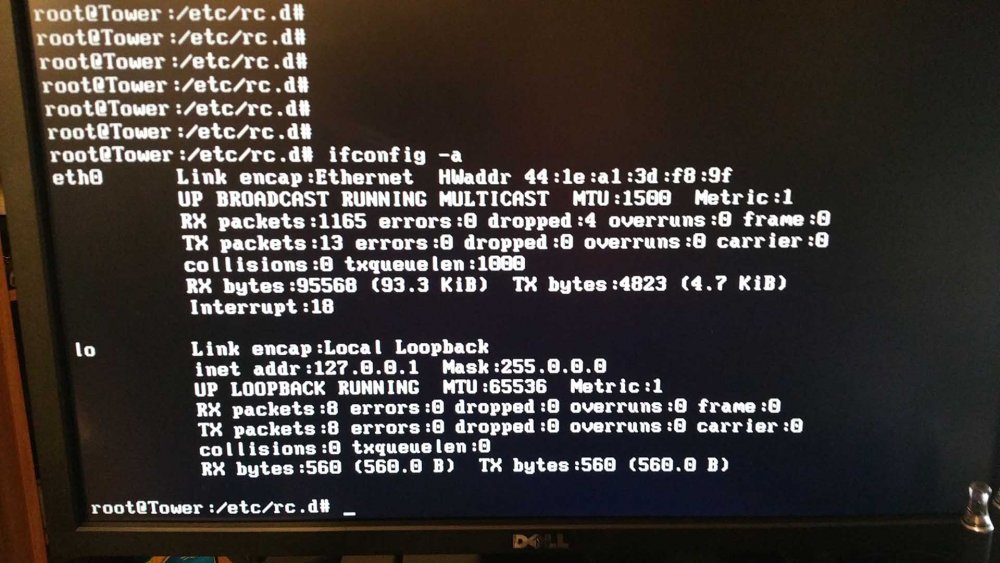
Really need some assistance here, I wanted to setup WOL for my unraid build (hp n40l). So I followed the instructions above and executed point C. I power downed from the Web GUI and tried to Wake from LAN and it worked great. However I found I could not get to the Web GUI or evening ping the server (tower). I connected my monitor and keyboard to the server and after some fishing found that the eth0 interface had no IP information (see attached picture), before this hand IP address, subnet, etc. I thought I kept a backup of the rc.inet1 file but it was gone after the reboot. Im not a linux expert so I dont want to start experimenting in case I break something and lose all my data. Really hoping someone can help me out, right now I am not so bothered about the WOL and just want my server online gain.