tal.aloni
Members
-
Joined
-
Last visited
Everything posted by tal.aloni
-
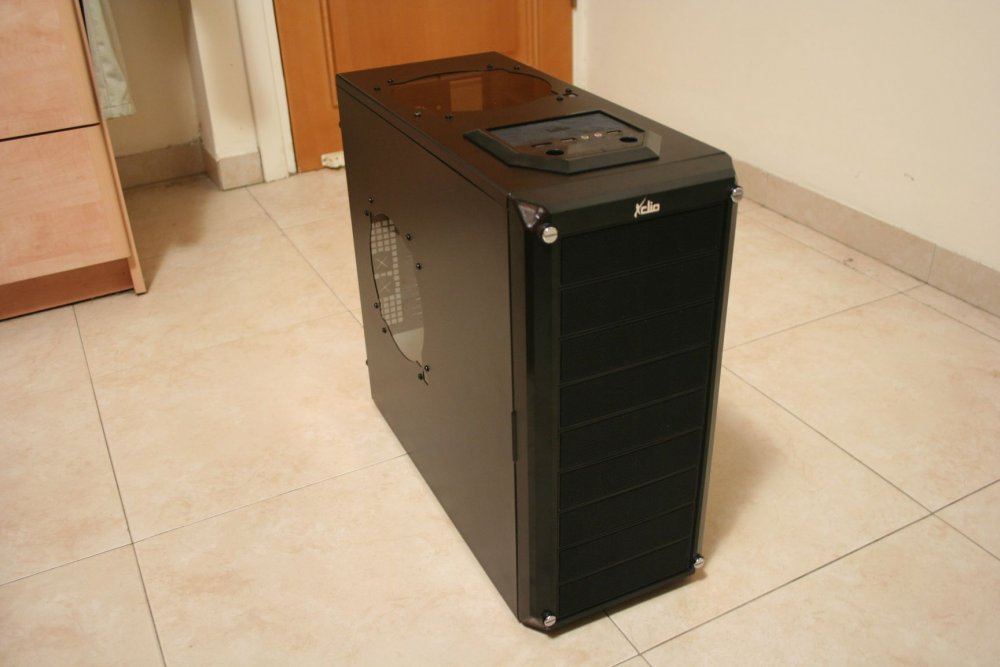
AFAIK the Xclio Nighthawk case was never marketed under the A+ brand (other Xclio cases were), in any case, the manufacturer is no longer in business. Yes, the case has 9 x 5.25" bays so you can fit an additional 3 x 5.25" cage for 3.5" hard drives.
-
Thanks for the list! it has been very helpful! I was able to find a Xclio Nighthawk for a really good price, I have replaced the hideous side and top fans with a transparent gray acrylic sheet (3 mm), so now the case is slightly thinner and more elegant. The shop that provided the acrylic material and did the laser cutting only charged me 20$ for the two transparent panels (I'll be happy to share the file that was fed to the laser cutting machine). The built-in 4-in-3 cages are surprisingly good because when you open the front cover you can see the serial numbers of the drives and pull each of the drives separately (my Lian Li EX-23NB has a fan in front so you can't see the serial number of the drives, and you likely have to pull the entire thing out to get one drive out) (p.s. It took me a while to realize, but the metal pins in the drive trays pop out, and you can use screws instead of the tool-less configuration which requires too much force to use) The case is not very deep (473 mm including the front panel, 440 mm without the front panel), I'm now waiting for a right angle molex power connector because without it I can't fit one of my Kingwin KF-3001-BK racks, I have 20 mm clearance from the motherboard power connector so a right angle connector is a MUST for me.