barnesjr
Members
-
Joined
-
Last visited
-
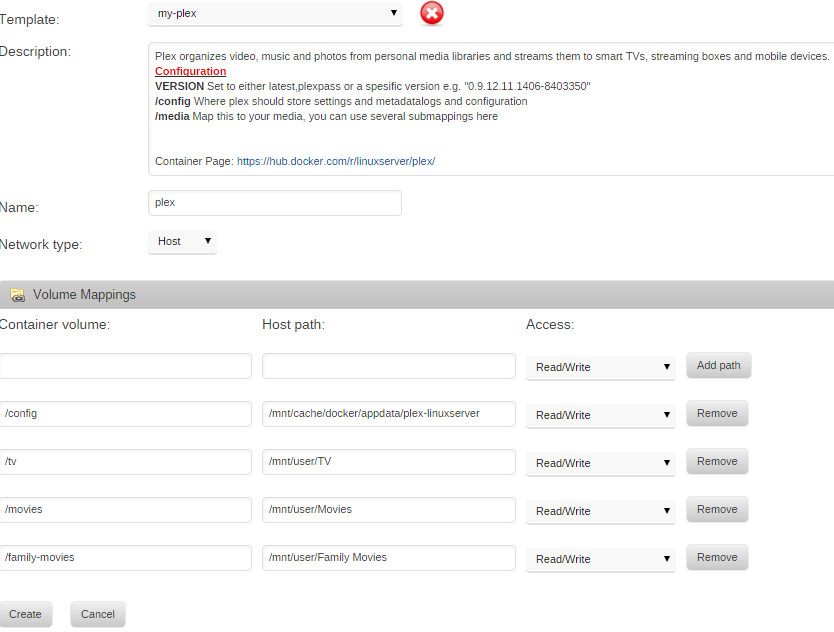
the space in the volume name is the issue, i'm not sure what the fix is for that regards unraid and docker other than don't use spaces in linux folder names. The original post got deleted, but the fix for spaces in volume paths under 6.1.9 is to check for plugin updates and install the webUI update available Thanks. I'll check for that update.
-
the space in the volume name is the issue, i'm not sure what the fix is for that regards unraid and docker other than don't use spaces in linux folder names. Thanks! That's an easy enough fix.
-
Hi everyone. I'm kind of new to docker and I had Binhex's PMS working for awhile and then it disappeared. I'm running Unraid 6.19 and was trying to move to Linuxserver's PMS. When I tried to install it from the Community plugin I got an error which is in the attached screenshot. Any ideas what I'm doing wrong. I've also attached what I put in from the paths to my media which worked for me using Binhex. Thanks in advance for the help. JB