Bratalix
Members
-
Joined
-
Last visited
-
Ah yes, I know its unusual but its correct So is there a way to disable ipv6 somehow to get it to work?
-
I do have the open vpn file with the settings pasted above. Or am I miss understanding?
-
Logfile supervisord.txt
-
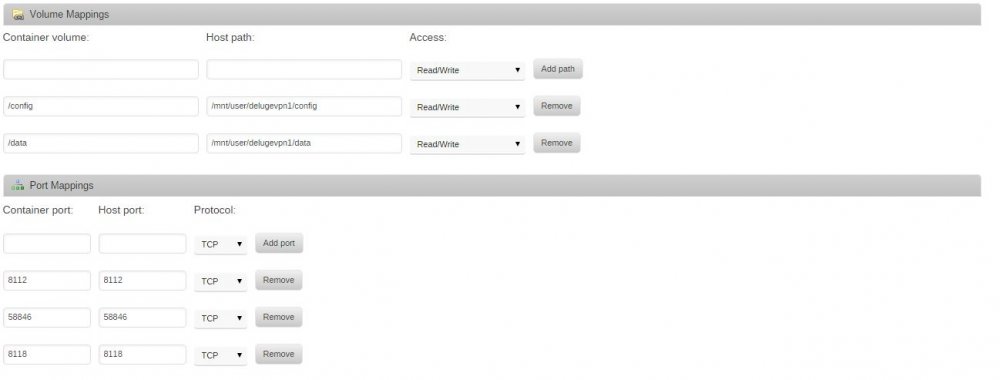
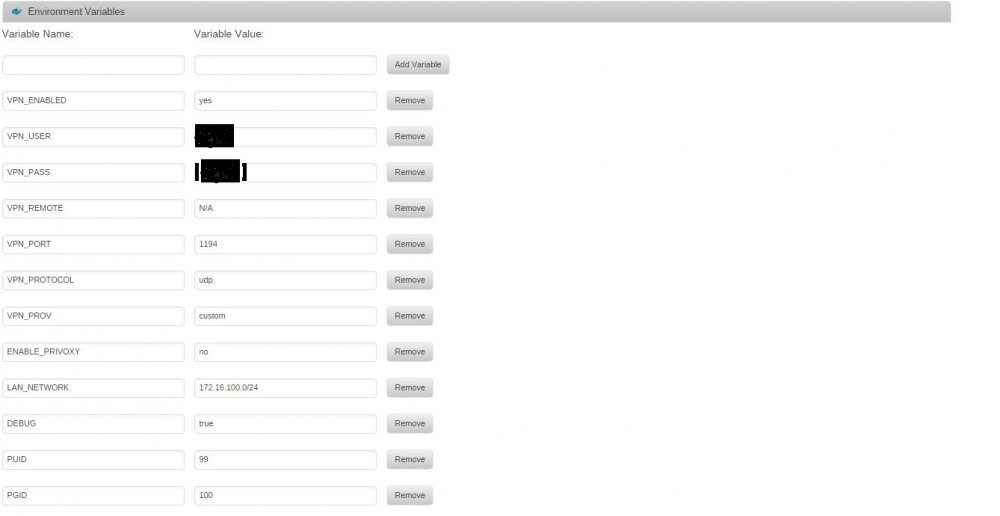
Hello First time trying to get this working, but I am getting stuck on what I believe is some problem related to IPv6. First some basic info: Unraid version unRAIDServer-6.1.9-x86_64 The part I am getting stuck on is the following: 2016-03-11 01:51:22,017 DEBG 'start' stdout output: Fri Mar 11 01:51:22 2016 /usr/bin/ip -6 addr add 2a03:8600:1001:4041::100f/64 dev tun0 2016-03-11 01:51:22,018 DEBG 'start' stderr output: RTNETLINK answers: Operation not supported 2016-03-11 01:51:22,019 DEBG 'start' stdout output: Fri Mar 11 01:51:22 2016 Linux ip -6 addr add failed: external program exited with error status: 2 Fri Mar 11 01:51:22 2016 Exiting due to fatal error 2016-03-11 01:51:22,027 DEBG fd 9 closed, stopped monitoring <POutputDispatcher at 46927913092448 for <Subprocess at 46927913091440 with name start in state RUNNING> (stdout)> 2016-03-11 01:51:22,027 DEBG fd 14 closed, stopped monitoring <POutputDispatcher at 46927913092880 for <Subprocess at 46927913091440 with name start in state RUNNING> (stderr)> 2016-03-11 01:51:22,028 INFO exited: start (exit status 1; not expected) 2016-03-11 01:51:22,028 DEBG received SIGCLD indicating a child quit I'm gonna attach some pictures and the log aswell. I'm afraid I dont know enough to get further here. It works when I disable VPN, but with it it doesnt work. I noticed that the new version of Unraid was quite new, but I dont know if this should play a role here or not. Hmm, wasnt allowed to post more than 4 attachments, but the following is the settings in openvpn.ovpn: client dev tun remote se.ovpn.azirevpn.net 1194 remote-random resolv-retry infinite auth-user-pass credentials.conf nobind persist-key remote-cert-tls server reneg-sec 0 keepalive 10 60 verb 3 cipher AES-256-CBC auth SHA512 tls-cipher TLS-DHE-RSA-WITH-AES-256-CBC-SHA setenv CLIENT_CERT 0 Any help is appreciated! Attachments are to big so log in next post.