dannye95
Members
-
Joined
-
Last visited
-
Manual update worked. Thanks a lot!!
-
Thanks for the comments. I have enough space on the flash (15.7GB free) but only 4GB RAM as I'm running Unraid for few years already on an old computer. I'll try the manual upgrade.
-
Hi, Currently running Unraid OS 6.9.2, I haven't been able to upgrade since this version. Getting the following message: plugin: updating: unRAIDServer.plg plugin: downloading: https://unraid-dl.sfo2.cdn.digitaloceanspaces.com/stable/unRAIDServer-6.11.5-x86_64.zip ... failed (File I/O error) plugin: https://unraid-dl.sfo2.cdn.digitaloceanspaces.com/stable/unRAIDServer-6.11.5-x86_64.zip download failure (File I/O error) Any ideas?
-
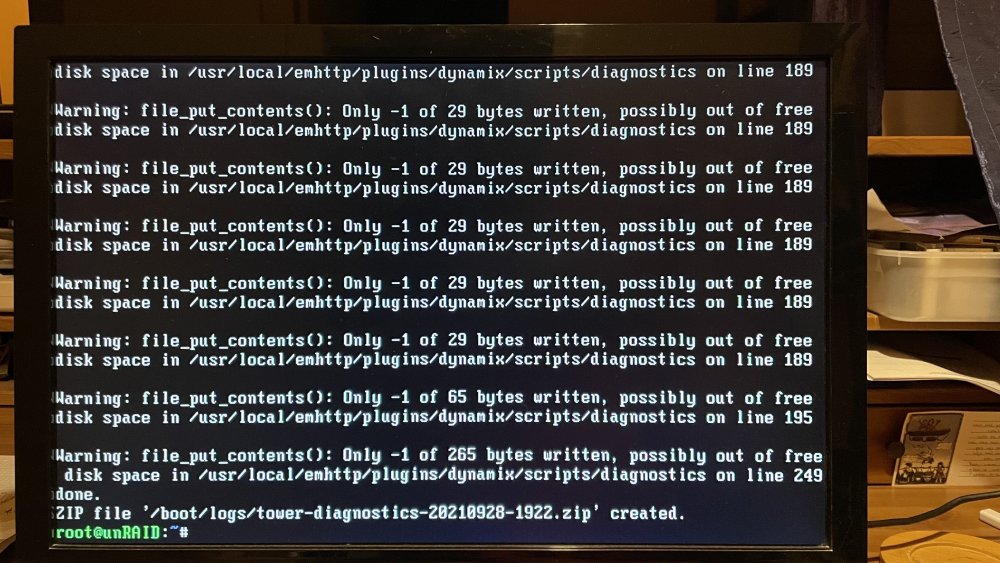
I know, when running diagnostics I get a bunch of errors and mostly empty files (attached 1724 screen shot) I'm running an old machine with 4GB, this was working perfectly until a couple of days ago.
-
I looked in /usr/local, where the system reports out of free disk space, and indeed it shows 0% available Same for /sbin Weird....
-
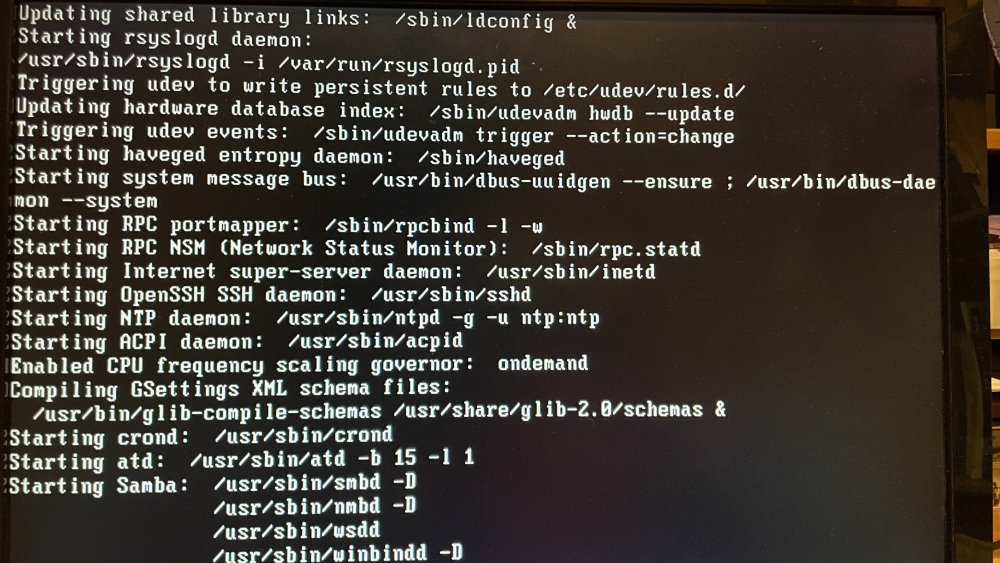
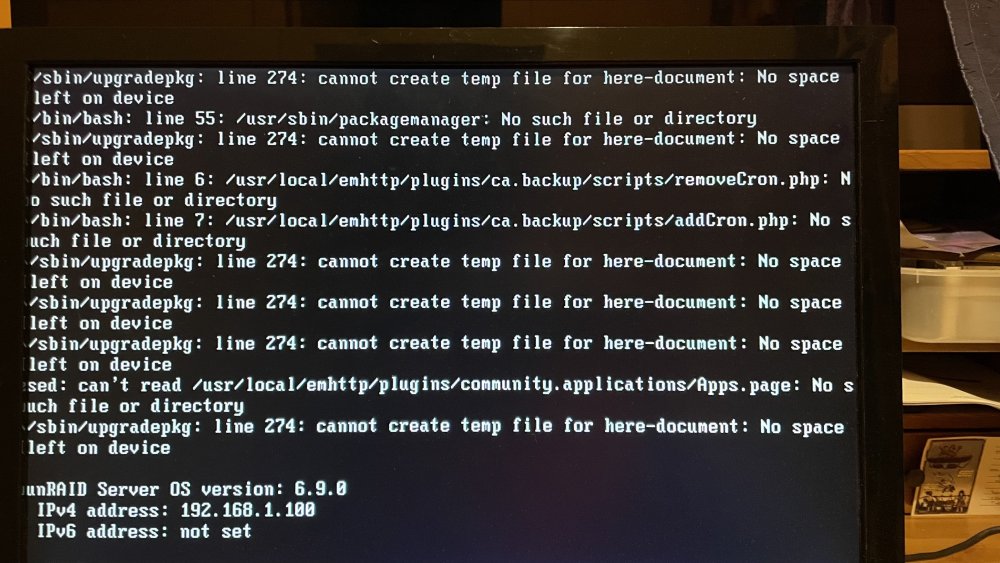
Hi, My machine stopped mounting the disks, /mnt folder is empty, the gui is not loading, Unraid can't be accessed through a browser, only directly on the machine through command line or ssh. Tried to reboot several times: Boot gets stuck for a long time while starting Samba (IMG_1722) but eventually passes this stage getting to a prompt, but outputs a series of errors (IMG_1723) I did run a diagnostics (attached) and got several errors while running it about "No space left on device" (IMG_1724), diagnostics file came out empty. However there are no really space issues: Any suggestions? Quite lost here tower-diagnostics-20210928-1922.zip