





crashxp
Members
-
Joined
-
Last visited
Everything posted by crashxp
-
Well I guess I can't see the forest for the trees on this one. I went every other direction and didn't even think it was a display setting. I haven't looked at those in so long I completely forgot there was even an option like that. Thanks for the quick reply!
-
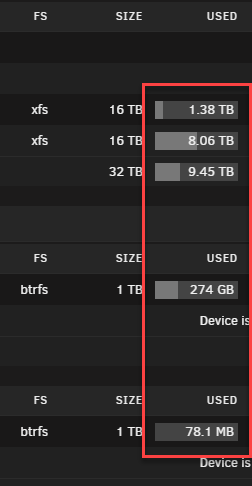
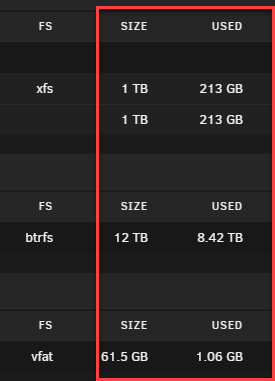
Alright so I have a crazy one, and I can't figure out what it it. However here goes. On one of my 3 UNRAID servers running the latest 6.12.10 it stopped showing the disk graphs. I've searched the forums for this error but I am not sure I am looking for the correct term at this point. With that said, I have tested and its not based on the browser or even the computer. I've tried multiple browsers, incognito, different computers with different browsers. Aside from asking Cthulhu for help I'm not sure what is causing it. I checked the browser and I am not getting any errors when loading the UI, everything is a 200. I can't place when it started either. My machines are in a rack with plenty of backup power for the load with about 1.5 hours of runtime for the rack, so I don't think I lost anything due to an unplanned or unclean shutdown. A working example, And the one not working
-
Hate to bring up an old thread but this is the newest one I have found that is relevant. I have two UNRAID servers, one running 6.12.0-RC5 and one running 6.11.5. My 6.11.5 server has the sort arrows but my 6.12.0-RC5 does not, is there something I need to do to enable this? It seems 6.12.0-rc5 sorts alphabetically and doesn't seem to let me order this. 6.11.5 6.12.0-rc5




