





Renderz
Members
-
Joined
-
Last visited
Everything posted by Renderz
-
Hi, Long story short, I'm out of pcie ports; i thought by adding a usb3 2.5b ethernet port would work...it doesn't. What can I do to have that usb ethernet to be picked up Unraid? many thanks.
-
Looks like I"m ****** then :-(
-
Sorry, I meant I had tried the settings in Unassigned Devices (see screengrab) but that still does't work. Even created a new account called Pops to see if that solved anything, but it seems to be a headache.
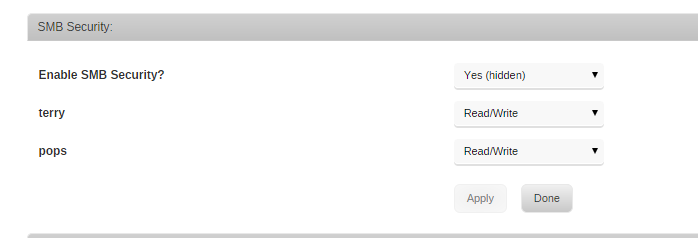
-
Dammit, I really thought you had solved it for me then :-) Sadly, that didn't work. I've attached a screengrab that may give you a clue, but I personally don't know what it means. THAT is why I've been trying to login as ROOT to the share.
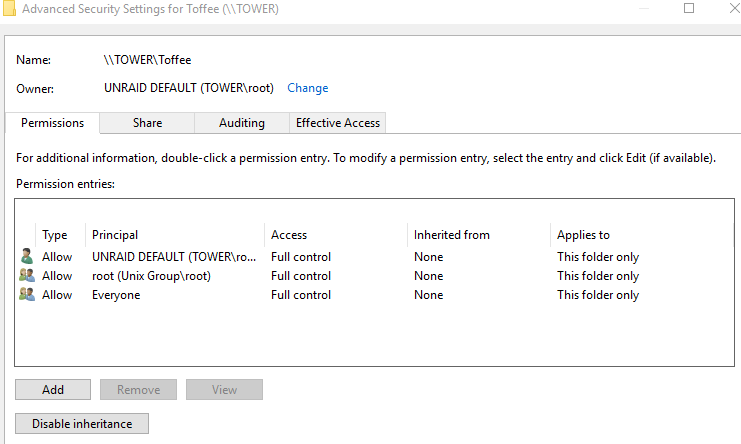
-
I must mention that the share is not actually a configured "share" until the SHARE menu. It's a mounted drive using the plugin UNASSIGNED DRIVES. It has been working fine until a week ago, now I've run out of ideas.
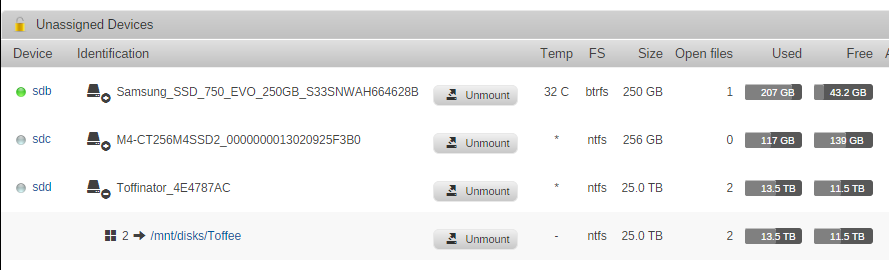
-
Hi Squid I do have another user called TERRY, with that account I can access folders/file etc, but like I said I ONLY have read access. I can't copy to, delete, rename etc....
-
Hi, I hope someone can help Windows won't let me login into TOWER with my ROOT login, even though I can use the ROOT login to access the web gui. Because it won't allow me to login as ROOT, I am forced to login using another account I created, however that user restricts me to read files/folders only. I simply cannot delete, copy TO or rename anything. PLEASE HELP!!
