





justjake
Members
-
Joined
-
Last visited
Everything posted by justjake
-
I deleted the credentials, same result. It doesn't even ask for credentials when I re-map the drive. I removed all mapped drives form the server, have restarted PC, same issue. It's deffo a secure share. I've checked the credentials manager after this, there's nothing there for my server. EDIT: SOLVED! I manually added my credentials, rebooted my machine and it works all honkey-dorey! MAssive thank you!
-
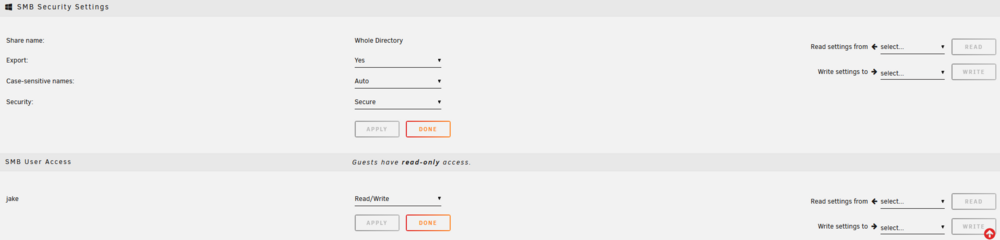
Greetings, I come begging for help! I'm having issues deleting files on one of my secure shares. I'm trying this on windows in an SMB share. I've tried through windows explorer and via a sync software. I need it this way because I'm using synconisation from other locations to mirror some folders, to remove junk off of my unraid server. It's secure share, correct user, deleting works fine on a public share. I've done some troubleshooting and this is what I have done so far: I've done docker safe new permissions > new permissions > docker safe new permissions, with same result after each step. Did this for all drives AND all shares. restarted server and PC multiple times. Everything's updated. I've Googled the issue, the new permissions trick has worked for others in the past Krusader deletes it fine. I stopped all dockers, made no difference. I've remapped or re-added the share as well, no difference A little further digging has returned that trying to delete something asks for permission off of "nobody" which I gather is the default user of Unraid. This share isn't touched by an dockers or anything, it just a drag and drop file backup location off of my PC. It is possible that I have used Krusader in the share but I can only presume I was carefull, only moving within one share etc. I have ran "chown" and "chmod -R 755", it's all listed as "jake", my user. In windows credentials manager it lists the user as "jake" all lowercase just like on the server. Please help!
