chocomilkshark
Members
-
Joined
-
Last visited
-
chocomilkshark changed their profile photo
-
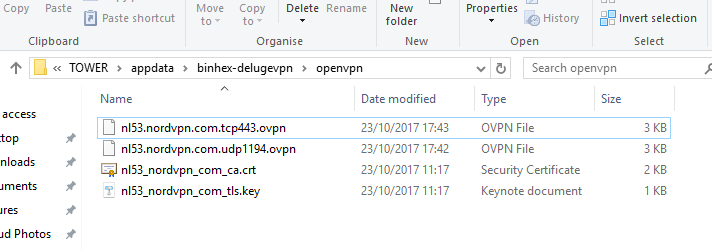
Hi all, I'm stuck on putting the files in, I'm running nordvpn and I have attempted the suggested fix but with no luck, I keep getting the "This site can’t be reached refused to connect." This is the debug log for it. [INFO ] 10:13:15 configmanager:70 Setting config directory to: /config [INFO ] 10:13:15 daemon:127 Deluge daemon 1.3.15 [INFO ] 10:13:15 configmanager:70 Setting config directory to: /config [INFO ] 10:13:15 core:87 Starting libtorrent 1.0.9.0 session.. [WARNING ] 10:13:15 core:197 Failed to load lt state: [Errno 2] No such file or directory: '/config/session.state' [INFO ] 10:13:15 rpcserver:369 Starting DelugeRPC server :58846 [WARNING ] 10:13:15 preferencesmanager:313 Unable to read DHT state file: [Errno 2] No such file or directory: '/config/dht.state' [INFO ] 10:13:15 torrentmanager:651 Successfully loaded state file: /config/state/torrents.state [INFO ] 10:13:15 rpcserver:206 Deluge Client connection made from: 127.0.0.1:48030 [INFO ] 10:13:15 rpcserver:226 Deluge client disconnected: Connection to the other side was lost in a non-clean fashion: Connection lost. [INFO ] 10:13:15 rpcserver:206 Deluge Client connection made from: 127.0.0.1:48032 [INFO ] 10:13:16 rpcserver:206 Deluge Client connection made from: 127.0.0.1:48034 [INFO ] 10:13:16 rpcserver:226 Deluge client disconnected: Connection to the other side was lost in a non-clean fashion: Connection lost. any help would be appreciated and I'm still a noob at this so sorry if I missed anything stupid. EDIT - its just started working i have no idea how but its working