Wrightzombie
Members
-
Joined
-
Last visited
-
finally figured it out. in settings management access use ssl/tls needs to be turned off for local ip and remote access. the upgrade enables it and the when you downgrade it stay enabled and doesnt disable itself
-
Hi i went to upgrade to unraid 6.10. but couldnt get local access. so i downgraded back to 6.92 and gained access but now when i enter my ip address for my unraid server it reverts to server-name.local. how do i change it back to ip adress instead of .local thanks
-
That's possibly what it is then. Didn't think the file system overhead should need nearly 200gb
-
Is there much of a difference between both of them because all it says it tb. Wouldn't it Tib if it was the other one?
-
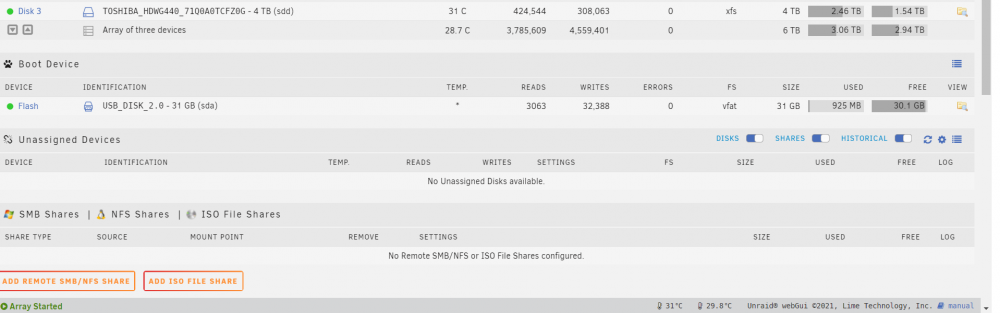
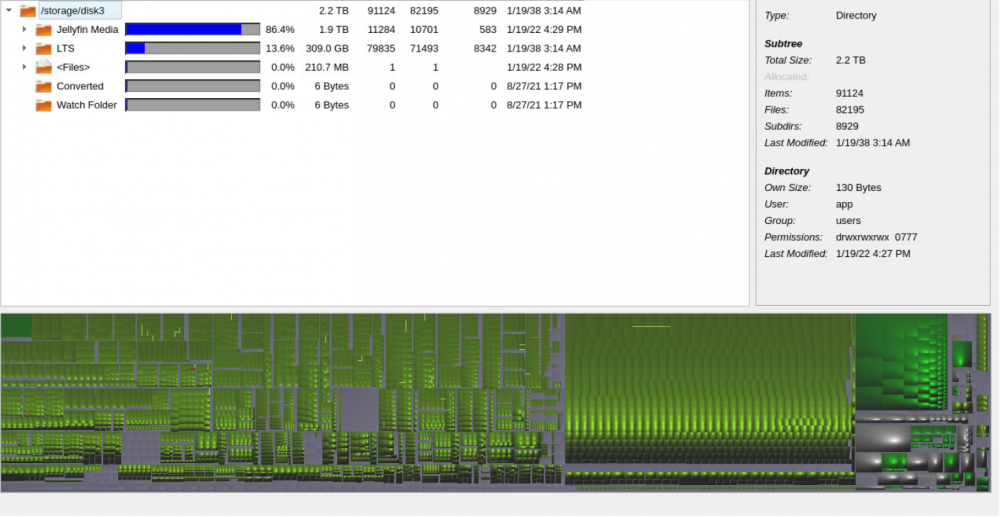
Hi. Might seem like a daft question but i am running 4TB HDD and it says i've used 2.46tb but when you look at it through QDirStat i've used 2.2tb. is there any reason why one says one thing and the other says something else? I've added pictures to show.