Skip to content
View in the app

A better way to browse. Learn more.

Unraid

A full-screen app on your home screen with push notifications, badges and more.

To install this app on iOS and iPadOS
  1. Tap the Share icon in Safari
  2. Scroll the menu and tap Add to Home Screen.
  3. Tap Add in the top-right corner.
To install this app on Android
  1. Tap the 3-dot menu (⋮) in the top-right corner of the browser.
  2. Tap Add to Home screen or Install app.
  3. Confirm by tapping Install.

GamingDemocracy

Members
  • Joined

  • Last visited

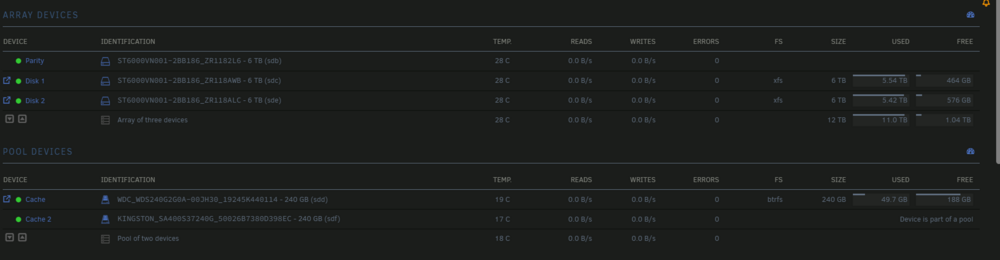
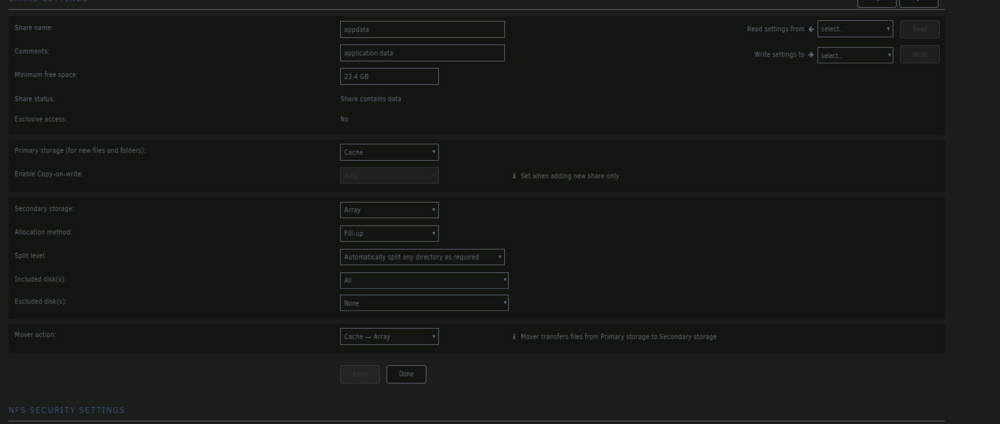
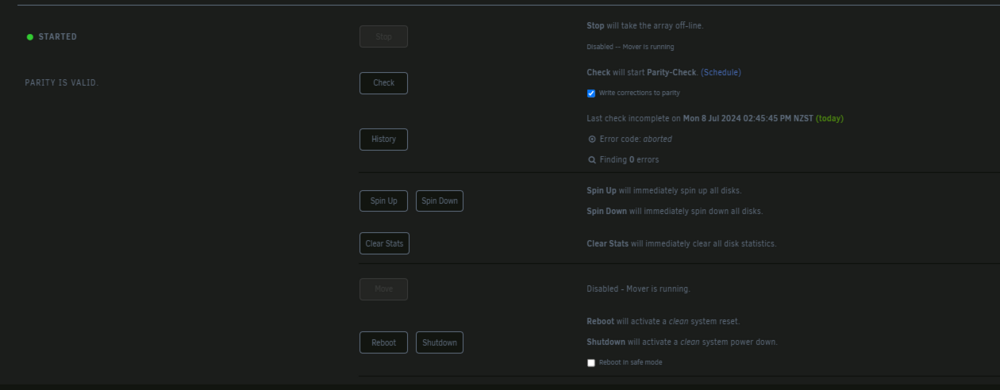
  1. Hey, so I'm currently trying to move my cache drive to the array so I can replace the SSDs with 2 larger ones, however after multiple restarts and settings checks It just sits stagnant and won't move app data, I have docker turned off, and I don't use VM's that is also turned off, and looking at the arrays read and writes its sitting at zero, and isn't moving any data I've gone into the index to confirm what data is still to be moved and it's just appdata I have appdata setup as Primary - Cache Secondary Array Mover Cache>Array and still no luck any help would be appreciated I slate-nas-diagnostics-20240708-2301.zip
Account

Navigation

Search

Search

Configure browser push notifications

Chrome (Android)
  1. Tap the lock icon next to the address bar.
  2. Tap Permissions → Notifications.
  3. Adjust your preference.
Chrome (Desktop)
  1. Click the padlock icon in the address bar.
  2. Select Site settings.
  3. Find Notifications and adjust your preference.