winglerw28
Members
-
Joined
-
Last visited
-
At first glance, I would assume the full path is different inside the container, resulting in the file not existing at the path in your OVPN config. Try setting your cert paths to be: ca ovpn-ca.crt tls-auth ovpn-tls.key 1 This should change it to simply look in the same directory as your config file.
-
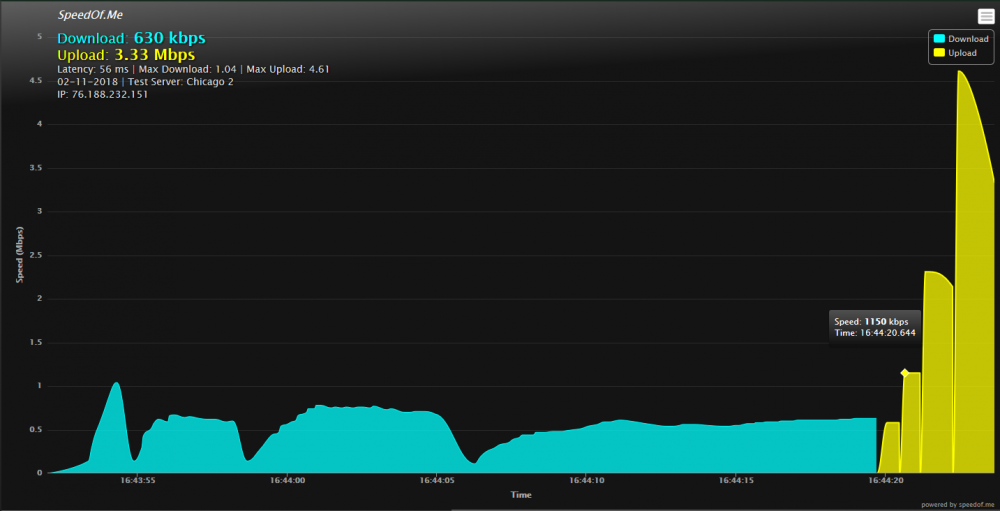
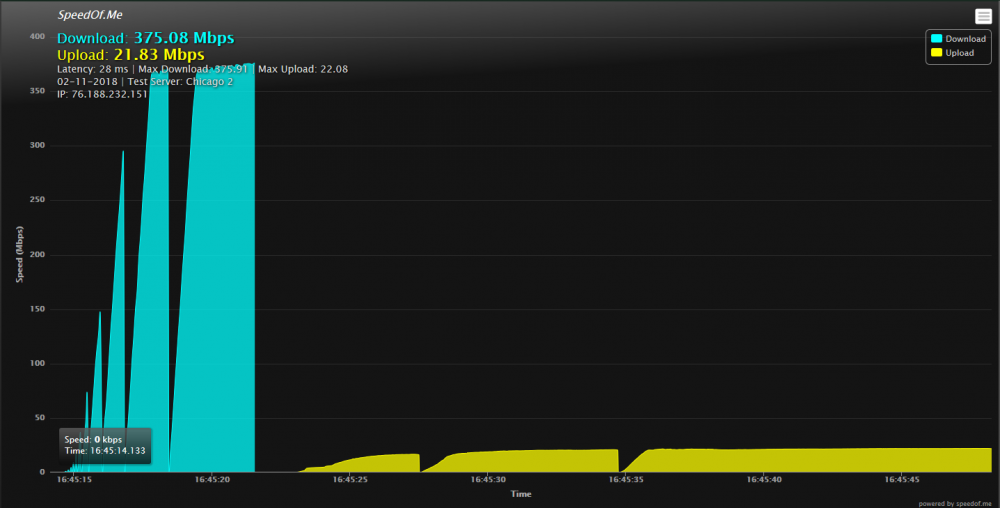
I am curious if I need to do something special to get this to work on Docker for Windows (specifically, I am having speed issues). I am using the following PowerShell script to run the container: docker run -d ` --name delugevpn ` --cap-add=NET_ADMIN ` --restart unless-stopped ` -p 8112:8112 ` -p 8118:8118 ` -p 58846:58846 ` -p 58946:58946 ` -v D:/Docker/delugevpn/data:/data ` -v D:/Docker/delugevpn/config:/config ` -e VPN_ENABLED=yes ` -e VPN_USER=<my_username> ` -e VPN_PASS=<my_password> ` -e VPN_PROV=pia ` -e STRICT_PORT_FORWARD=yes ` -e ENABLE_PRIVOXY=yes ` -e LAN_NETWORK=192.168.1.0/27 ` -e NAME_SERVERS=209.222.18.222,37.235.1.174,8.8.8.8,209.222.18.218,37.235.1.177,8.8.4.4 ` -e DEBUG=false ` -e UMASK=000 ` -e PUID=0 ` -e PGID=0 ` binhex/arch-delugevpn The container starts correctly, and I am able to access the Deluge WebUI from 127.0.0.1:8112. I am also able to configure my browser to correctly use Privoxy by pointing it at 127.0.0.1:8118. However, the download/upload speeds are nowhere near what I'd expect (less than 1% of my actual, non-proxied bandwith). My OpenVPN config looks like such: remote ca-toronto.privateinternetaccess.com 1197 client dev tun proto udp resolv-retry infinite nobind persist-key cipher aes-256-cbc auth sha256 tls-client remote-cert-tls server auth-user-pass credentials.conf comp-lzo verb 1 crl-verify crl.rsa.4096.pem ca ca.rsa.4096.crt disable-occ Here are all the things I've tried: Checking the logs (see nothing that would indicate any type of failure except `Authenticate/Decrypt packet error: packet HMAC authentication failed`) Setting the "vEthernet (DockerNAT)" interface to "Private" and ensuring it isn't blocked by Windows Firewall Checking that my router is not blocking any traffic If anyone has any suggestions, I have tried what I could find in the FAQ; any help would be greatly appreciated! supervisord.log