Hsolo
Members
-
Joined
-
Last visited
-
I bought it from Amazon (US) but shipped from a different seller in Korea. Shipping was about $31 so I had to pay higher than MSRP. However, I did get the non Engineering Sample so I'm happy with it. 😃
-
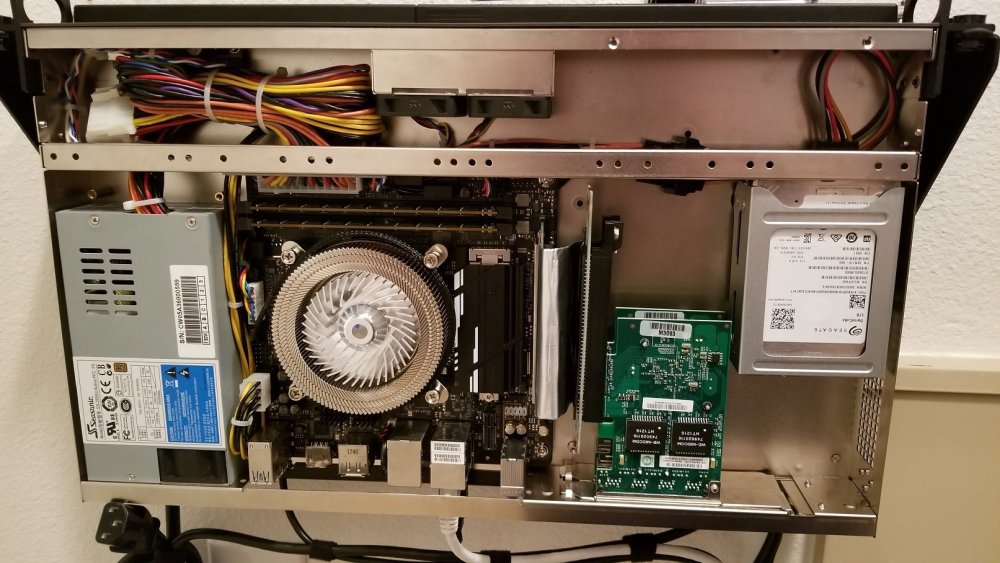
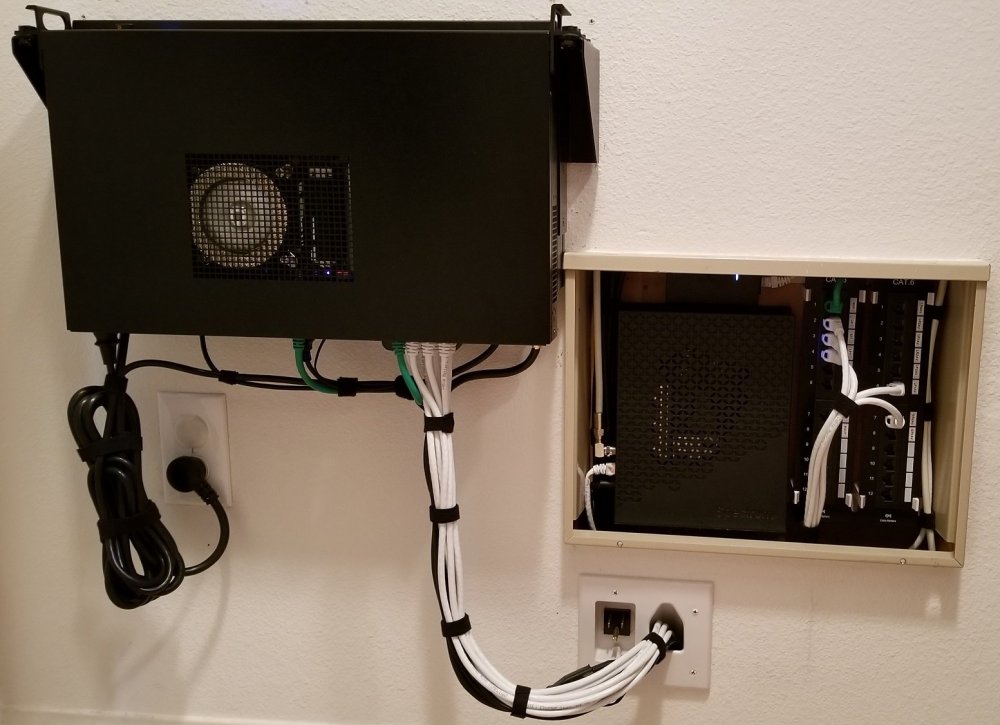
I'll bite... Recently consolidated Unraid Server: 1X Intel Core i7 8700T 1X Gigabyte Z370N WIFI 2X Supermicro VLP 16GB ECC Unbuffered DDR4 2666 2X Corsair Force MP510 M.2 480GB NVME SSD 2X Seagate BarraCuda 5TB SATA 6Gb/s 128MB Cache 2.5-Inch 15mm 1X Supermicro MCP-220-51401-0N Dual 2.5" Fixed HDD Bracket 1X Seasonic 250SU 250W 80Plus 1U Server Power Supply 2X Supermicro AOC-SGP-I4 QP 1Gbps Ethernet Controller 1X Ameri-rack ARC1-PELY423-C5V3 PCIe bifurcation riser card 1X Thermaltake Engine 27 1X Logic Supply MK100 1U Rackmount Case Mounted in front of: 1X CyberPower OR700LCDRM1U UPS 700VA 400W Roles: NAS, PFSense (bridged LAN ports), Plex Server (Docker), Unifi Management (Docker) Idle Power of Server + PoE AP + Cable Modem = 52W