Jindo
Members
-
Joined
Everything posted by Jindo
-
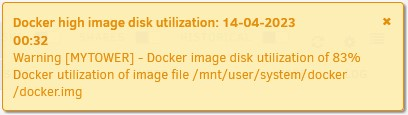
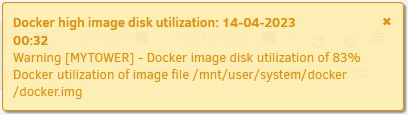
Thanks Hoopster! Disk utilization stays high. The docker.img file size is 20 GB so like you said, the 83% doesn't make sense. Reading elseware on the Forum, I see that you've been helping others with this problem. I followed your suggestion to delete the docker.img file and have docker recreate it and the utilization dropped down to 34% I haven't determined which docker is filling up the docker.img file yet, but will start reviewing the templates. Thanks for your help with this.
-
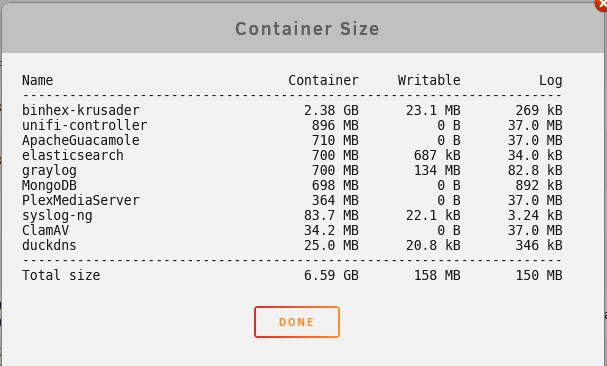
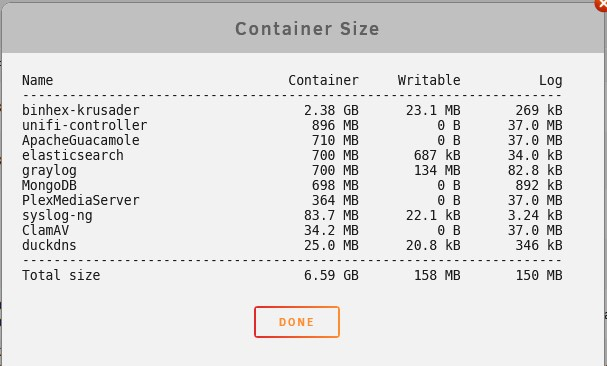
Thanks Hoopster. These are my container sizes. The one that stood out is binhex-krusader at 2.38 GB. As you suggested, I posted something in the binex-krusader docker support thread.
-
I'm have a problem with docker high image disk utilization. It was suggested that I review the docker container sizes for any docker that seemed unusually large. The one that stood out is binhex-krusader at 2.38 GB. Is this unusually large? If so, what can I do about it?
-
What does this mean and what can I do about it? I recently installed MongoDB, Elasticsearch, Graylog and Splunk and started receiving this notification. Thanks.