





whitetiger
Members
-
Joined
-
Last visited
-
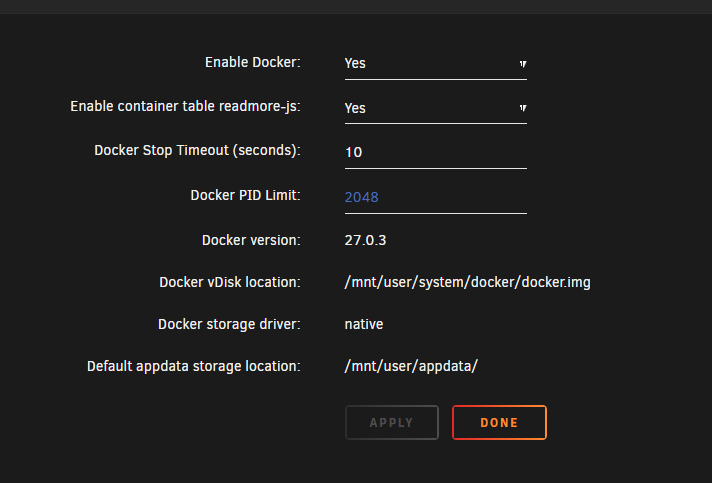
Because I edited the docker container settings. I was referring to the actual settings page on /settings/docker. Regardless, the mapping is not what was causing the issue. I managed to fix most of the issues by recovering some of the data. I'll make an independent share for the dockers that need it. Thanks for your time and help.
-
Apologize for late response. To be fair nothing works right now but here is my plex docker run that used to work: docker run -d --name='binhex-plexpasss' --net='host' --pids-limit 2048 --privileged=true -e TZ="America/Chicago" -e HOST_OS="Unraid" -e HOST_HOSTNAME="Tower" -e HOST_CONTAINERNAME="binhex-plexpasss" -e 'TRANS_DIR'='/media/PlexTransCode/' -e 'UMASK'='000' -e 'PUID'='99' -e 'PGID'='100' -l net.unraid.docker.managed=dockerman -l net.unraid.docker.webui='http://[IP]:[PORT:32400]/web/index.html' -l net.unraid.docker.icon='https://raw.githubusercontent.com/binhex/docker-templates/master/binhex/images/plex-icon.png' -v '/mnt/user/media/AllMedia/':'/media':'rw' -v '/mnt/user/appdata/binhex-plexpass':'/config':'rw' 'binhex/arch-plexpass' Edit: Looks like a lot of files were somehow removed from the appdata folder while doing rsync that's why nothing is working. Looks like I need to start from scratch
-
Oh I see, sorry. Only 1 for LanCache. But those files are not that important they can be easily redownloaded.
-
Too many to list in a single forum thread lol. If I had to guess probably around 100~ But nearly every container has data pathed to appdata. I think this happened because some data is missing rsync didn't transfer all files. For example the overseer database is from 2013 for whatever reason. When I deleted my Cache drive I accidentally pressed erase so I am trying to figure out how to recover the data to double check that everything was transferred properly.
-
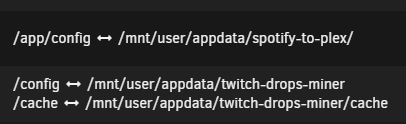
Thank you for replying. Are you referring to the appdata? I had no where else to move it. For whatever reason when I tried to move it to /mnt/user/ it'd still put it in the cache drive so I just chose a random drive. All docker hosts are configured to write to the appdata folder. Never touched anything with docker settings other than the appdata path. Path for a couple of containers I am probably doing something wrong. Edit: Just looked at the appdata folder more in depth and it looks like a lot of files are missing. rsync didn't move over all files for whatever reason.
-
Good day all, Yesterday, I decided to get rid of my cache drive as it kept getting full after couple of days so I moved back to my pool appdata. Before doing that I moved all my data from my /mnt/cache/appdata to /mnt/disk9/appdataNEW. I used the following command (I was already in the cache appdata folder): rsync -aAX --progress . /mnt/disk9 Once the transfer was complete I stopped the array and removed the cache drive from the array. I started the array again went to /mnt/user and renamed the old appdata to appdata.old and renamed the appdataNEW to appdata. I stopped docker and changed the appdata path and started docker again. Now the problem is that none of the dockers seem to recognize any of the saved data. Any docker container that I visit is asking me to set everything up again. The only exception is Overseer and that one has my logins saved (Plex, Radarr, Sonarr) but all request data is gone. Radarr and Sonarr both want me to set everything up again. I'd appreciate any help that I can get with this issue. Thanks for your time and help. Hope you're having a better weekend than me tower-diagnostics-20250330-1139.zip
-
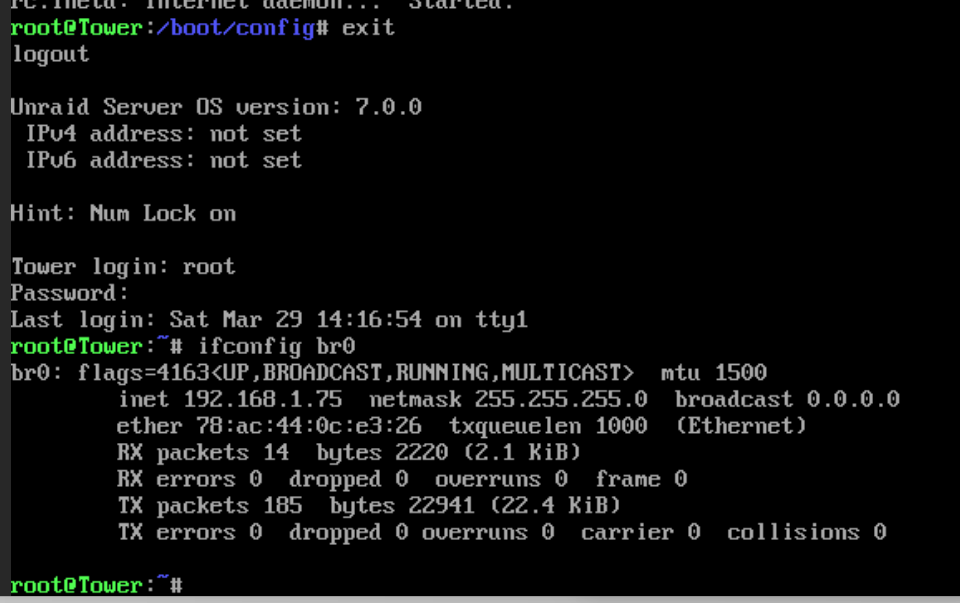
Hi all, I moved to a new server and an unexpected shutdown happened after booting up the new server again I was unable to regain access to the Internet (local and wan) through Unraid. I've tried turning on DHCP and turning it off and no luck. I also tried resetting the config file by mv network.cfg network.cfg.bk and restarting via the reboot command and that did not work. So ended up going back to old config file and restarting networking and then I was assigned a new IP but it was a 168.254.x.x IP address not in my network range (192.168.x.x) I'd appreciate any help that I can get. Thanks and have a good weekend! tower-diagnostics-20250329-1353.zip Edit: I changed some settings in network.cfg again and did /etc/tc.d/rc.inte1 restart and it assigned an IP but when I exit out of root the IP is not assigned according to the IPv4 address text and I still can't access UnRaid GUI Edit: All I changed was BONDING_MODE[0]="0" --> BONDING_MODE[0]="1" USE_DHCP[0]="yes" --> USE_DHCP[0]="no" Edit: I might've fixed it by changing what port the Ethernet cable is plugged into. Restarting the server will edit again once this pos loads up Unraid. Issue has been fixed by simply changing the eth cable from port 2 to port 3
-
Got the same issue after updating to the newest plex. Can't access PLEX via local/public IP and 0 errors on the logs. Edit: rm /config/Plex Media Server/Preferences.xml fixed this issue for me. You may want to make a backup of the file just in case though so mv /config/Plex Media Server/Preferences.xml /config/Plex Media Server/Preferences.xml.bk or something along those lines.
