ivanf
Members
-
Joined
-
Last visited
-
Thank you! I think thats what I was looking for
-
Oh I see. Is there a way I can change or do new writes for the existing files?
-
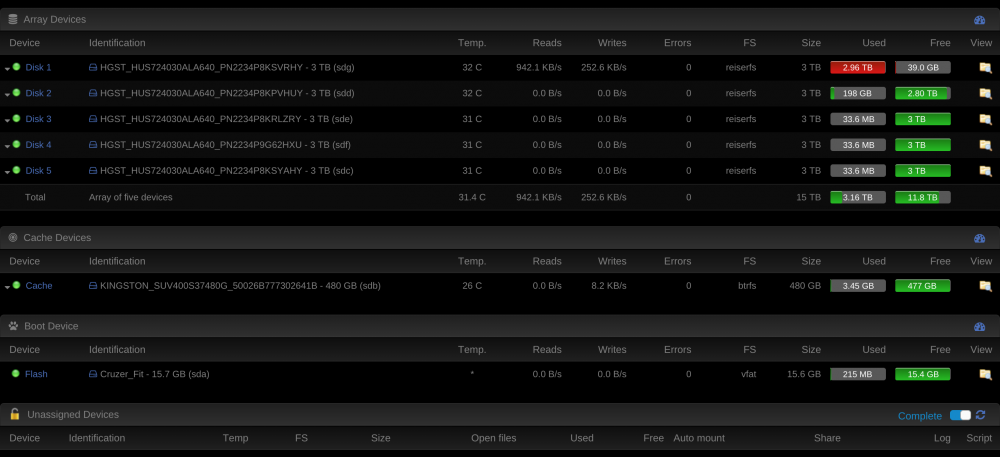
What I want to know is it it possible to have the default highwater do 50% for all disk so my 1st 3tb disk does not get full? I wanted to restore everything to its default.
-
Yes only disk 1 and part of another disk is also being used. I made a mistake by having my shares go from highwater to Phil. What I want to do now is actually have them go back to what it was before.
-
Never mind I did hulk.local/boot/logs/unbalance.log and it worked. Sent pm to Jbro.
-
I'm accessing from my mac not running on windows. I did \\hulk.local\flash but shows the same thing
-
Sorry for the late reply I see this.
-
Extremely sorry for the trouble. How would I be able to access this? I'm new to linux and unraid.
-
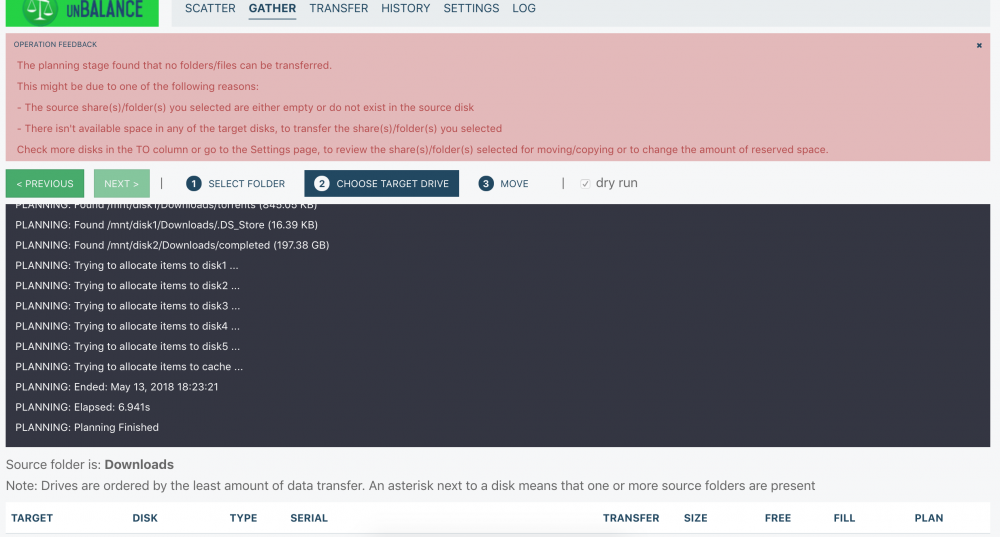
Hi all so the problem I have been having out of no where is #1 I can't access the webUI without using https for some reason. I have never touched any settings relating to the best of my knowledge. #2 issue is I followed the space invader vids.. but I am unable to select any disk at all. Here is the error I am seeing.