Pipbouy
Members
-
Joined
-
Last visited
-
It didn't work with the server IP but I just tried it with the container IP, which works. Thank you for noticing that. Thanks again, from this complete tool.
-
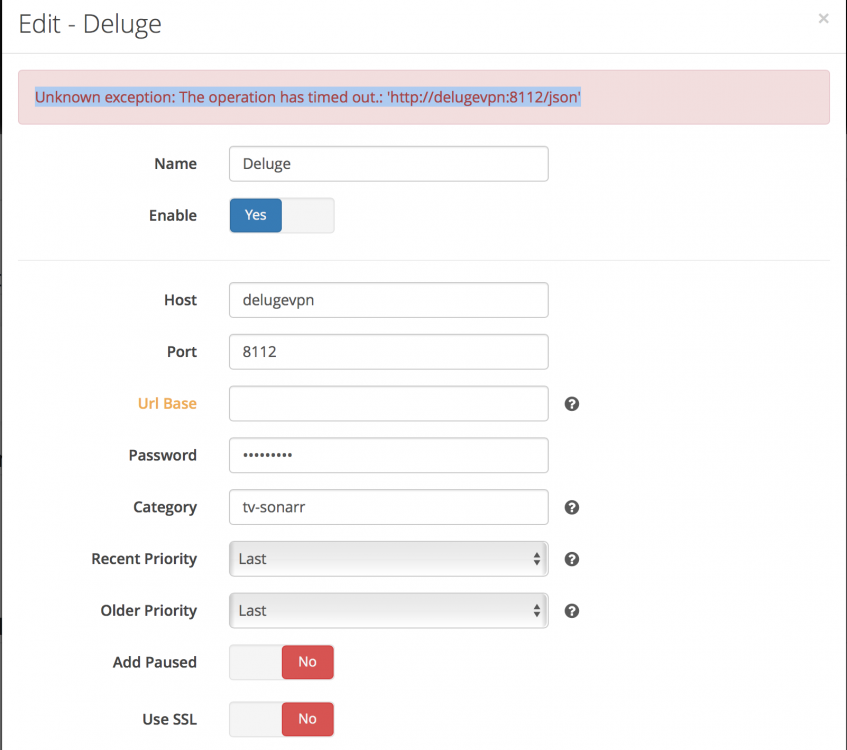
I'm having some issues setting up DelugeVPN as the download client in Sonarr (Also Radarr). Whenever I go to test the connection it comes back with: "Unknown exception: The operation has timed out.: 'http://delugevpn:8112/json'" If I try to use normal Deluge (Not VPN) then it works without issue. I've tried to do some research on the error but I've been unable to figure it out and I'm not sure if the issue is with DelugeVPN or Sonarr at this point. Or if the issue is me being a complete tool. Its a 33 split right now! I've attached an image of my Sonarr download client config and a copy of the log in trace mode. I was going to attach a copy of the supervisord.log but upon inspection there appears to be zero information in it relating to this at all, it just doesn't record any information about the incident. The only log that responds is Sonarr. If you wish I can post a copy of this log also. Sonarr-DelugeVPN-error.txt