




Skip to content
View in the app

A better way to browse. Learn more.

Unraid

A full-screen app on your home screen with push notifications, badges and more.

To install this app on iOS and iPadOS
  1. Tap the Share icon in Safari
  2. Scroll the menu and tap Add to Home Screen.
  3. Tap Add in the top-right corner.
To install this app on Android
  1. Tap the 3-dot menu (⋮) in the top-right corner of the browser.
  2. Tap Add to Home screen or Install app.
  3. Confirm by tapping Install.

io_madrigal

Members
  • Joined

  • Last visited

Everything posted by io_madrigal

  1. Hi Kenzo, Can you share your solution? I'm running into similar issue with wireguard + custom network. I got static route setup and able to connect to my LAN but cannot access the internet.
  2. Hi Leifgg, I'm using Jump Desktop, Mac OS RDP/VNC client. I also tried Microsoft's RDP client for MacOS , but non of the graphics show up. I tried uninstalling, and installing but no avail.
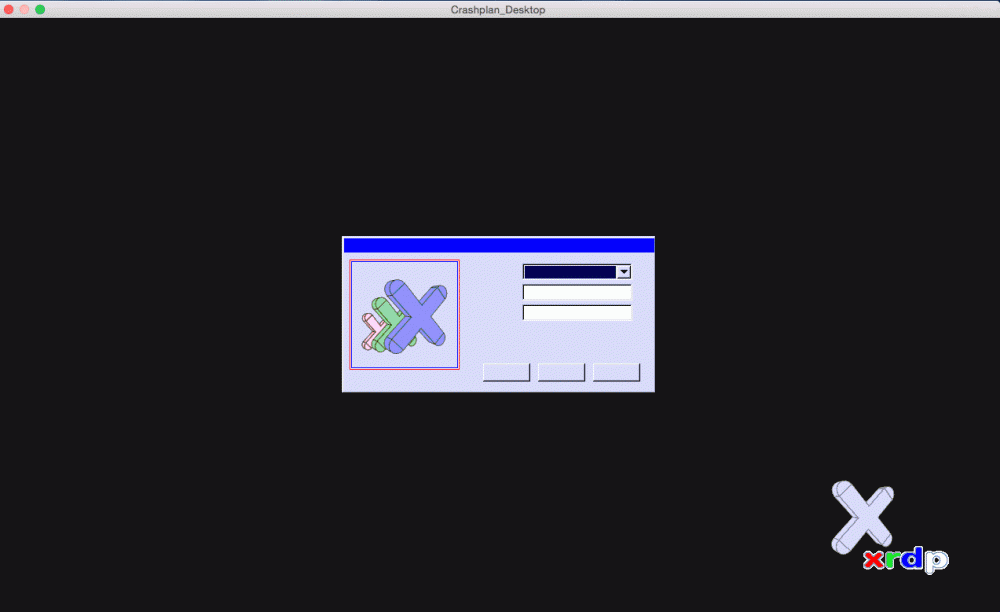
  3. Hi All, I installed Crashplan + Crashplan_Desktop successfully. However, when I try to run Crashplan_Desktop, the graphics don't fully load in remote desktop and I can't input the login information.... What could be wrong? I attached a screepcap for reference. Thanks in advanced,
Account

Navigation

Search

Search

Configure browser push notifications

Chrome (Android)
  1. Tap the lock icon next to the address bar.
  2. Tap Permissions → Notifications.
  3. Adjust your preference.
Chrome (Desktop)
  1. Click the padlock icon in the address bar.
  2. Select Site settings.
  3. Find Notifications and adjust your preference.