Glenn
Members
-
Joined
-
Last visited
-
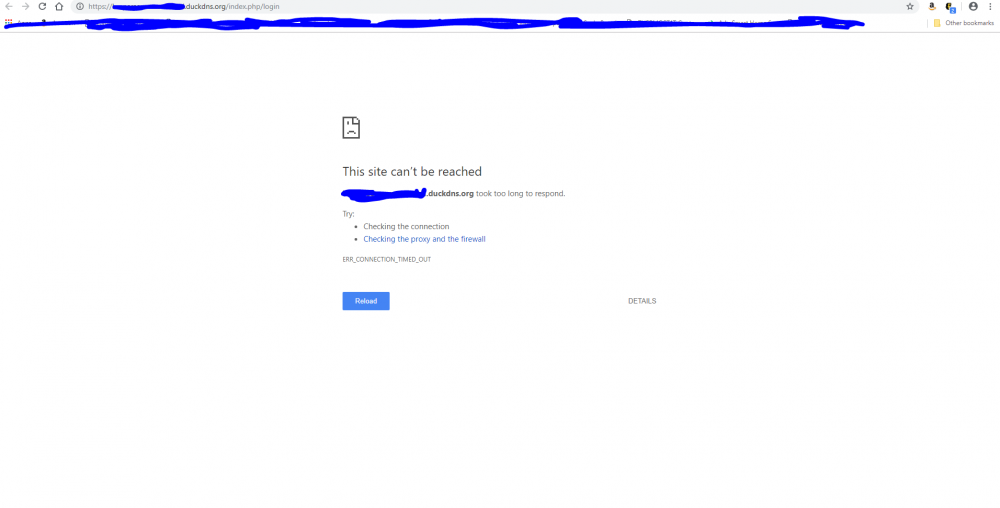
Hi, i have letsencrypt running, server ready. When i click on webui under docker i get redirected to my subdomain, but it times out. I get this: my nextcloud config is: <?php $CONFIG = array ( 'instanceid' => 'oc2r526nrw27', 'passwordsalt' => 'jahrU20+WU1udvy0TZpnKPrZhRnNC2', 'secret' => 'l4iHAz1Fz0pCfZ44QhzzqGwy9gbpKrc8DEsz2uxjZer/+85E', 'trusted_domains' => array ( 0 => '192.168.7.60:444', 1 => 'xxx.duckdns.org', ), 'datadirectory' => '/data', 'dbtype' => 'mysql', 'version' => '14.0.0.19', 'trusted_proxies' => ['letsencrypt'], 'overwrite.cli.url' => 'https://xxx.duckdns.org', 'overwritehost' => 'xxx.duckdns.org', 'overwriteprotocol' => 'https', 'dbname' => 'nextcloud', 'dbhost' => '192.168.7.60', 'dbport' => '', 'dbtableprefix' => 'oc_', 'mysql.utf8mb4' => true, 'dbuser' => 'glenn', 'dbpassword' => 'Titan001', 'installed' => true, ); my letsencrypt nextcloud.subdomain.conf file looks like this: # make sure that your dns has a cname set for nextcloud # assuming this container is called "letsencrypt", edit your nextcloud container's config # located at /config/www/nextcloud/config/config.php and add the following lines before the ");": # 'trusted_proxies' => ['letsencrypt'], # 'overwrite.cli.url' => 'https://nextcloud.your-domain.com/', # 'overwritehost' => 'nextcloud.your-domain.com', # 'overwriteprotocol' => 'https', # # Also don't forget to add your domain name to the trusted domains array. It should look somewhat like this: # array ( # 0 => '192.168.0.1:444', # This line may look different on your setup, don't modify it. # 1 => 'nextcloud.your-domain.com', # ), server { listen 443 ssl; server_name nextcloud.*; include /config/nginx/ssl.conf; client_max_body_size 0; location / { include /config/nginx/proxy.conf; resolver 127.0.0.11 valid=30s; set $upstream_nextcloud nextcloud; proxy_max_temp_file_size 2048m; proxy_pass https://$upstream_nextcloud:443; } }
-
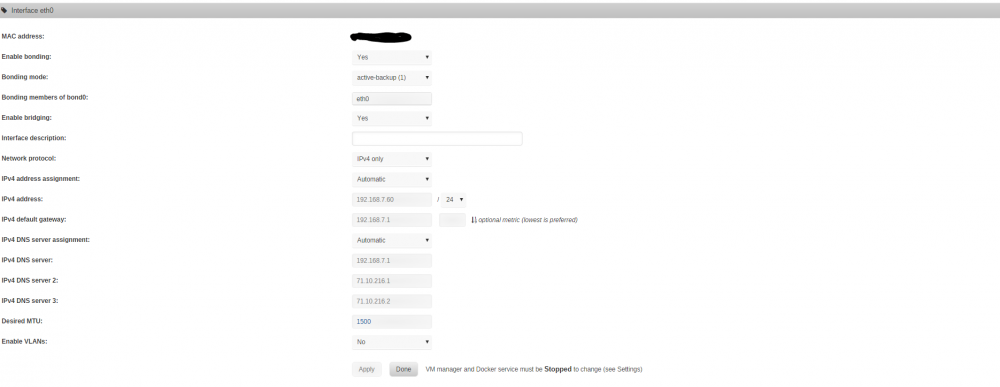
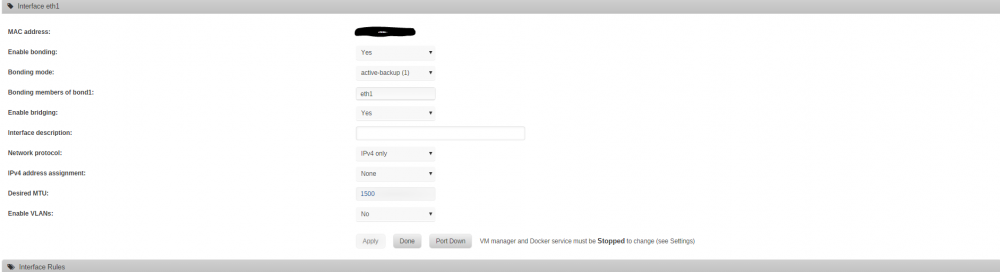
my motherboard has two nics
-
I haven't really learned the ins and outs of the modes yet, so I just went off of what the guides i was using had.
-
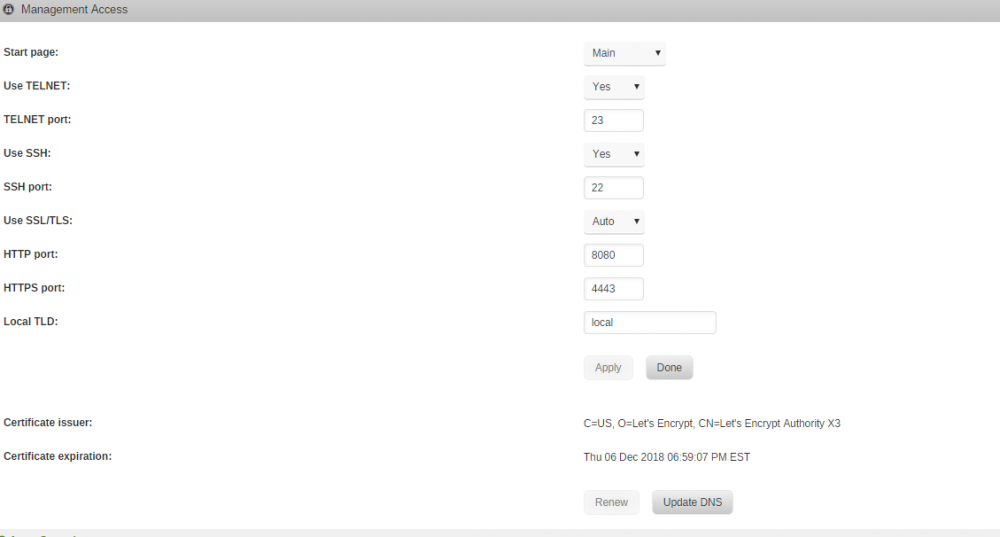
I can access the server by putting :8080 at the end of my ip. But I can’t access the dockers. That’s the message I get when I click webui on any of my dockers except plex
-
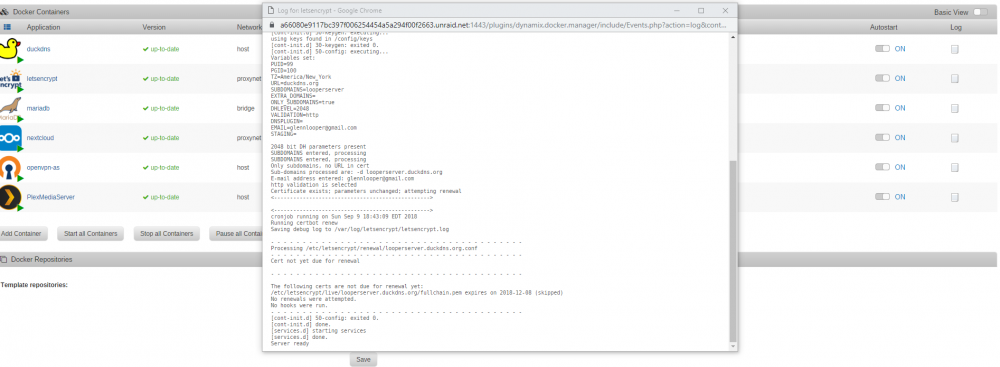
I assume this error when trying to accesd docker gui is because of letsencrypt

-
nevermind. i guess i also had to change not just port 80 in identification but also 443??? because i changed 443 to 4443 and now it starts. i cant access my other dockers from the webui after changing the id though. do i have to adjust config files for those programs?
-
the internal ip of my server is 192.168.7.60. i use an eero mesh wifi with a netgear prosafe switch if that is what you mean by my network setup. also tried removing letsencrypt and then reinstalling. this is what i get:

-
no. and after rebooting my server i get an execution error whe trying to start the dockeri have watched a ton of his videos (multiple times). i guess im just ineptafter doing this i cant open my containers through webui (except plex). am i missing another setting? i did get the server ready under the letsencrypt log though.Can you explain how to remap port 80? I have searched and seen several different things about changing a go file and changing a file on the flash drive. But nothing was very straight forward. ie, step 1,2,3 etc.i need some assistance with letsencypt. i keep getting a binding error for port 80. Im also not very smart, yall will have to dumb it down barney style for me.