





burzlbaum
Members
-
Joined
-
Last visited
-
Perfekt. Mit MC konnte ich jetzt die letzen Fotos sichern. Damit sollte ich eigentlich alles haben, was wirklich wichtig wäre. Ich habe noch eine hoffentlich letzte Frage @DataCollector . Ich würde jetzt dazu tendieren nicht noch Monate zu warten sondern das Array neu erstellen. Aber ich frage mich, was alles auf der defekten Festplatte war um nicht doch irgend etwas zu übersehen. Werden alle Ordner direkt beim Versuch die Festplatte zu rekonstruieren erstellt und dann nach und nach mit Daten gefüllt. Oder kann es auch sein, dass Ordner erst später erscheinen. Die bereits vorhandene Dateistruktur ist für mich schon völlig ausreichend. Da habe ich eigentlich alles in meinem letzten Backup drin. Vielen Dank schon mal für all die Hilfe
-
Danke, das war super hilfreich. Ich habe gesehen, dass ich ein paar Ordner aus den letzen beiden August Wochen auf Disk 4 habe, die noch nicht in meinem Backup sind. Kann ich diese herunterladen und schon mal sichern für den Fall, dass diese doch noch die Grätsche macht? Ich habe das bisher nur für einzelne Files gefunden. Das wäre mir aber zu mühsam. Muss ich dazu ein Linux Live System booten oder geht das auch aus Unraid heraus solange meine Docker nicht funktionieren?
-
Danke dir für die ausführliche Antwort. Genau die Disk1 ist mir ausgefallen und dafür habe ich jetzt Ersatz drin. Das zurück spielen ist wohl wegen der Disk4 schwierig. Ich werde die Daten die mir wichtig sind aus meinem Backup wiederherstellen können einige Files muss ich evtl. neu zusammen tragen, das ist evtl. etwas aufwendig. Aber das sind keine für mich wichtigen Daten (Fotos, etc. sind mehrfach gesichert). Dennoch warte ich wohl noch ein paar Tage in der Hoffnung, dass es schneller wird. Die Info, dass eine 1:1 Kopie evtl. nicht funktionieren wird, war mir neu. Darauf habe ich ein bisschen gehofft. Aber es spart mir enorm Zeit weil ich das sonst wahrscheinlich genau so versucht hätte. Ich frage mich auch, wieviel er wohl von der kleinsten meiner Festplatten lesen will und hoffe jetzt einfach mal, dass es zeitnah fertig ist. Wenn es noch ein paar Tage dauert ist das ok. Aber das ist wohl nicht zu ermitteln. Wenn ich jetzt die Daten von meinem Backup Nutzen würde. Wie gehe ich vor? Ich stoppe den Rebuild ersetze die Disk4 und erstelle dann ein komplett neues Array? Werden dabei alle Festplatten gelöscht? Und dann lege ich meine Dokumente aus dem Backup erneut an? Oder bleiben die Daten auf den Disks bestehen? Schaue also nur auf welchen Disks welche Informationen gespeichert sind, welche mir fehlen und ergänze diese dann? Oder kann ich auch jetzt schon schauen, auf welchen Disks welche Daten gespeichert sind, damit ich nicht alles vom Backup austauschen muss?
-
Ok thanks for clearing this. I just ordered a new Disk to clone disk 4. hope it will work.
-
Waiting if rebuild finishes means I have to wait for 500+ Days to finish. Or is there a way to ignore the Disk 4 rebuilding?
-
The old disk 1 is dead for sure! So what is the best way to recover as much as possible? Or should I try to create an image of the disk 4? And rebuild it witch a new disk?
-
Thank you for the quick reply homeserver-diagnostics-20250920-0940.zip
-
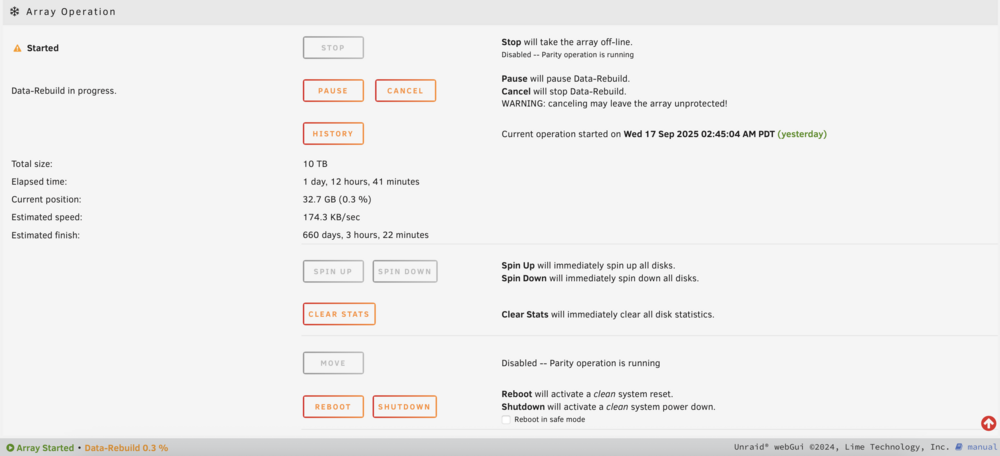
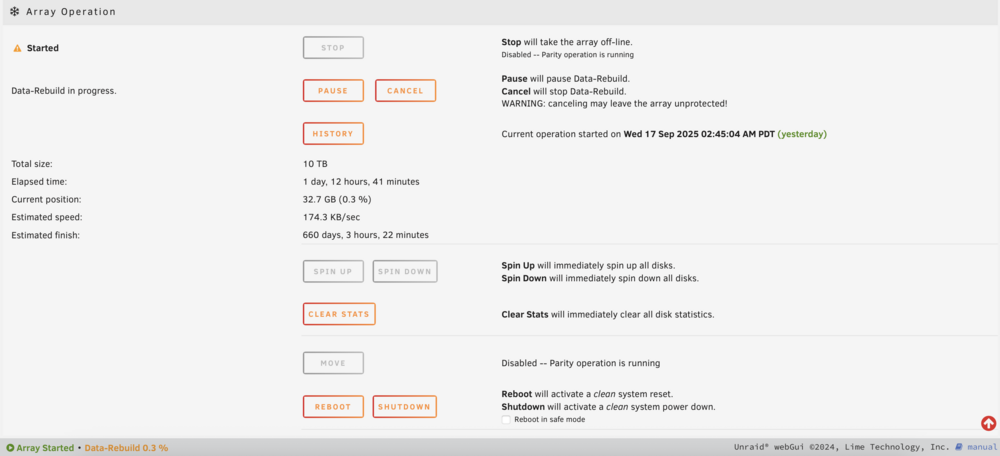
Hello, I already posted this in the German section. But maybe the germans aren't as active as the internationals. During my vacation, one of my 10 TB hard drives failed. It just makes a clicking noise now, so it’s probably beyond saving. I’ve already gotten a replacement. But during the data rebuild, it looks like the next drive is about to fail. It shows a lot of errors and writing to the new drive is taking ages. What options do I have? Or rather, what makes the most sense? - Should I first remove the newly problematic drive and clone it to another one? - Just let it keep running and hope the rebuild time goes down? (no Change since almost 2 days and 13h) - Shut down, connect the newly problematic drive to another (possibly faster) SATA port or controller? (But if I do that, can I continue the rebuild from the point where it stopped, or does it start from scratch again?) - Replace the second drive as well, create a completely new array, and then try to recover as much as possible from the swapped drive? I hope you have some recommendations for me. Thank you!

-
Hallo, in meinem Urlaub ist mir eine 10 TB Festplatte ausgefallen. Klackert nur noch, ist also wohl wirklich nicht zu retten. Jetzt habe ich Ersatz besorgt. Und beim Data Rebuild scheint sich die nächste Festplatte zu verabschieden. Hat sehr viele Fehler und der Schreibvorgang auf die neue Festplatte dauert einfach Ewigkeiten. Welche Möglichkeiten habe ich? Bzw. was macht am meisten Sinn? Erstmal die neue Problemplatte ausbauen und auf eine andere Platte klonen? Einfach weiter laufen lassen und hoffen, dass die Zeit runter geht? Herunterfahren, die neue Problemplatte an einen anderen evtl. schnelleren Sata-Port oder Controller anschließen? (Aber kann ich dann da weitermachen beim Rebuild bei dem ich auch aufgehört habe oder gehts von vorne los? 2. Festplatte tauschen und komplett neues Array bilden und dann versuchen von der getauschten noch möglichst viel zu retten? Hoffe ihr habt gute Empfehlungen für mich. Vielen Dank!

-
Yeah I habe 4 times wrong disk. But with the explanation in your link it should be fine 😊 thank you
-
thanks! Is there a way to see which of my 10TB Disks is the old parity disk?
-
Hello, I have a big problem. A few weeks ago i changed 4 Disks including the parity disk to bigger ones (all 10tb). Everything worked fine. Today I got a blackout and after the server got electricity again it wasn’t booting. The usb stick died, I wasn’t able to fix it in another system. It wasn’t recognized. So I installed it fresh and picked an older config folder Finger my shares and other stuff back. But the backup seems to be older then the disk change xD. now it says „wrong disk“ and I’m really afraid of losing my data. can someone help me how to fix this?
-
erm yes sorry i forgot that switching language to english might be a good idea the 2nd adapter didnt change in any way after i deactivate the unicable or set another method (which wont work then) 😞 Thank you very much for your will to help //edit updated unraid dvb to version 6.6.7 updated tvheadend to newest - no changes //edit 2 found a similar problem in a german board. solution is to delete the folder "input" now i have to setup everything again but at least the 2nd tuner is shown as it should thanks for your time and suggestions!
-
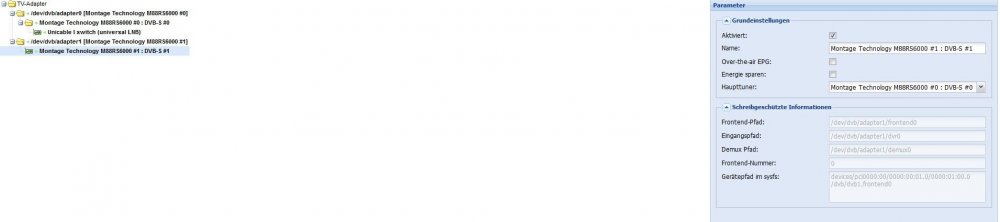
I attached a few screenshots with the config. the problem seems to be that i cant take any settings where i should be able to.



-
Hi saarg, i did every possible setting in TVH "dvb-inputs" but it seems to be two different "kind" of adapter and i dont get why. i havent tried a different version of unraid dvb. without unraid-dvb it wasnt working at all. but i can remember that there was a time where both adapters was unicable (but the 2nd one wasnt working aswell)


