etsjessey
Members
-
Joined
-
Last visited
Everything posted by etsjessey
-
Anyone able to successfully add a ZFS path in Krusader? My pool is good and works great with an smb share. I need transfer some stuff locally though. Not sure if it’s permissions getting in the way or what but, I can’t get it to work even though the folder path is discoverable when I go to add the path to the docker. Any help would be appreciated! Thanks in advance.
-
That is a new to me so I am gonna say that is probably a no I had to guess. What would I need to check or do for that?
-
*Sigh* I have another weird share question that doesn't make logic sense to me...lol The same share I mentioned before will let me copy a file to and from the share but, will not let me open a folder to view it's contents within... I checked permissions and it says the same user that has the read/write access has permissions on that share has read/write access to the folders so it was marked recursive. I must be missing a line of xml or something that will allow that...any ideas? Thanks in advance!
-
Nevermind, was able to find an awesome video by Spaceinvader One on doing this. Please see video below. [name_of_share_here] ea support = Yes path = /mnt/disks/yourdiskname/foldername vfs objects = catia fruit streams_xattr valid users = users_who_have_access_here write list = users_who_have_access_write_here fruit:time machine max size = 500 G <!--You can put whatever size you want here--> fruit:encoding = native fruit:locking = netatalk fruit:metadata = netatalk fruit:resource = file fruit:time machine = yes fruit:advertise_fullsync = true durable handles = yes kernel oplocks = no kernel share modes = no posix locking = no inherit acls = yes <!--leave one space before unassigned devices stuff-->
-
Also, Does anyone know what I would need to add to SMB Extras to have time-machine support on a share? I couldn't really find much on that either. Everything I found had to do with shares through the shares tab. =(
-
I think I misunderstood. CHOWN doesn't actually take away access from root does it?
-
That was exactly the problem! I was able to change everything to one user but, it takes away root access. If I only have one other user besides root what would I do to accomplish changing permissions back to root but, also giving that one user access? Thank you for the detailed explanation by the way. For someone like me who didn't particularly know what each part meant but actually wants to learn, it's nice to finally know!
-
It looks like the version negotiated is 3.02 when I looked in MacOS
-
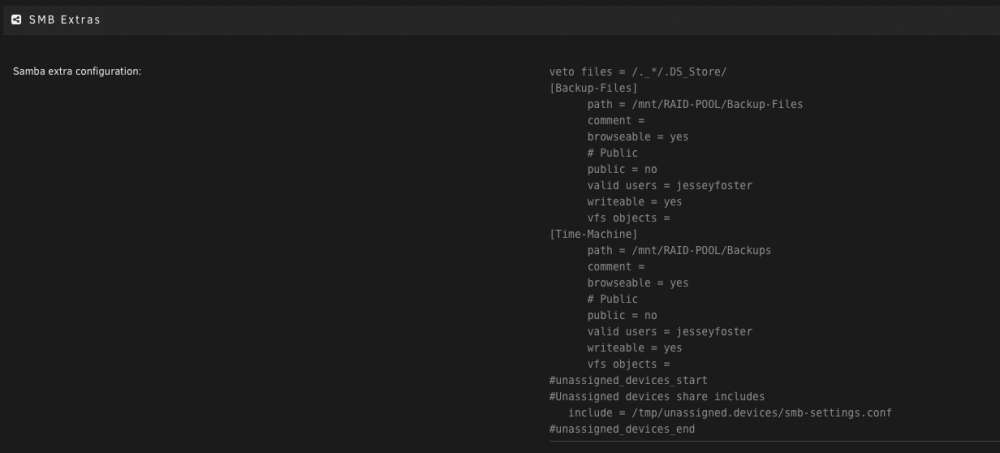
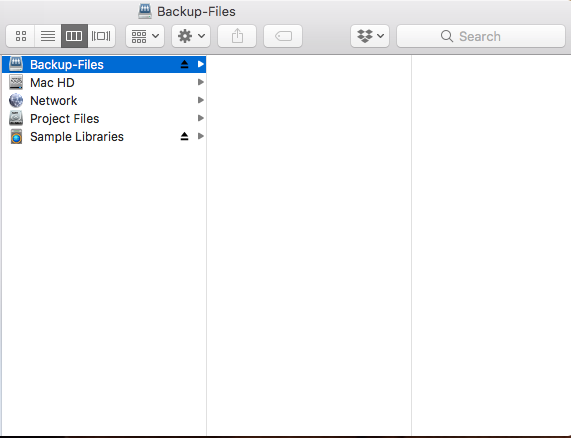
I tried to look as much as I could but, hadn't seen anyone with my problem just yet. Let me know if best to post on another topic.. I was able to create a pool, make a share using the SMB extras, and mount the share on another computer with the intended credentials.... However, when I try to drag a file to drop it in it has a circle with a line through it. I am sure it's some kind of permissions things but my username shows reads and write when I right click and press get info. I attached the smb extras I made hoping I am just missing something small. Thanks in advance! Server: UnRaid Newest Stable Client: MacOS High Sierra