





techystreamer
Members
-
Joined
-
Last visited
-
I went with Raid 5 this time for some safety. Thanks as always.
-
I ended up formatting the pool because it would not allow removal of files no matter how fast I entered after starting the array. Even tried accessing through windows btrfs but all showed write protect. Now to wait 2 weeks for most data to be copied to the pool again.
-
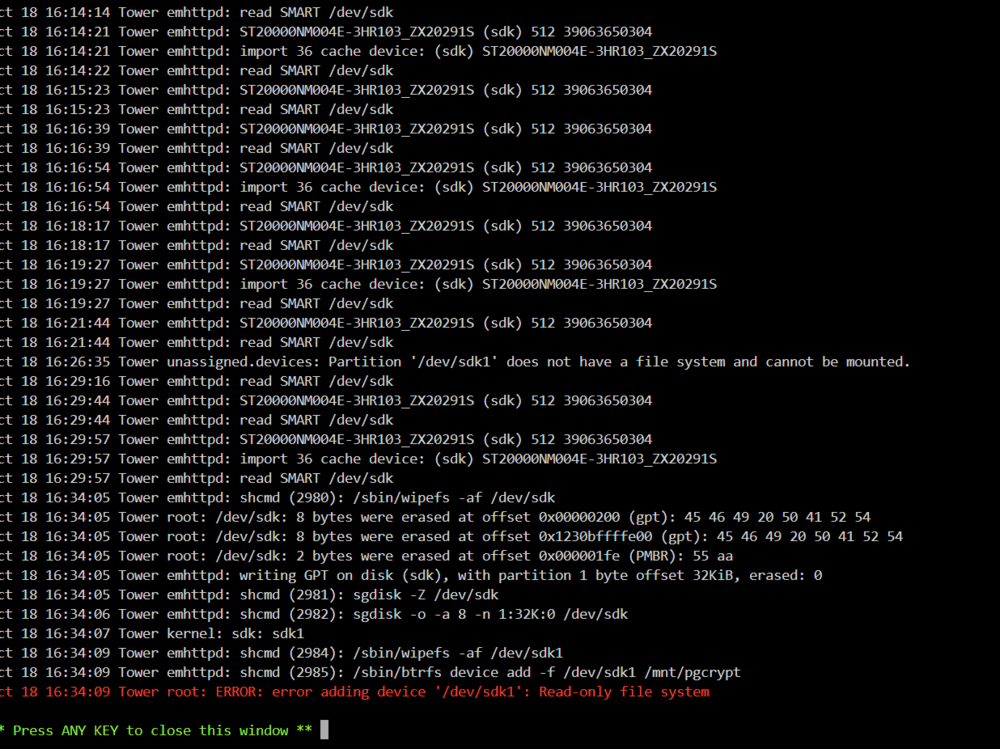
Log shows error adding device, read only file system.
-
Ok. so I added another drive. I removed from the array since that is where I am moving data from anyway. It did not give me an option to format when I added to the pool. I Started array and it still shows same amount of used space as well as total space. It does not show the new drive space added.

-
I guess I don't understand. I just added the 4th 20 TB drive. Prior to that it was working fine with the 3 drives that were almost at 60 TB capacity. The 4th drive only has 3 TB on it, did some setting get changed where it would need more space?
-
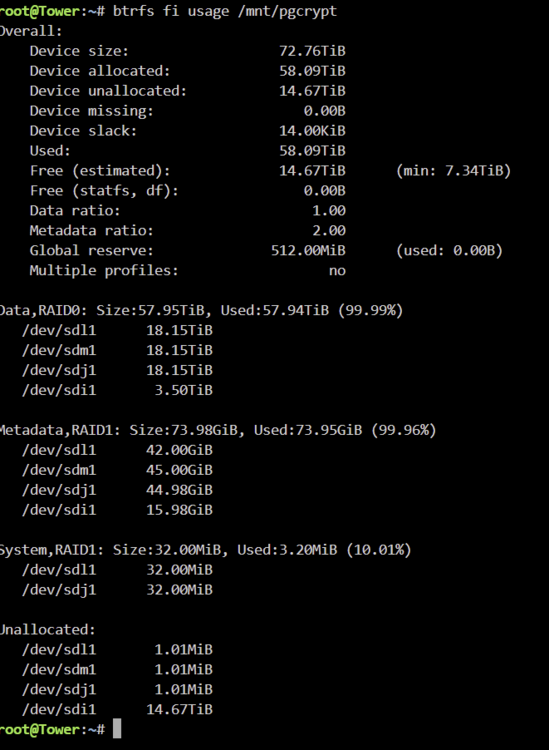
So upon checking the usage I got this stating the space is unallocated.... How do I allocate it?
-
I have it setup for raid 0, so the extra space should not be an issue correct? It showed 20 TB free when I first added it and started array.
-
I had it set to raid 0.I recently started a pool of 60 TB and was in process of moving data over from array to pool. I added another 20 TB drive to the pool and it was showing it was balancing. It did this for a couple days and showed it was less than a third of the way done when I last checked. Upon looking today the pool shows 0 free space but only 63.9 TB are on the disks. It shows full and I cannot perform any balance etc. Any ideas what to do here. I attached diagnostics and a screen shot of the pool. tower-diagnostics-20241017-1355.zip.crdownload
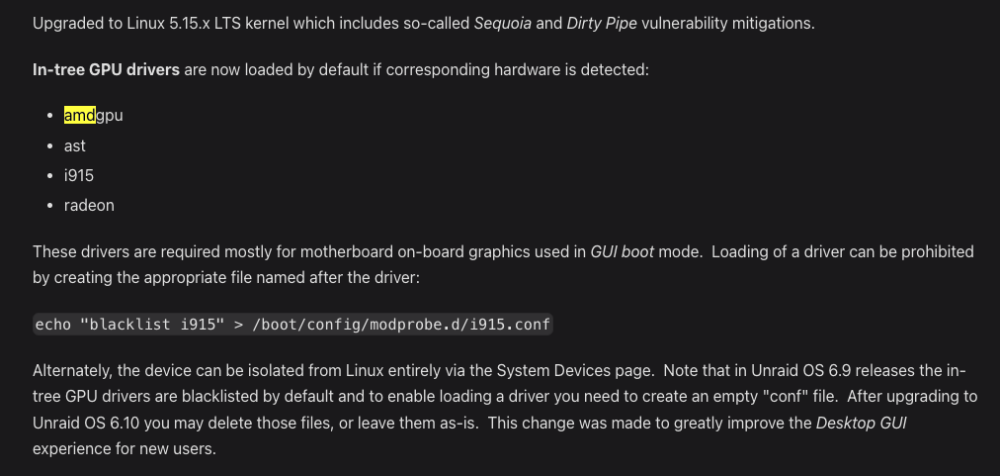
 I have attached diagnostics and ram usage. Getting and undefined error in the notifications, as well as ram usage being bumped up over the course of a few hours. Only thing I can think of is the rclone mount? Any indication of it, or something else in the diagnostics? tower-diagnostics-20240408-0835.zip ramUsage.txtHow do I reverrse the echo command or remove the blacklist on the amdgpu? It wasn't the issue. I ended up having to do the parity sync in safe mode and I rolled the os back to 6.12.6. It seemed to quit about 80 to 90 % through the parity. Took a few times to get it done. Made sure to have reconstruct write on to speed it up too. Haven't seen the issue again though.So this just goes in the terminal? I guess that would be temporary then?I use the gpu sometimes to access the bare metal ssd windows system I have on the pc. Would this affect that? Also I see where it is noted in the release but where would that be implemented and what would I input for my case? Thanks.
 I saw that and wondered, but I haven't changed anything in the GPU recently. The crash happened within the last 10 hours of the log overnight to morning.


