





tucansam
Members
-
Joined
-
Last visited
-
7.3.4 to 7.4.0 just now. Plex didn't start after the reboot. Several docker updates were due. Ran the updates. When the list refreshed, Plex is gone. Good times. Diags attached, of course. ffs2-diagnostics-20261116-0728.zip
-
I just spent two weeks taking about 6000 movie files down in size with this, and I got 9TB back on my array, so THANK YOU for this. I have about 80,000 television episodes, but I'm wondering what to do with them. I noticed that, with the movie files, anything about 4-5GB or smaller has a 25% chance of encoding LARGER, usually about 30% larger, than its original size. I'm worried that little 24-minutes long tv shows will suffer from this phenomenon. Plus I couldn't find an easy way to revert back and/or keep the original (smaller) file size. Going one at a time it'd be easy, but when I bulk add 2k files to the queue and walk away for a week, its harder. How would you handle a massive collection of TV shows in an effort to gain back still more disk space? Thanks.
-
I am downloading AI model images to the AI share (16gb to 1.6tb in size). The machine that is downloading has a mapped SMB share on the server and is writing to that. The smaller files seem to go fine; the larger ones, as stated, fail, and need to be re-started. I am using LM Studio so the download just picks up where it left off. I know there are a lot of variables in this particular transfer, but when I combine that with the other issues... I've posted here before many times, with other SMB shares and Windows clients, copying to or from the unraid server, the windows file transfer starts off strong and then eventually slows to a trickle (a few kb/s) and often simply pauses complete (0 bytes per second). That pause lasts some random period of time, up to several minutes, before the transfer continues. Form that point on, its a constant up and down thing -- speed, slow, pause, speed, slow, pause, speed, slow pause. I have tried this with and without writing to cache. In this system, all of the spinners are on the LSI. The cache is two nvme drives on the MB and a handful of SSDs on the MB's SATA ports. Combining all of this with the Plex stalls, there is some sort of transfer stall somewhere. For a decade or more now, I've experienced it in some manner. For years I blamed Samba. I have a secondary unraid server that I use to back up parts of my primary, with shares mapped via NFS, and those never have any issues at all, using rsync to transfer. The file transfer issues I am speaking of occur when a parity check is not being done. I haven't had any issues or errors in a parity check in years. And at the very end, average speeds have been the same for a very, very long time now.
-
I had AI analyze the logs and apparently the LSI controller is stuck in 1x, although its been in three different motherboards and I'm not sure what's going on here. Its also old AF with a super old (and no longer supported) BIOS and I just bought a much newer model to replace it with. We'll see if that helps. It and its cables are one of the few common denominators across all the various iterations of this server.
-
Happening now. Extremely large file transfers (over 2+ hours of time remaining) are all failing. Anything in the 0-90 minute ETA (ish) are working fine. Has to be the same thing. The smb share is resetting, or something.... ffs2-diagnostics-20261104-2057.zip
-
Started as Plex streams freezing. Sometimes waiting it out works, plex shows buffering. Sometimes starting the stream over is all that works. Then directly play (double-clicking on a video in Windows Explorer and playing in VLC) started freezing. File transfers often hang for minutes, where the bits per second drop to zero for 60, 90, 120, 300 seconds at a time. That happens regularly during large transfers, almost in a pulse-like manner. Sometimes shares just disappear or become suddenly unavailable. This has happened for 10+ years. At first I thought it was the clients, then the network. Gigabit, 10 gigabit, wireless, new cables, new clients, PCs, Rokus, laptops. I recently moved. Literally the only thing left of my original home network is the unraid server. Every single other thing has changed. And even that just got an upgrade, new MB and new CPU and new RAM. Controller, cables, and hard disks, plus USB stick and original configs are the only things remaining that have been common over the past decade+ But these issues persist. I don't even know where to begin troubleshooting this.
-
I'm certain most of you will know this, and I'm certain it will have been addressed before, but in case someone can benefit.... The cheap drives (lol) that we (used to) get from retail outlets and shuck the externals.... I transplanted all of my server's guts into a new chassis and MB and 1/3 of the disks wouldn't spin up. After a couple of days of troubleshooting and research, turns out the 3.3v applied on the SATA connectors cause a PWDIS drive (most shucked and some enterprise) to remain in a "power off" state. Removing the cable nearest the "L" notch on the SATA power connector worked, and I modified all of the SATA power cables coming out of my power supply at the power supply side so I can use splitters without having to worry about modification. Pass only 5v and 12v to your disks.... Esp if they're shucked. None of my WD a and couple of my Seagates would spin if that cable was present. Reason I found it in this instance: i moved from three 5-bay 5-in-3 5.25" cages to a chassis with 15 3.5" bays where each disk is now directly connected to power. More of a PITA but better temperature control. Apparently the cages' power backplane paths removed the 3v signal completely. YMMV, HTH
-
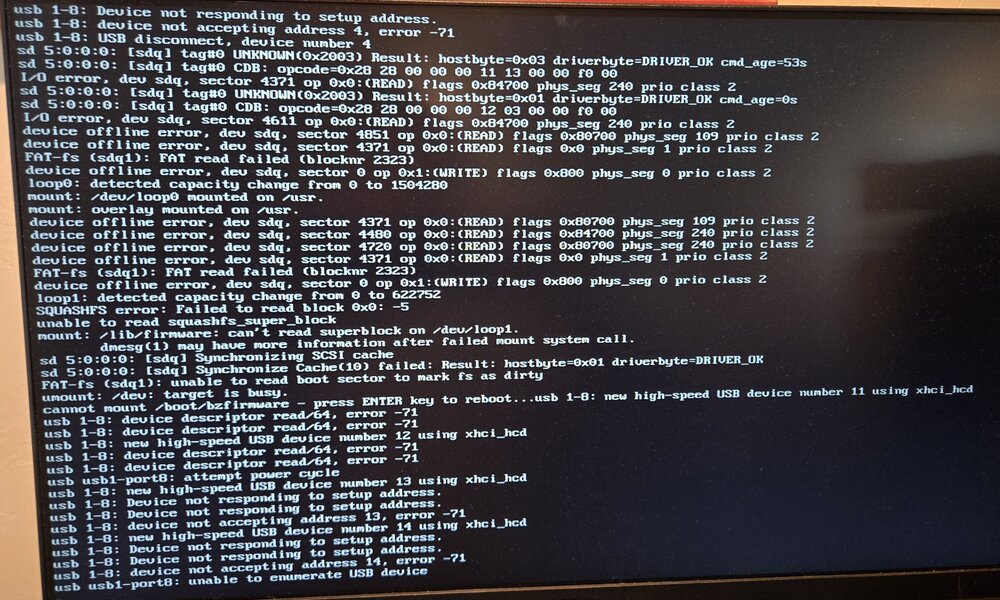
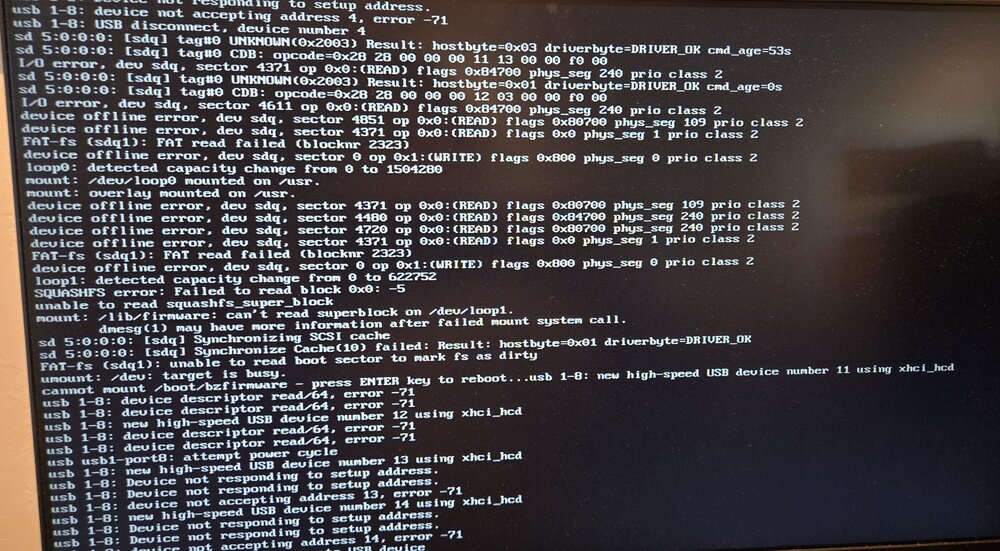
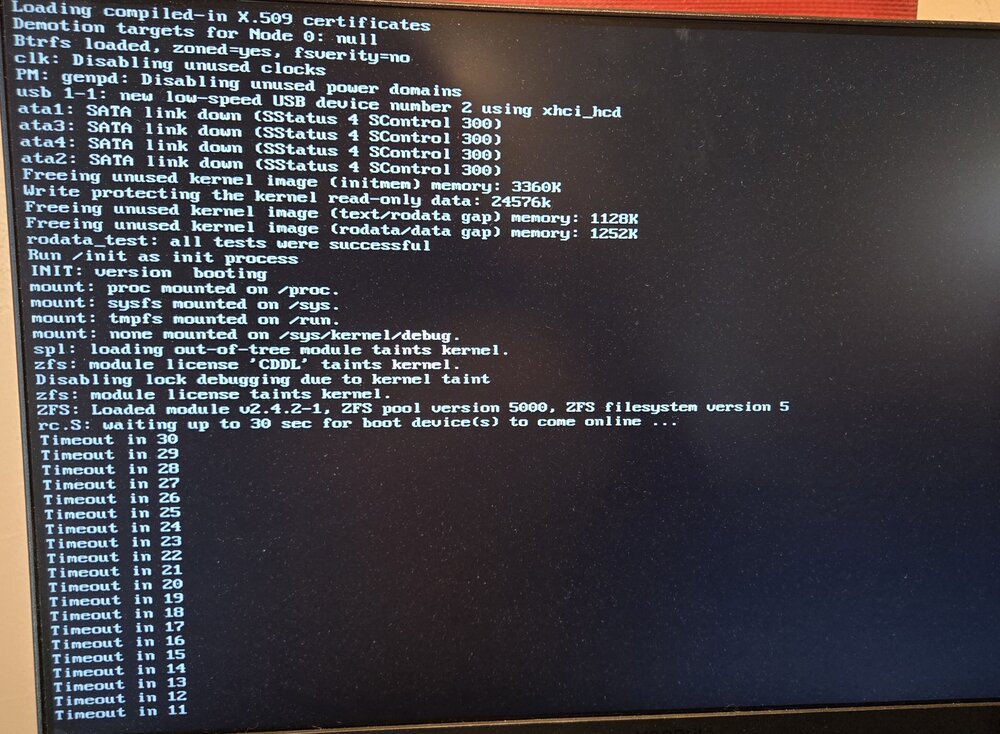
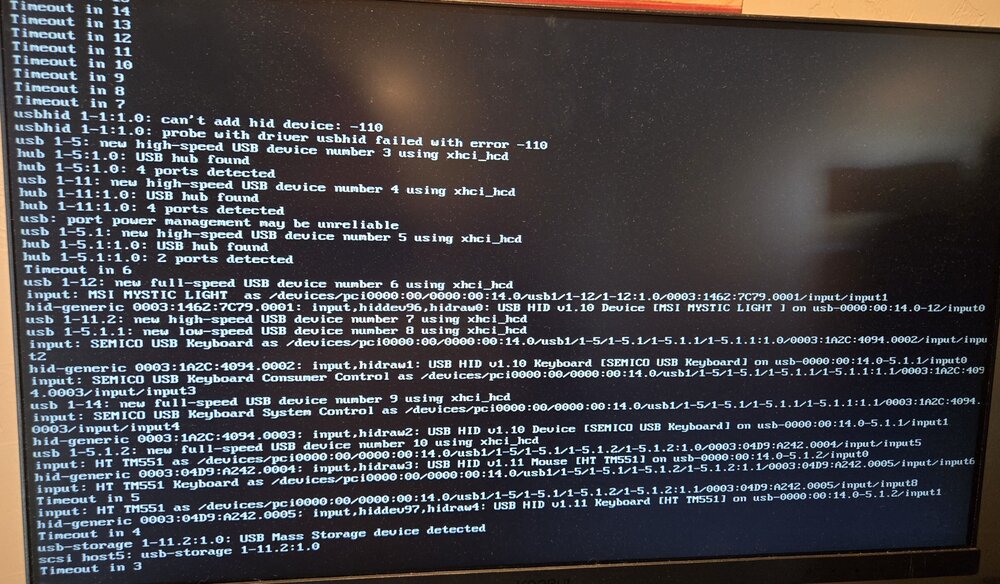
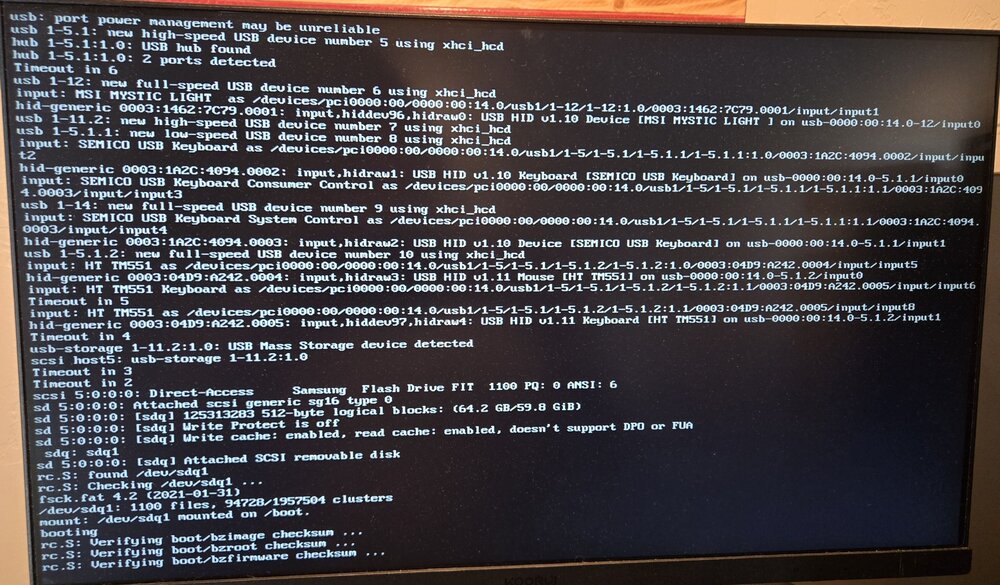
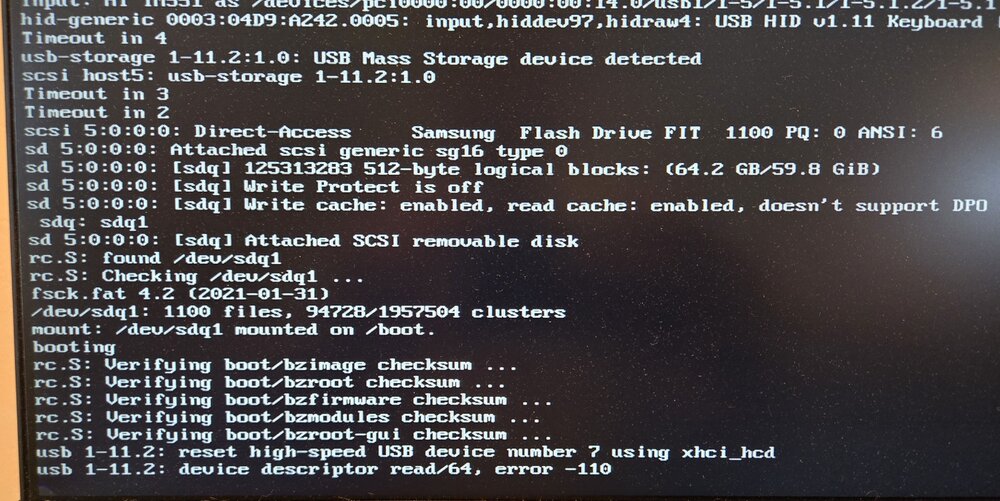
I put the stick in a windows machine and it detected (and claimed to fix) errors. Then unraid booted, with a few errors along the way regarding the usb drive, but it made it. For now. Is it time to replace my (less than 6 months old) usb stick again?
-
Been running unraid for over 15 years, have had ZERO usb issues until recently, now I've replaced the usb boot drive four times in two years (!) Always with reliable brands (Samsung currently) Not sure what's going on here, but it was just after the update to the most recent version, fresh off a reboot. Tried safe mode too, no luck. Options?
-
Sab quits randomly all the time, usually doesn't restart. -- 2026-06-02 17:08:57,692 INFO success: start-script entered RUNNING state, process has stayed up for > than 0 seconds (startsecs) 2026-06-02 17:08:57,692 INFO success: watchdog-script entered RUNNING state, process has stayed up for > than 0 seconds (startsecs) 2026-06-02 17:08:57,692 DEBG fd 9 closed, stopped monitoring <POutputDispatcher at 23442820355744 for <Subprocess at 23442821643440 with name start-script in state RUNNING> (stdout)> 2026-06-02 17:08:57,692 DEBG fd 11 closed, stopped monitoring <POutputDispatcher at 23442820258128 for <Subprocess at 23442821643440 with name start-script in state RUNNING> (stderr)> 2026-06-02 17:08:57,692 INFO exited: start-script (exit status 0; expected) 2026-06-02 17:08:57,692 DEBG received SIGCHLD indicating a child quit 2026-06-02 17:08:57,695 DEBG 'watchdog-script' stdout output: [info] SABnzbd not running 2026-06-02 17:08:57,695 DEBG 'watchdog-script' stdout output: [info] Attempting to start SABnzbd... 2026-06-02 17:08:58,265 DEBG 'watchdog-script' stdout output: [info] SABnzbd process started [info] Waiting for SABnzbd process to start listening on port 8080... 2026-06-02 17:08:58,267 DEBG 'watchdog-script' stdout output: [info] SABnzbd process is listening on port 8080 Press ANY KEY to close this window
-
After most recent upgrade, see this, never seen it before: -- Boot Device Device Identification Temp Reads Writes Errors FS Size Used Free Boot(Flash) Samsung_Flash_Drive_FIT_0353723110001137-0:0 - 64.2 GB (sdq) * 0.0 B/s 0.0 B/s 0 vfat 64.1 GB 2.81 GB 61.3 GB Internal Boot No internal boot setup detected. Launch Internal Boot to configure one. -- What is this and what do I do? There is another upgrade needed and now I am afraid to reboot.
-
Interesting. Will adjust and see. Thanks.
-
Both are intel two-port 10gb nics. RJ45. 192.168.0.x for the main network. 11.11.11.x for the nic-to-nic network, 11.11.11.1 for unraid and 11.11.11.2 for the PC.
-
eth0 (integrated) is on my primary network and all is good. I have a desktop PC also on this network a few feet away from the unraid server. I don't have a 10gb switch, but the PC and unraid server each have 10GB NICs. I have configured a new network on both machines (different from the primary and not routed) and have both machines directly connected via a 10gb cable between their 10gb NICs. Both interfaces show as up not neither can ping the other. Is there anything special as far as unraid networking goes that I am missing? Thanks.
-
Diags attached. Made at network change that prevented the docker from starting. Un-did the network change and the docker still continued to have random issues. Would run but couldn't update. Would run and then crash. Then wouldn't start. Then would run again. Then wouldn't. Moved everything off cache and onto the array with the intent of starting over. Ran fine for a few days, even updated. Now won't start at all. I have three SSDs in the system (all separate, no pools) and I'd like to: Get the docker and all containers running on the array disks without issue Format and nuke all three SSDs Put all the SSDs in a pool or protect them in some way and make all three part of cache Move the docker back to this new pool Profit Any help or insight would be appreciated. Thank you. ffs2-diagnostics-20260406-1036.zip


