




Skip to content
View in the app

A better way to browse. Learn more.

Unraid

A full-screen app on your home screen with push notifications, badges and more.

To install this app on iOS and iPadOS
  1. Tap the Share icon in Safari
  2. Scroll the menu and tap Add to Home Screen.
  3. Tap Add in the top-right corner.
To install this app on Android
  1. Tap the 3-dot menu (⋮) in the top-right corner of the browser.
  2. Tap Add to Home screen or Install app.
  3. Confirm by tapping Install.

Vocra

Members
  • Joined

  • Last visited

Everything posted by Vocra

  1. I tried with the new adress 192.168.100.0/24 and its still giving me the same error.
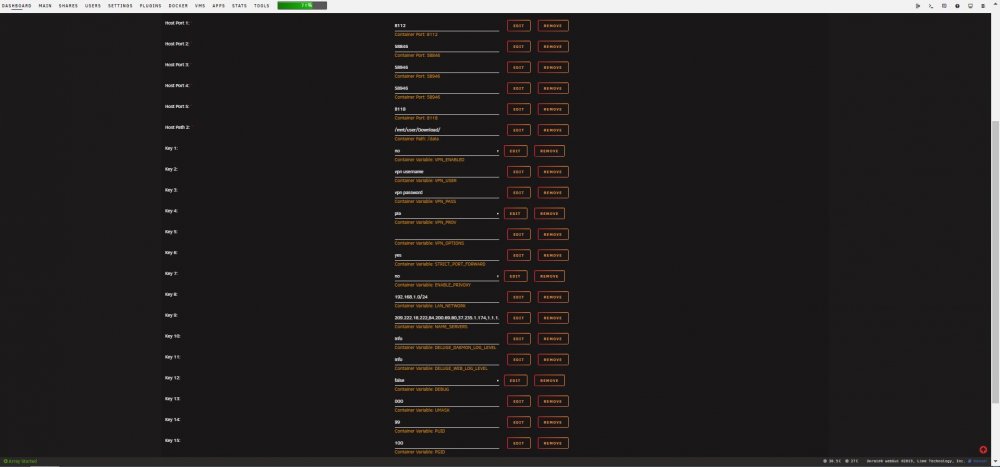
  2. Hi everyone, I need help with my Deluge Docker. I dont know what happen. we had a power outage for 48h. Clean shut down of unraid with the ups. When everything started I had issue with Deluge, the docker was starting because I was still able to download everything when I was adding the torrent file to the torrent folder... But I cant access the WebUI its saying: This site can’t be reached 192.168.100.37 refused to connect. I tried to remove and reinstall the docker. Still same issue. Im not using any VPN service for now. The computer that im using to access it is on the same network. 192.168.100.108 What am I missing? Here is the log Deluge log.txt
Account

Navigation

Search

Search

Configure browser push notifications

Chrome (Android)
  1. Tap the lock icon next to the address bar.
  2. Tap Permissions → Notifications.
  3. Adjust your preference.
Chrome (Desktop)
  1. Click the padlock icon in the address bar.
  2. Select Site settings.
  3. Find Notifications and adjust your preference.