





BitPusher
Members
-
Joined
-
Last visited
Everything posted by BitPusher
-
Just a heads up, the issue was that manually adding the plugin (as described in other posts), was not working. This was a clean install, so after I added Community Apps (on the machine with internet access), and searched under “realtek” in Apps tab, then installed the correct version (r8126) there, plugin installed fine. eth0 is now found and IP is assigned, and GUI is accessible.
-
OK, will do. Thanks. Will I be able to signup for another trial license while I see if I can get this working on this new build? And again, is there a way to lengthen or remove the cli password time out? It is silly as a default setting, encourages simple passwords.
-
Did you read the thread? I tried that… See the giant screenshot where it failed…
-
OK, here is the diagnostics for said machine. On a completely unrelated note, how do we turn off the idiotic 60 second password entry limit in cli? Or at least make it a reasonable bit longer? For someone who types the same password 100 times a day and has wrote memory, that is fine (but if you are doing that same password on all your machines, that is a 100x larger security issue), but on a infrequently logged into machine it makes no sense. And It actually seems like it is 40 seconds not even 60. brokenbits-diagnostics-20250421-0555.zip Since it was capturing login names in syslog, and it kept on timing out, half my password is there (in tty1 FOR ...), so I have to change that too.
-
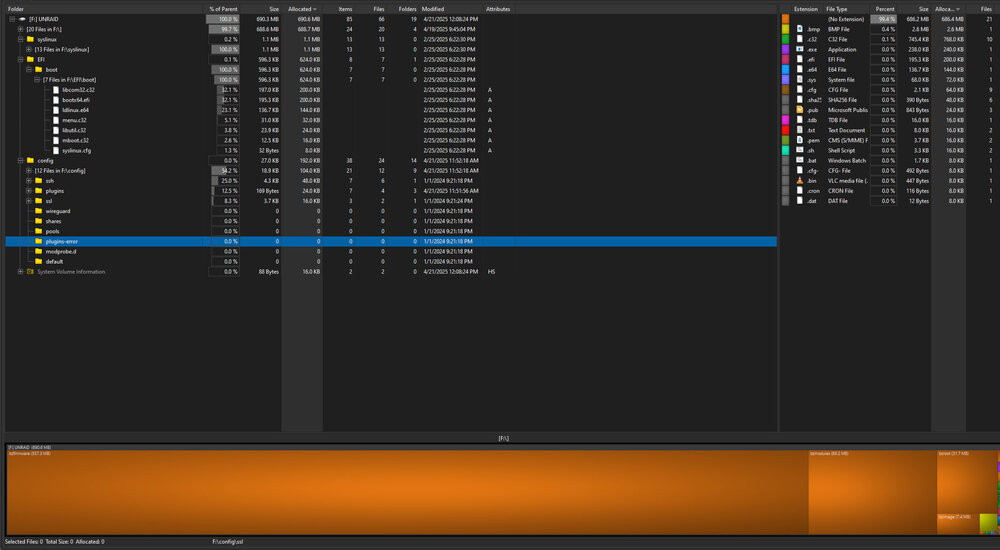
OK, so interesting update. I have no /logs or /boot/logs or EFI/boot/logs directory, or diagnostics.zip under any of the root level directories on the flash drive. See attached screenshot... I have booted to UnRAID multiple times on the machine with the missing network adapter, as well as one time on my fully functional box, that has internet connection, and where I installed a "trial license", and then attempted the plugin installs, since it had networking. So this UnRAID thumbdrive has been active. !!!!! EDIT: Nevermind, I see I have to activate the diagnostic via the cli using diagnostic command first when reading the docs. Did not decipher the diagnostics word in post as a command. Since it was in /logs just figured it was an on the fly log that did not need a trigger.
-
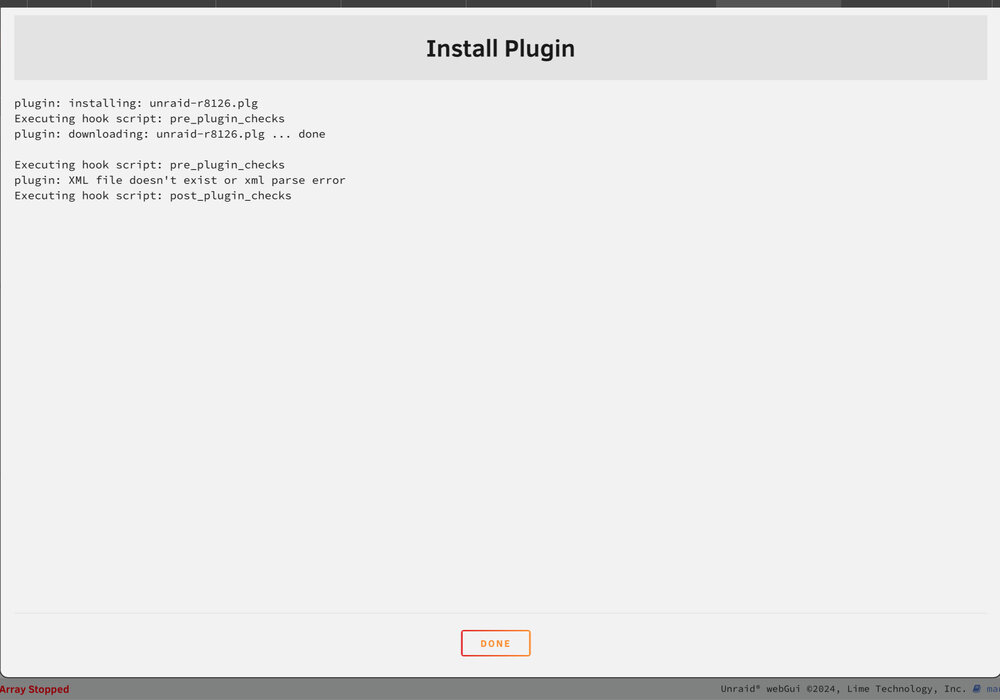
Just to follow up because I wanted to document this in case I find a solution for someone else. I replied before when the battery on my device was about to die... I have not gotten the diagnostics.txt yet because I am not at that location, but I wanted to go continue from my previous post. eth0 not showing up seems to be a problem with the newer Realtek drivers not being included in some iterations of linux. The version UnRAID uses seems to be one of them. This seems to be a known issue with Realtek here on this forum specifically. The default answer has been to install the plugin at: https://github.com/jinlife/unraid-r8125-r8152-driver/blob/main/unraid-r8125.plg I have the Realtek 8126 not the 8125, but the same git repo has a 8126 version: https://github.com/jinlife/unraid-r8125-r8152-driver/blob/main/unraid-r8126.plg Since the machine that actually has the missing network device does not have the GUI, the suggestion was to put the thumbdrive on a different computer temporarily and download and install the plugin there. I attempted this on my other UnRAID box, by manually adding the plug in, however the plug in failed due to an error, as shown in attachment. I made the same attempt for the unraid-r8125.plg just to make sure the one I tried was not a half done one, however same error... And to be CLEAR, I checked and no plugins were installed after I ran either script. So I while I will post the diagnostics.txt when I get a chance, I feel this is the 90% the right answer based on the various Linux forums I looked at and the other threads here. So the question here is how do I get UnRAID to recognize the hardware so I can move ahead with the install, since the reported solution does not even work? Is there some other method I have not found in my search? EDIT: Also just to add this is the thread I had previously found describing the plugin ,and the workaround, that did not work:
-
Thanks, I will do when I am back on that machine. For the moment though I followed the advice in a couple of other threads to install the plug in. I have r8126 (vb) SoI tried this one from ANOTHER machine with internet access https://github.com/jinlife/unraid-r8125-r8152-driver/blob/main/unraid-r8126.plg Got this error when trying to install… xml file does not exist… will post screen shot later.
-
I am having same problem with a new build with a MSI X870-P WiFi motherboard. It is an onboard realtek 5gb interface. I have seen on a couple other linux sites that some versions of linux are not complied with support for these. eth0 not found is the problem so no network, so no GUI. I can do this on my other UnRAID setup with GUI, however how do I get diagnostics via the cli?
-
I too have this same issue, which I only found as I am trying to track down some SMB issues, and am seeing this spamming the log.


