rmp5s
Members
-
Joined
-
Last visited
-
Tried a system reboot which led to Docker not wanting to start at ALL, so I had to go in and delete docker.img from /mnt/user/system/docker/, turned Docker off and back on again, then reinstalled all the containers as outlined here. (Community Applications really is an absolute GODSEND!!) Now everything appears to be back to normal. No idea what caused all that but wasn't too big of a deal to fix...so...whatever, I guess. 👍
-
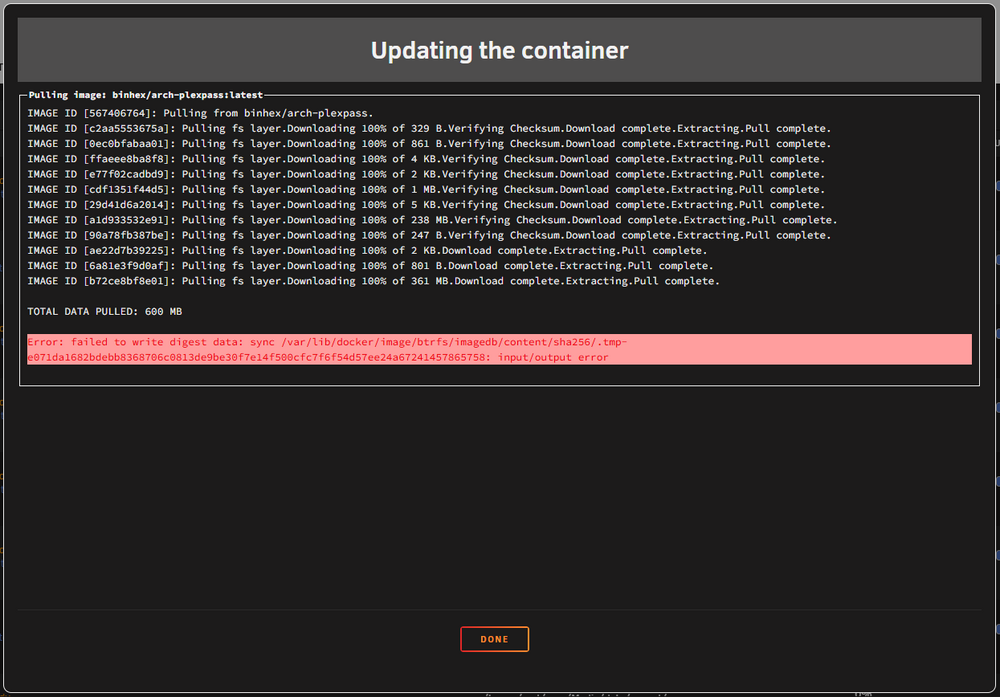
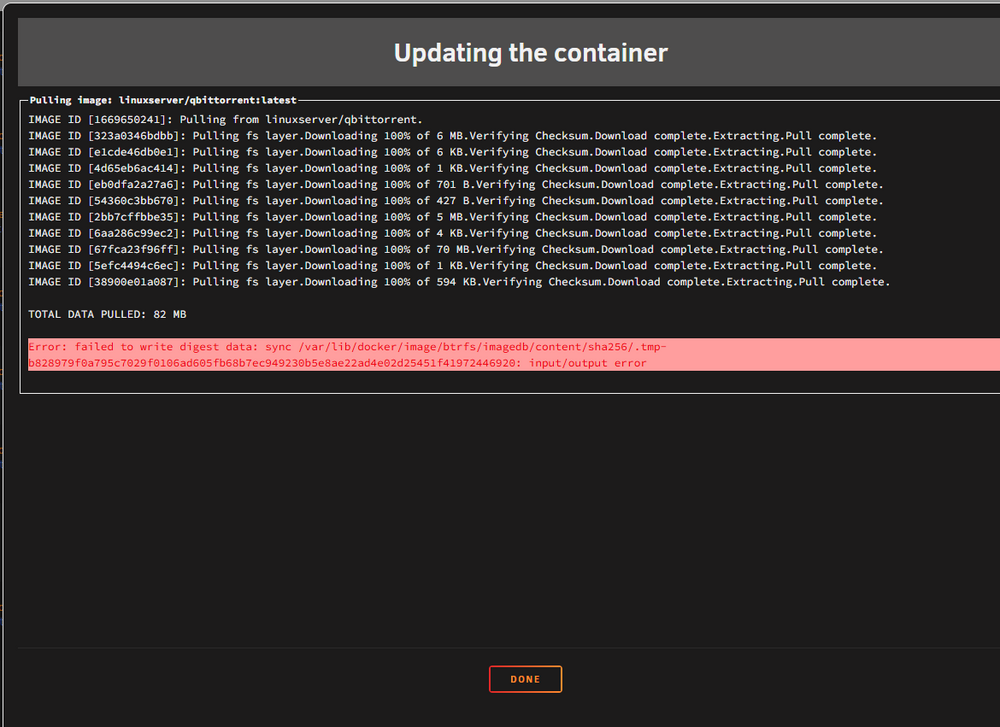
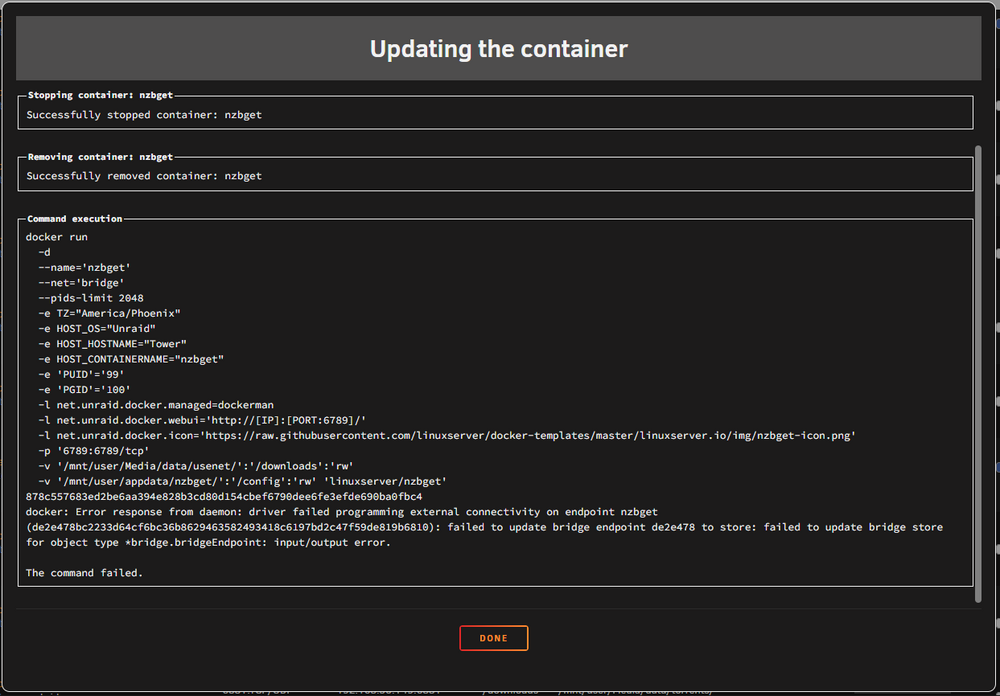
Had a very strange problem with Plex being unable to tune live TV channels out of the blue this morning (suddenly started giving me a "Could not tune channel. Please check your tuner or antenna" message while channels work perfectly fine in SparkleTV) so I thought I'd update Plex. It said "update available" so I clicked "apply update" and it went through all of its downloads and extracts like normal, then got to the bottom and, for the first time ever, I got this... "Error: failed to write digest data"...no idea what that means. I've never had it do that. Clicked "apply update" again and, nothing downloaded or extracted or anything, it just went straight to this... "The command failed." Again...never seen that before. Noticed that there are now a few Docker containers that say "not available"...another first... Went and tried updating another container and got the same. Did something happen with the update system in unRAID? I've never seen any of this before and I've been using unRAID and all these containers for YEARS now. Any help would be greatly appreciated.
-
That doesn't really make sense. The local server goes in the "remote server" field so it can log its own logs?
-
That's what I was thinking...seemed pretty straightforward. That's why I'm so confused. Got rid of the local setting as I don't think that applies...we'll see...maybe I'll just go into the terminal and enable syslog that way. Done it that way a bunch of times. Whatever works...lol Thanks for the sanity check.
-
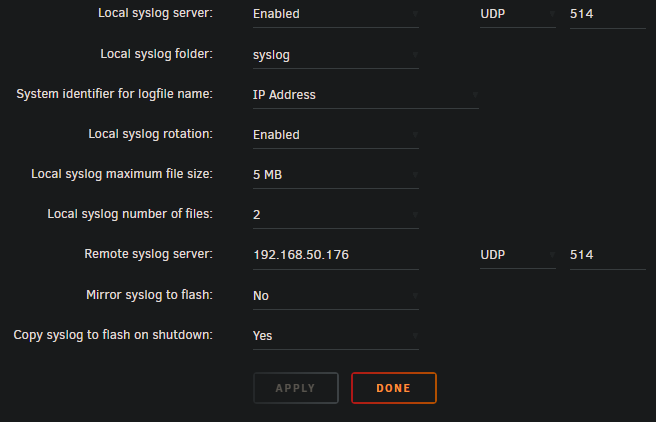
I'm wanting to send syslog from unRAID to another machine but I think I'm misunderstanding the "syslog server" in the settings. I originally had it enabled as I was thinking that was what turned it on. Then I realized that turns on RECEIVING syslog. I want to SEND syslog. So I added an IP and port in the "remote syslog IP" and thought, "aight. Now I'm set." But I'm seeing NOTHING on the receiving side. (I set up a Splunk server that I'm trying to send to so I can play around with it.) How do I turn it on? lol...how can I send syslog from unRAID? These are the current settings I have:
-
THANK you!! I knew it'd be some stupid simple little thing like that!! Hahaha
-
For example, in Krusader, even if I go fullscreen in Chrome, this is the very top of the window... ...I can't get to "File", "Edit", the top of the window to drag and move it around, etc. Looks like I'm not the only one to have this happen, though it doesn't seem like their fix applies here. Unfortunately.

-
This is such a strange problem that's kinda hard to explain but is absolutely infuriating...lol You know how some apps open in an emulated window when you go to the WebUI for Docker containers? What do you do when the top of that window goes up, off screen? I'm using Krusader and the top of the window (where "file" and the bar that you grab to move it and all that are) is up out of view now. Don't know why or how to get the friggin window back!! Hard to explain. Hope that makes sense. Think of, like, if Notepad somehow managed to slide up off your screen far enough that you can no longer click "file", "edit", etc or click the top to drag the window back down. It's like that but in the emulator.
-
True true. But... storage/Media/data/usenet/complete/... ...just like the Trash Guide said is what I put in FileBot. Put it in again, literally watched and didn't see anything change, but now it's happy. Not sure. Pretty weird. May be a "refresh" kind of thing...that's all I can think of. Thank you for all the help!!
-
Turns out I DID have the mappings correct. The issue was something with the way the destination path was entered in FileBot. I don't know why, because it looks the same to me, but I went in and entered the destination paths again and it works. Doesn't make a whole lot of sense, but hey...at least it works. I guess. Thanks for all the help!!
-
Hmmm...going to have to look into this more in a bit...gotta get some work done. Thanks for the help.
-
Right..."/watch" and "/output" are both mapped as the paths I need, /media/Media...that appears correct. That's where the data that the container uses is located. Yes, I understand volume mapping.
-
This looks craaaaaaaaazy...I don't remember EVER seeing a "docker run" look like this. lol docker run -d --name='FileBot' --net='bridge' --pids-limit 2048 -e TZ="America" -e HOST_OS="Unraid" -e HOST_HOSTNAME="" -e HOST_CONTAINERNAME="FileBot" -e 'OPENSUBTITLES_USERNAME'='' -e 'OPENSUBTITLES_PASSWORD'='' -e 'AMC_INTERVAL'='1800' -e 'AMC_INPUT_STABLE_TIME'='10' -e 'AMC_ACTION'='test' -e 'AMC_CONFLICT'='auto' -e 'AMC_MATCH_MODE'='opportunistic' -e 'AMC_ARTWORK'='n' -e 'AMC_MUSIC_FORMAT'='{plex}' -e 'AMC_MOVIE_FORMAT'='{plex}' -e 'AMC_SERIES_FORMAT'='{plex}' -e 'AMC_ANIME_FORMAT'='{plex}' -e 'AMC_PROCESS_MUSIC'='y' -e 'AMC_SUBTITLE_LANG'='' -e 'AMC_LANG'='English' -e 'USER_ID'='99' -e 'GROUP_ID'='100' -e 'UMASK'='000' -e 'APP_NICENESS'='' -e 'DISPLAY_WIDTH'='1280' -e 'DISPLAY_HEIGHT'='768' -e 'SECURE_CONNECTION'='0' -e 'X11VNC_EXTRA_OPTS'='' -e 'FILEBOT_CUSTOM_OPTIONS'='' -e 'AMC_CUSTOM_OPTIONS'='' -e 'AMC_INPUT_DIR'='/watch' -e 'AMC_OUTPUT_DIR'='/output' -e 'AMC_INSTALL_PKGS'='' -e 'USE_FILEBOT_BETA'='0' -l net.unraid.docker.managed=dockerman -l net.unraid.docker.webui='http://[IP]:[PORT:]' -l net.unraid.docker.icon='https://raw.githubusercontent.com/jlesage/docker-templates/master/jlesage/images/filebot-icon.png' -p '7813:5800/tcp' -p '7913:5900/tcp' -v '/mnt/user/':'/storage':'rw' -v '/mnt/user/Media/':'/watch':'rw' -v '/mnt/user/Media/':'/output':'rw' -v '/mnt/user/appdata/FileBot':'/config':'rw' 'jlesage/filebot' e92befc3a113589805e73ce76861e281566ab7e0b The command finished successfully! It looks like it's setting rw permissions at the end...still doesn't work, though...hmm...
-
The paths are just IN the container itself. It's reading, manipulating and writing data back to the array. Can't post that right now as the server decided to crash. Which is a fun, new trick it's learned...
-
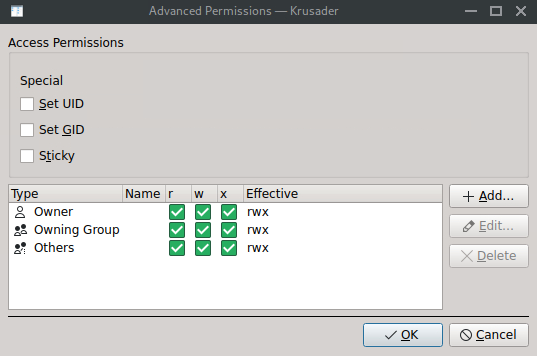
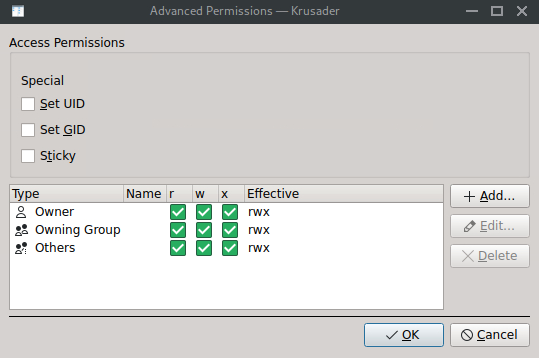
I just got this error... ...and I'm not sure how to fix it. I looked at the folder it mentions and it appears wide open... ...this container has been writing to/from /media/Media for YEARS and, all of a sudden, this. I'm baffled. /media/Media permissions look exactly the same as .../complete/tv... The Docker container is FileBot, which I've used to rename and move files on the server for literally years and it's never had any kind of permissions issue. I just moved a bunch of files from one directory to a new directory (moved my media libraries from /media/Media/downloads/ to /media/Media/data as the trash guide says...trying to get my paths all sorted out so the Arrs are finally happy...) and now FileBot is angry. Anything to look at, any words of wisdom, any help at all is greatly appreciated. Thank you!!