CharlieZJ
Members
-
Joined
-
Last visited
-
That did solve the problem! I probably had messed it up during migration. Thank you very much!
-
Here it is. Thanks! diagnostics-20211224-1531.zip
-
Gotcha. I was messing around earlier to see if there's anything I could change to make it work. Changed it back to 443 and still the same. Anyways, I'm on 6.9.2.
-
Here it is. I've attempted un-install / re-install / removing all container and the image file and re-install. All without any luck. Thanks. my-nextcloud.xml
-
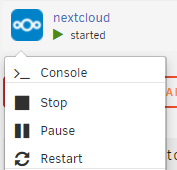
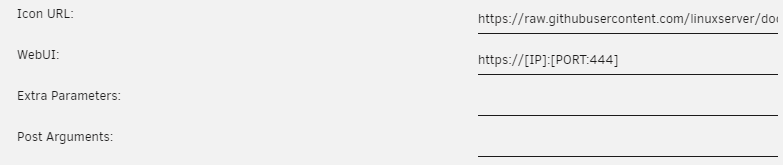
Hi, It's actually my first time posting on the forum. I've been running my Unraid for several years without problem. After migrating to a new machine, the 'WebUI' button stopped showing in the right click menu. The WebUI parameter appears have been set correctly. And this has been the case for all of my dockers after migration. Ex: Network type is set to 'Bridge'. The button shows up if I switch network type to my custom br1, with a unique ip set the button would work fine. It disappears again after switching back to Bridge. I've already tried methods mentioned in the post below: However, 1. my symptom seems 'backwards' to what they were experiencing. 2. setting the 'Extra Parameters:' as mentioned in that post renders container unable to start and gives an error. This has not turned into a real issue yet given that I can always manually type [ip]:[port] myself, but it is still a annoyance that I'd like to fix. Thanks in advance for the help!